
Most customers check a business online before they call, email, or stop by. According to Network Solutions’ 2026 small business website survey, 81% of shoppers research a business online before making a purchase. The same survey found that 83% of small businesses now have a website, up from 64% in 2018.
For many small businesses, that “home base” online is a simple site that explains who you are, what you offer, and how to reach you. When people hear about your business through social media, ads, or referrals, their first instinct is to look you up. If they like what they see, they’ll call, email, or stop by.
Creating an Online Home for Your Business
So how do you get an online presence for your business? You have a few options. You can build a site yourself using modern tools. You can also hire a professional designer or developer to handle the setup while you focus on running the business.
In many cases, working with a professional is the best approach because of their experience with design, usability, and marketing. A good pro can help you avoid common mistakes, set things up correctly, and give your business a polished look. That said, you can still build a site on your own if you are comfortable learning the basics.
Either way, it’s important to understand what’s involved. This guide is not a step-by-step tutorial. Instead, it’s meant to get you familiar with your options, the main decisions you’ll face, and where to find detailed tutorials for the platform you choose.
What to Evaluate Before You Build
Before you jump into tools and templates, take a bit of time to plan. This helps you decide what kind of site you really need and how you’ll put it together. Going straight into “build mode” without thinking things through can lead to wasted time and extra costs later.
Below are a few key points to think about before you start:
1. Main Purpose of Your Site
Why do you want an online presence in the first place? Do you want more leads? Do you want people to buy products online? Do you simply want a place to share information and answer common questions?
Your main goal will guide everything else. A site that is mainly educational looks different from a directory, an online store, or a booking system. Being clear about your purpose makes it easier to choose the right structure and features.
2. Target Audience
Who are you trying to reach? Your ideal customer affects the look, feel, and wording of your site. For example, if your business targets kids and parents, you might use brighter colors, playful fonts, and simple language. If you work with executives, you may choose a more formal style and focus on trust and results.
The images, layout, and tone should feel familiar to the people you want to attract.
3. Budget
There are costs involved in creating and running a site. At a minimum, you’ll need a domain name and hosting or a plan with a site-building service. Some tools charge monthly or yearly fees. Others are free software, but you still pay for hosting and any premium add-ons you choose.
It helps to decide on a realistic budget up front. This keeps you from overspending and shows you which tools and services fit your situation.
4. Competitor and Industry Review
Before you build anything, look at sites in your industry. Note what you like and what feels confusing. Look for common sections such as services, pricing, testimonials, FAQs, and contact options. This can give you ideas and help you avoid leaving out something important.
5. Content Preparation
Your site is a platform for your message. Once it’s built, it still needs content: text, photos, videos, and downloads. It’s much easier to design a good site when you already have a rough idea of your content.
Make notes or drafts for:
- Your main sales message or tagline.
- Descriptions of your products and services.
- Answers to common questions.
- Basic information about your history and experience.
Planning content early helps you decide what features and pages you need so you don’t have to constantly redesign things later.
6. Business Details
Have your basic business information ready to go. This includes your logo, phone number, email, physical address (if you have one), business hours, and a short version of your mission and story. These details will appear throughout your site.
Keep this information accurate and consistent everywhere it appears. Nearly three-quarters of consumers say they won’t trust a local business if its listed hours, address, or contact details don’t match what they find elsewhere online (LocaliQ, 2026).
Types of Business Sites
Different kinds of sites serve different purposes. You might only need one type, or you might combine a few. Choose the setup that matches what your business does and what you want visitors to do.
1. Lead Generation Site
A lead generation site is designed to turn visitors into prospects. It does more than simply tell people who you are. It nudges them to take a clear action, such as requesting a quote, booking a free call, or joining your email list.
These sites usually highlight benefits, include strong calls to action, and make it easy for visitors to share their contact details so you can follow up.
2. Blog
A blog focuses on educational or entertaining posts. Entries are typically shown in reverse chronological order, with the newest at the top. A blog can stand on its own or be part of a larger site.
This type of setup works well if you want to share ongoing tips, news, or industry insights. Many blogs allow comments so readers can respond and ask questions.
3. Event Site
An event-focused site is built around one or more events, such as conferences, fundraisers, or workshops. It usually includes the date, time, location, speaker or performer details, and a schedule.
You can also add travel and accommodation details and a way for visitors to register and pay.
4. Booking Site
A booking-focused site is ideal for service-based businesses such as salons, spas, consultants, and medical offices. Visitors can see your availability and book appointments without calling you.
These sites often include calendars, automated reminders, and forms that collect key details before the appointment.
5. E-Commerce or Online Store
An online store lets customers browse products and place orders directly. It normally includes product listings, pricing, photos, stock details, a shopping cart, and checkout options.
To run an online store, you’ll need to set up payment processing, shipping options, taxes, and order fulfillment. You’ll also want clear information about delivery times, returns, and customer support.
6. Media or Content Site
A media-style site is built to publish articles, videos, podcasts, or other content on a regular schedule. Some of these sites rely on advertising. Others earn income through memberships, subscriptions, or sponsored content.
This approach works well if your business model is built around information, news, or education.
7. Directory
A directory lists businesses or resources in one place. Visitors use it to find providers that meet certain criteria, such as location, category, or rating.
Common features include:
- Listings with contact details and descriptions.
- Search and filter tools.
- Membership or listing plans.
- Customer reviews and ratings.
- Options to bookmark or “favorite” listings.
8. Online Forum or Social Community
An online forum or community site allows people to ask questions, share ideas, and talk to each other. These can be organized by topics, interests, or industries.
Members can create posts, reply, and sometimes send private messages. This style of site can support your business if you run a group, membership program, or customer community.
Main Options for Building Your Site
There are four common ways to build your online presence. The right one for you depends on your budget, comfort with technology, and how complex your site needs to be.
Option 1: Use a Website Builder
A website builder is an all-in-one platform that includes design tools and hosting. Many use drag-and-drop editors, so you can place sections, images, and text without writing code. Popular examples include services like Wix and Squarespace. Builders come and go and change their features often, so it’s worth checking current reviews before you commit to one.
Benefits of website builders include:
- No coding required.
- Templates designed for specific industries.
- Hosting included in your monthly or yearly plan.
- Built-in support and tutorials.
On the downside, you pay ongoing subscription fees, and some advanced features may only be available on higher-priced plans. You’re also limited to what the platform offers, and moving your site to a different system later can be difficult.
Some builders let you export certain content (like blog posts), but not the full design or layout, which is why a rebuild is often needed when you move to a different platform.
Option 2: Use WordPress
WordPress is a popular content management system (CMS) that powers a large share of the sites on the internet. You can use it to build almost any type of site, from a simple blog to a full online store.
There are two main ways to use it:
- Self-hosted (WordPress.org): You download and install the free software on your own hosting account. You pay your hosting company and for your domain name. Many themes and plugins are free; others are paid.
- Hosted services (such as WordPress.com plans): These bundle the software with hosting and support for a monthly or yearly fee. Higher-tier plans unlock more features and flexibility.
Its flexibility comes from a large library of themes and plugins. You can extend a site with contact forms, booking systems, e-commerce tools, SEO helpers, and more.
You don’t need to be a programmer to use it, but you should be comfortable learning your way around a dashboard and settings. There is a learning curve, and you’ll likely rely on written guides or video tutorials as you set things up.
Option 3: Try an AI Website Builder
AI website builders are a newer option. Instead of starting from a template and dragging sections into place, you describe your business in plain language and the tool generates a working site for you to edit.
This can save time if you want something usable fast and don’t want to learn a design tool. It works best for straightforward sites. If you need complex, highly customized features, you may still outgrow it and need a builder, WordPress, or a developer.
Option 4: Work with a Web Designer or Developer
If you’d rather not build the site yourself, you can hire a professional. A good designer or developer brings experience in layout, branding, user experience, and often marketing.
This approach is often the best choice if:
- You want a polished, custom look that matches your brand.
- You need more complex features such as custom forms, integrations, or advanced e-commerce.
- You don’t have the time or interest to manage the technical side.
Hiring a professional will cost more than doing it yourself, and you’ll still pay for your domain and hosting. However, a well-planned, well-built site can save you time, avoid costly mistakes, and convert more visitors into customers.
Even if you work with a designer, it’s still important to understand the basics. You’ll make better decisions, ask better questions, and be more comfortable updating content later.
Big-Picture Steps to Getting Online
The exact steps you’ll follow depend on the tools and platform you choose. Think of this section as a high-level overview to help you see the big picture, not a full tutorial. When you’re ready to build, you can use platform-specific guides and training to walk you through each step in detail.
1. Choose and Register a Domain Name
Your domain name is the web address people type to find you, such as yourbusinessname.com. It should be easy to spell, easy to remember, and related to your business.
Tips for choosing a domain name:
- Keep it short and simple.
- Avoid hyphens and confusing spellings.
- Use a familiar extension such as .com if it’s available, especially for a business.
- Check availability with a domain registrar.
- Consider searching for existing trademarks and business names to avoid conflicts.
You can learn more about the basics of domain names here: How to Register a Domain Name.
2. Choose Hosting or a Plan with a Site-Building Service
If you use a self-hosted platform like WordPress.org, you’ll need a hosting account. Hosting is the service that stores your site’s files and makes them available online. Some basic plans cost only a small amount each month, with higher-tier plans costing more as you need extra speed, storage, and features.
If you use a website builder or a hosted service, hosting is usually included in your monthly or yearly plan. In some cases, you can also register your domain name through the same provider, which simplifies billing and setup.
Look at independent reviews and compare reliability, support, and pricing before you decide.
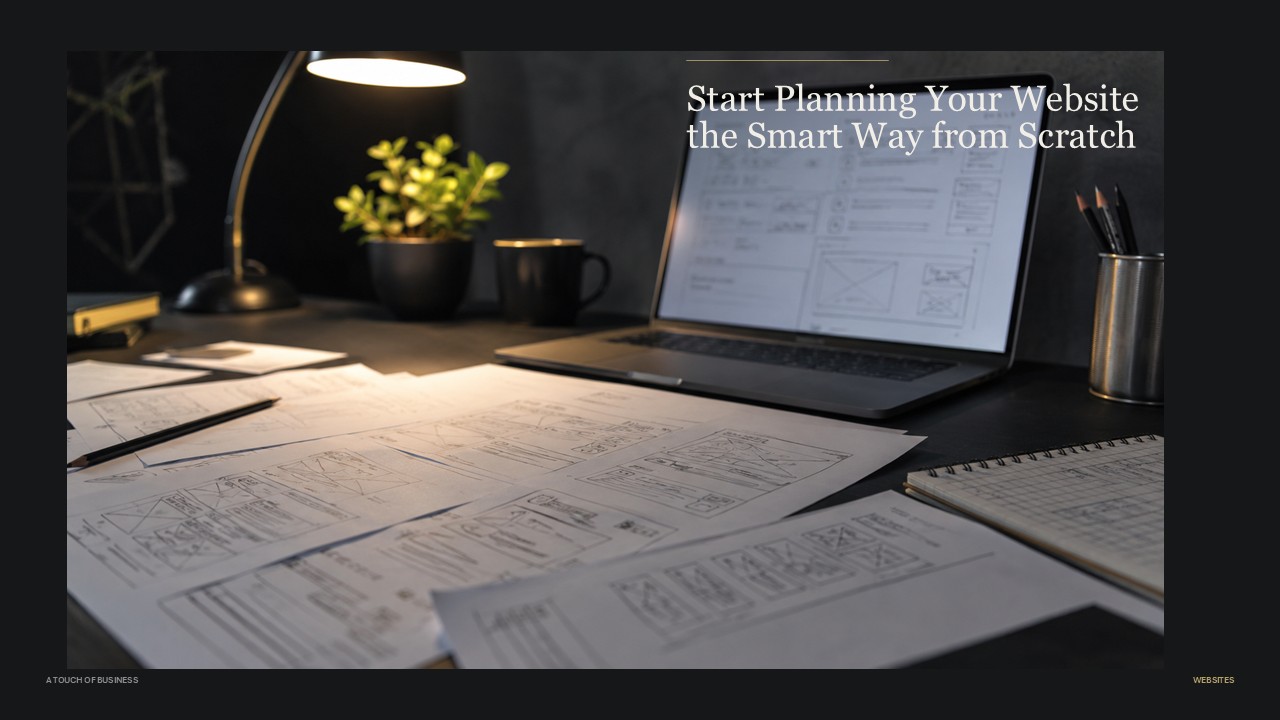
3. Plan Your Structure and Key Pages
Before you touch any design tools, sketch out the basic structure of your site. Common pages include:
- Home
- About
- Products or Services
- Contact
- Blog or Resources (if you plan to publish articles or updates)
- Privacy Policy and Terms of Use
Think about what visitors will want to do on each page. For example, your Home page might focus on what you do and who you help. Your Products or Services page might list your offers along with pricing or “request a quote” buttons.
Once you know your main pages, you can choose a template or theme that supports that structure.
4. Customize the Look and Add Your Content
After you’ve chosen a theme or template, you can adjust colors, fonts, and layouts to match your brand. Try to keep things simple and consistent. Use the same colors, heading styles, and button designs throughout the site.
Next, add your content to each page. This includes your text, photos, and any downloads or videos you want to share. It’s usually easier if you have your main content drafted in advance, even if you refine it as you go.
5. Test on Different Devices
Before you go live, test your site carefully:
- Click every link and button.
- Submit each form to make sure messages reach you.
- View your site on a phone, tablet, and desktop if possible.
- Check that text is easy to read and that menus are simple to use.
Most modern themes are responsive, which means the layout adjusts to different screen sizes. Still, it’s worth taking a few minutes to see things as your visitors will see them.
6. Launch and Keep Improving
Once you’re happy with the basics, you can launch your site and start sharing the link. Plan to update information, publish new content, and improve the site over time as you learn what your visitors respond to.
What Makes a Strong Small Business Site?
Regardless of which tools you choose, some principles are the same for most small business sites. Aim for:
- Clear messaging: In a few seconds, visitors should know who you are, what you do, and who you serve.
- Easy contact options: Make your phone number, email, and contact form easy to find. Include your business hours and address if you see customers in person.
- Mobile-friendly design: Many people will visit from a phone. Your layout should adjust smoothly to small screens.
- Fast loading: Large, unoptimized images and unnecessary extras can slow things down. Aim for a clean, focused design.
- Basic SEO: Use clear page titles, headings, and descriptive text so search engines and people understand what each page is about.
- Security and maintenance: Use a secure connection (HTTPS), keep your software and plugins updated, and back up your site regularly.
- Accessible content: Use readable fonts, good color contrast, and descriptive alt text for images when possible.
Where to Find “How-To” Tutorials
This guide is meant to help you understand your choices and the overall process. When you’re ready to build, you’ll want detailed, step-by-step instructions tailored to the specific tools you’re using.
Good places to find practical tutorials include:
- The official help center or documentation for your chosen platform (website builder or CMS).
- Beginner guides and video tutorials created for that specific tool (for example, “WordPress beginner tutorial” or “how to build a site with [platform name]”).
- Trusted blogs, training sites, or courses that specialize in small business websites.
Take your time learning the basics before you rush into design. A simple, clear, well-planned site will do more for your business than a complex one that’s hard to use.
Conclusion
Getting your business online is more achievable than ever. You can use a website builder, set up a site with WordPress, try an AI-powered builder, or hire a professional to guide you through the process. Each option has its pros and cons in terms of cost, control, and complexity.
Start by clarifying your goals, understanding your audience, and planning your content. Then choose the approach that fits your budget and comfort level. As your business grows, you can refine and expand your online presence one step at a time.
Key Points and Facts About Building a Small Business Website
Why It Matters
- 81% of shoppers research a business online before making a purchase (Network Solutions, 2026).
- 83% of U.S. small businesses now have a website, up from 64% in 2018 (Network Solutions, 2026).
- Nearly three-quarters of consumers say they won’t trust a local business if its online contact details are inconsistent (LocaliQ, 2026).
Your Main Build Options
- Website builders: drag-and-drop, hosting included, easiest to start.
- WordPress: flexible, larger learning curve, huge plugin library.
- AI website builders: describe your business, get a starting site fast.
- Web designer or developer: custom work, highest cost, least hands-on for you.
Before You Build
- Know your main purpose and target audience.
- Set a realistic budget for tools, hosting, and a domain.
- Draft your core content before you start designing.
Action Steps for Building a Small Business Website
Define Your Goals
- Write down the one or two things you most want visitors to do.
- Describe your target audience in a sentence or two.
Set a Budget
- List expected costs: domain, hosting or plan fees, and any add-ons.
- Decide whether you’re building it yourself or hiring help.
Choose Your Platform
- Compare a website builder, WordPress, an AI builder, and a developer against your budget and goals.
- Read current reviews before committing, since tools and pricing change.
Prepare Your Content
- Draft your tagline, product or service descriptions, and FAQ answers.
- Gather your logo, photos, and business details.
Build, Test, and Launch
- Set up your site structure and key pages.
- Test every link, form, and page on mobile and desktop.
- Launch, then keep updating content over time.
Checklist for Building a Small Business Website
- Clarify your goal
- Leads, sales, information, or bookings?
- Know your audience
- Match tone, colors, and design to who you serve.
- Set your budget
- Domain, hosting or plan, and any extras.
- Pick your build option
- Website builder, WordPress, AI builder, or a professional.
- Register your domain
- Short, simple, and checked for trademark conflicts.
- Prepare your content
- Text, photos, videos, and business details ready to go.
- Build your key pages
- Home, About, Products or Services, Contact, and any others you need.
- Test before launch
- Links, forms, and mobile display all working.
- Launch and maintain
- Publish, then keep content and software up to date.
FAQ: Building a Small Business Website
Do I really need a website if I’m active on social media?
- Yes. Social media accounts can be limited or shut down, and 81% of shoppers still research a business online before buying (Network Solutions, 2026). A website gives you a home base you control.
What’s the cheapest way to get a small business website online?
- A website builder is usually the least expensive way to start, since design tools and hosting are bundled into one plan. Costs still vary by provider and features, so compare current plans before choosing.
Should I use WordPress or a website builder?
- Choose a website builder if you want the simplest setup with hosting included. Choose WordPress if you want more flexibility and are comfortable with a bit of a learning curve.
Are AI website builders good enough for a small business?
- They work well for straightforward sites you want up quickly. If you need complex or highly customized features, you may outgrow one and need a traditional builder, WordPress, or a developer.
Do I need to hire a professional to build my site?
- No, but it can help. A professional is most useful if you need a custom look, complex features, or don’t have the time to manage the technical side yourself.
How do I keep customers from losing trust in my site?
- Keep your contact details, hours, and address accurate and consistent everywhere they appear. Nearly three-quarters of consumers say they won’t trust a business with inconsistent listing information (LocaliQ, 2026).
References:
- Network Solutions — 50+ Small Business Website Statistics for 2026
- LocaliQ — 90 Online Review Statistics for 2026
- Cybernews — Best Website Builders for Small Business 2026
- WPZOOM — How Many Websites Use WordPress in August 2026?
- HostAdvice — Best Cheap Web Hosting August 2026
- Playcode — Best Website Builders for Small Business 2026
- A Touch of Business — How to Register a Domain Name