
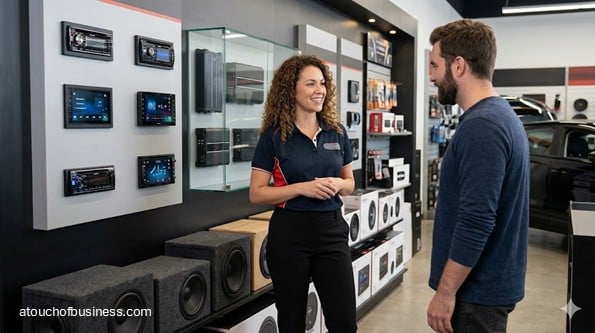
What to Expect From This Guide to Starting a Car Audio Business
This guide takes readers through the ordered decisions and practical steps involved in opening a car audio business. It connects service choices and market demand with shop layout, installer skills, parts flow, pricing, local approvals, risk controls, and tested customer handoffs. The bullets show selected areas of value.
Inside the guide, you will find:
- Startup roadmap: Move from owner fit and service selection through shop setup, test jobs, quality checks, and opening preparation.
- Industry perspectives: Learn from shop-owner interviews, profiles, and videos about staffing, training, customer trust, parts flow, and installation standards.
- Startup FAQs: Find guidance on service scope, leases, certification, taxes, tools, warranties, inventory, insurance, and first-job preparation.
- Services and demand: Evaluate the local market and choose which audio, camera, alarm, starter, diagnostic, or custom services to offer.
- Shop workflow: Plan bays, vehicle movement, estimates, approvals, parts staging, installation, testing, payment, and customer handoff.
- Costs and pricing: Price tools, build-out, inventory, staffing, funding, labor, vehicle complexity, taxes, warranties, and custom jobs.
- Risk and opening: Address installer training, customer forms, vehicle protection, insurance, safety procedures, supplier access, and controlled test jobs.
Begin with the personal and technical fit questions that determine which services your first shop can support responsibly.
A car audio business gives drivers a place to upgrade, repair, and improve the sound systems in their vehicles. In a shop-based setup, customers bring vehicles to your location. You or your installers handle the estimate, parts check, installation, testing, payment, and final handoff.
This business may involve head units, speakers, amplifiers, subwoofers, backup cameras, dash cameras, remote starters, alarms, and factory audio integration. The exact service mix matters because each added service changes tools, training, inventory, insurance, job timing, and risk.
Before you follow the broader startup steps, make sure this specific business fits you. A car audio shop isn’t just about liking cars or music. It’s about careful wiring, clean vehicle handling, clear estimates, parts flow, and customer trust.
Is a Car Audio Business a Good Fit for You?
A car audio business can be a good fit if you enjoy detailed technical work and can stay patient when a vehicle creates surprises. You may remove trim, trace wiring, explain product limits, and solve fitment problems the customer never sees.
You also need to think about your life outside the shop. Can you handle income uncertainty during launch? Do you have enough financial support to cover personal living expenses while the business builds steady revenue?
Ask yourself what’s driving the decision. Starting this business just to escape a job, status pressure, or financial stress can lead to rushed choices.
The stronger reason is more grounded: you want to serve local drivers, build a trusted shop, and handle the daily pressure that comes with customer vehicles.
A shop-based car audio business also needs a clean handoff from one stage to the next. Before an installer can begin, the estimate, customer approval, parts, vehicle notes, and bay space need to be ready.
That workflow affects almost every decision. A weak estimate can turn into an underpriced job. A missing harness can delay the vehicle. A poor quality check can turn into a comeback.
Learn From Owners Outside Your Market
Talk with experienced car audio shop owners you won’t compete against. Choose owners in another city, region, or market area.
Prepare your questions before those conversations. Ask about bay layout, tool choices, supplier access, slow-moving inventory, installer training, vehicle damage claims, tax setup, and the jobs they’d avoid at launch.
These owners have firsthand experience. Their path won’t match yours exactly, but their insight can show you problems that don’t appear on a basic checklist. This is where advice from real business owners can help you think more clearly.
Check Local Demand Before You Commit
A car audio shop depends on local demand. You need enough vehicle owners who want upgrades, repairs, or accessory installation—and enough pricing room to support the shop.
Look at the area around your possible location. Are there many commuters, used-car buyers, auto detailers, tint shops, dealerships, and vehicle enthusiasts? Are there already strong car stereo shops nearby?
Demand isn’t just about population. It’s about local vehicle habits, competition, convenience, trust, and whether people in that market will pay for clean installation rather than the cheapest option.
Before you sign a lease or buy inventory, compare local supply and demand. That check can help you decide whether to start, delay, narrow the service mix, or choose a different location.
Red Flags Before You Start
Some problems should make you pause before you open a car audio business. These aren’t small launch tasks. They affect whether the business is worth starting in the first place.
- Weak local demand: If the area has few target customers or low vehicle upgrade interest, the shop may struggle from day one.
- Too many strong competitors: If established shops already control the same service mix, you may need a different location, niche, or entry path.
- No qualified installer: If you can’t install and can’t hire or train someone who can, delay the launch.
- Unclear sales-tax treatment: Parts, labor, repair, and accessory installation may be treated differently by state. Don’t quote jobs until you know how to handle tax.
- Location problems: If zoning, parking, bay use, signage, or the certificate of occupancy is uncertain, don’t sign yet.
- Unrealistic facility needs: Electrical upgrades, lighting, fire corrections, or build-out requirements can change the entire budget.
- Poor supplier access: Missing harnesses, dash kits, wiring, or integration modules can stop jobs before they start.
- Insurance gaps: If insurers won’t cover the services you plan to offer, change the service mix before opening.
- Poor owner fit: If you dislike detailed installation, customer explanations, documentation, and pressure, this business may not be right for you.
Step 1: Check Whether the Business Fits You
Start by deciding whether owning a car audio business fits your skills, patience, and lifestyle. This is the first handoff in the process: from interest to honest self-assessment.
You may enjoy cars and music, but the shop requires more than enthusiasm. You need comfort with wiring, vehicle interiors, careful trim removal, product fitment, customer questions, and technical problem solving.
Think about your role. Will you install systems yourself? Will you manage installers? Will you handle sales, estimates, supplier calls, and payment while someone else installs?
Each role creates a different startup path. Before you can design the shop, you need to know who will perform the hands-on installations.
Step 2: Test Your Motivation
A car audio shop can put pressure on you early. Customers leave expensive vehicles with you. Parts may arrive late. A wiring issue can slow down the whole day.
That’s why motivation matters. If you’re starting only because you want out of a job, pause and think again. Escape isn’t the same as a plan.
A stronger motive is specific: you want to build a reliable shop, solve vehicle audio problems, and create a process customers can trust.
You also need tolerance for failure risk. Not every startup works. The more honest you are now, the better your decisions will be before you sign, buy, or hire.
Step 3: Talk With Non-Competing Shop Owners
Before you choose a location or buy tools, speak with car audio shop owners outside your market. These conversations can save you from expensive assumptions.
Ask about the flow of a real job. How does a customer inquiry become an estimate? When are parts ordered? What delays jobs? Which services create the most comebacks?
Good questions include:
- Which tools did you need earlier than expected?
- Which products sat on the shelf too long?
- Which jobs were hardest to price?
- Which local approvals delayed opening?
- Which services created the most liability risk?
Keep these conversations practical. You’re not asking them to build your business for you. You’re learning what owner experience looks like before you commit.
Step 4: Choose Your Launch Model
A shop-based car audio business typically needs installation bays, a product counter or small showroom, parts storage, a customer handoff area, and safe vehicle flow.
Decide what you’ll offer at launch. A basic shop may focus on head units, speakers, amplifiers, subwoofers, dash cameras, and backup cameras.
A more complex shop may also offer alarms, remote starters, digital signal processor tuning, sound deadening, custom enclosures, or advanced factory integration.
Before you add a service, ask what it changes:
- Does it require more training?
- Does it need special tools or software?
- Does it add insurance concerns?
- Does it create longer vehicle turnaround times?
- Does it require more vehicle-specific parts?
Also decide whether you’ll install customer-supplied products. Those jobs may bring missing parts, unclear warranty support, and compatibility problems. If you accept them, write the policy before opening.
Step 5: Compare Starting, Buying, and Franchising
You can start a car audio business from scratch, buy an existing shop, or explore a franchise in the broader automotive accessory space.
Starting from scratch gives you the most control over the service mix, layout, supplier choices, brand, and installation standards. It also means you must build every process yourself.
Buying an existing shop may give you equipment, lease history, supplier relationships, customer records, and staff. It can also bring hidden problems.
Before you buy, review the lease, financial records, tax records, inventory value, warranties, supplier accounts, complaints, and employee skills. Get legal and accounting help before signing.
Franchising may offer structure, but it can also limit your supplier choices, territory, pricing approach, and shop setup. The right path depends on your budget, timeline, support needs, desired control, and risk tolerance. This is a good place to think through whether you should start from scratch or buy a business.
Step 6: Validate the Local Market
Before you lease a shop, test whether the local market can support a car audio installation business. This step should happen before major spending.
Look at the number of vehicles in the area, local commuter patterns, used-car activity, nearby dealerships, and the presence of related businesses such as detailers, tint shops, and accessory stores.
Then study the competition. Are there full-service car stereo shops nearby? Do they focus on budget installs, high-end systems, remote starters, or custom builds?
Your goal isn’t to prove that customers exist somewhere. Your goal is to decide whether this specific market can support your shop, service mix, pricing, and location.
Step 7: Map Your Services Before Estimating Costs
Don’t price out a shop until you know what the shop will do. The service mix drives tools, bay layout, staffing, insurance, inventory, and job timing.
Common launch services may include:
- Head unit replacement
- Speaker replacement
- Amplifier installation
- Subwoofer installation
- Backup camera installation
- Dash camera installation
- Sound deadening
- Basic troubleshooting
More complex services may include remote starters, alarms, digital signal processor tuning, factory amplifier integration, steering wheel control integration, and custom subwoofer enclosures.
Each added service creates a new handoff. The customer must approve the job, parts must be correct, the installer must know the vehicle, and the final test must confirm the system works.
Step 8: Organize the Plan Around the Startup Process
Once your model, demand, and service mix are clearer, organize the startup path into a practical plan. This plan should help you make decisions before you commit.
Don’t make it a generic document. Make it useful for a car audio shop that needs bay setup, supplier access, installer skill, pricing clarity, and clean customer handoffs.
Business Plan
Your business plan should turn the startup process into clear choices. It should show what you’ll offer, where the shop will operate, who will install, what you need to buy, and what must be verified before opening.
For a car audio business, include:
- Service mix: List the installation jobs you’ll accept at launch and the jobs you’ll avoid until you have more skill or equipment.
- Shop layout: Plan bays, benches, storage, customer flow, vehicle parking, and parts staging.
- Supplier plan: Decide which products you’ll stock and which vehicle-specific parts you’ll special order.
- Installer plan: Decide whether you’ll install, hire, train, or use a mix of roles.
- Pricing method: Separate standard installs, diagnostics, custom jobs, and customer-supplied products.
- Compliance checks: List zoning, certificate of occupancy, sales tax, permits, insurance, and employer setup items to verify.
- Opening checks: Include forms, payment setup, test jobs, quality checks, and customer handoff steps.
The plan should help you see the whole workflow. Before you can open the doors, each stage needs a clear owner, tool, document, and decision point.
Step 9: Confirm Funding Before Major Commitments
A car audio shop can require significant spending before the first paid job. Confirm funding before you sign a lease, order inventory, or commit to build-out.
Price out the items that apply to your setup. These may include lease deposits, shop modifications, electrical upgrades, lighting, workbenches, tools, diagnostic equipment, inventory, software, insurance, permits, signage, payroll, and working capital.
Don’t treat startup costs as one simple number. A basic installation shop has different needs from a shop that offers custom fabrication, remote starters, alarms, and advanced tuning.
You may need owner savings, a bank loan, equipment financing, a line of credit, seller financing if buying a shop, or another funding option. Before you borrow, know what the funds will cover—and what they won’t.
Step 10: Choose a Legal Structure and Register the Business
Before you open accounts or sign supplier forms, choose the legal structure for the car audio business. Get legal and tax advice if you’re unsure.
Your options may include a sole proprietorship, limited liability company, corporation, or partnership. Each affects taxes, liability, paperwork, and ownership.
You may also need to register the business name or file an assumed name if the public name differs from the legal name. Rules vary by state and county.
Keep this step in order. Before you can set up banking and supplier records cleanly, your business identity needs to be established.
Step 11: Set Up Federal and State Tax Accounts
A car audio business may need an Employer Identification Number, especially if it forms an entity, hires employees, opens business accounts, or needs tax records.
You also need to handle state tax setup before selling products or taxable installation services. This matters because car audio shops often sell both equipment and labor.
If you’ll hire employees, check federal employment tax, state withholding, unemployment registration, and workers’ compensation rules. Do this before hiring, not after the first paycheck.
Tax setup affects your invoices. Before a customer pays, your system should be able to separate parts, labor, deposits, discounts, and sales tax.
Step 12: Verify Sales-Tax Treatment for Parts and Labor
Don’t guess how sales tax applies to car audio jobs. State rules can treat parts, repair labor, accessory installation, and vehicle modifications differently.
Some states tax both parts and labor for vehicle-related services. Others may handle certain charges differently. Verify the rules with your state revenue department before you quote jobs.
This affects the estimate stage. If the estimate is wrong, the final invoice may confuse the customer or leave you responsible for tax you didn’t collect.
Ask your state tax agency how to handle:
- Shop-supplied parts
- Customer-supplied products
- Installation labor
- Diagnostics
- Repairs versus accessory installation
- Deposits and special orders
Step 13: Choose a Suitable Shop Location
A shop-based car audio business needs more than a cheap space. The location must support vehicle flow, installation bays, parking, power, storage, lighting, and customer handoff.
Check the layout before you get attached to the address. Can vehicles enter and exit easily? Is there room to stage parts? Can customers park without blocking bay movement?
Also check the building. Look at electrical capacity, lighting, restroom access, storage, delivery access, ventilation, security, and whether customers will enter the shop or wait in a front area.
The location should fit the workflow. Before an installer can finish one vehicle and move to the next, the bay, tools, parts, and customer pickup process must support that pace.
Step 14: Check Local Permits Before Build-Out
Local rules can block a car audio shop even when the space looks perfect. Check zoning, business licensing, certificate of occupancy, signage, fire review, building permits, and electrical permits before build-out.
Many of these items vary by U.S. jurisdiction. Don’t assume the rule in one city applies in another.
Ask the local planning or building office whether automotive accessory installation is allowed at the address. Ask whether the current certificate of occupancy covers your intended use.
If you plan to change walls, lighting, wiring, signs, counters, or bay areas, ask whether permits or inspections are required. These checks belong before lease commitments and construction spending.
Step 15: Design the Vehicle Workflow
A car audio shop should have a clear path from customer approval to vehicle pickup. Weak workflow creates delays, damage claims, and comebacks.
A practical job path may look like this:
- Customer inquiry and vehicle details
- Estimate and product fitment check
- Customer approval
- Parts pull or special order
- Vehicle drop-off and condition photos
- Battery and safety procedure when needed
- Installation
- Testing and quality check
- Cleanup
- Final review, payment, and handoff
That sequence protects both the customer and the shop. It also helps you spot where delays happen before they become daily problems.
Step 16: Set Up Supplier and Parts Access
Before a car audio shop can finish jobs on time, you need dependable access to products and installation parts.
Common supplier needs include speakers, head units, amplifiers, subwoofers, wiring kits, dash kits, harness adapters, steering wheel control interfaces, backup cameras, dash cameras, connectors, fuses, wire, and sound deadening materials.
Vehicle-specific parts deserve special attention. A missing dash kit or interface module can stop a job even when the main product is in stock.
When comparing suppliers, ask about:
- Brand authorization
- Opening order requirements
- Return policies
- Warranty process
- Shipping speed
- Technical support
- Vehicle fitment information
Set up the parts flow before opening. The installer can’t complete a job if the right parts aren’t ready at the bay.
Step 17: Buy Tools and Equipment for Launch
Tools should match the services you’ll offer at launch. Don’t buy around a dream version of the shop before you know the first service mix.
Core setup may include hand tools, panel removal tools, wiring tools, crimpers, heat-shrink supplies, digital multimeters, test leads, battery support, lighting, workbenches, tool carts, and vehicle protection supplies.
More advanced shops may need oscilloscopes, real-time analyzers, signal tools, scan tools, and laptop-based tuning software. Add those only when your launch services require them.
Shop setup also includes storage, benches, parts bins, key control, customer records, payment equipment, and a secure place to keep customer vehicles while they’re in your care.
Step 18: Create Installation Standards and Forms
Forms are part of the job handoff. They show what the customer approved, what the installer should do, and what was checked before pickup.
Prepare these before you open:
- Estimate form
- Work order
- Customer authorization
- Vehicle condition checklist
- Vehicle photo process
- Warranty terms
- Customer-supplied-product policy
- Special-order policy
- Deposit terms
- Pickup signoff
- Installer quality checklist
Clear paperwork prevents confusion. If a customer brings a product with missing parts, your policy should already explain how you handle it.
Step 19: Plan Staffing and Training
A car audio shop depends on installer skill. If the person performing the installation isn’t ready, the business isn’t ready.
Decide whether you’ll install, hire a technician, train someone, or start with a limited service list. This decision affects scheduling, quality, insurance, and customer confidence.
Training should cover trim removal, wiring connections, battery procedures, vehicle protection, fitment checks, customer communication, and final testing.
Industry certification—such as Mobile Electronics Certified Professional training—can help set a skill standard. It’s not a universal legal requirement, but it can support hiring and training decisions.
Step 20: Set Up Safety and Shop Procedures
Safety planning belongs before the first customer vehicle enters the bay. A car audio shop may involve wiring tools, adhesives, cleaners, batteries, electrical equipment, and sharp tools.
Set up personal protective equipment, fire extinguishers, first-aid supplies, safe tool storage, battery handling procedures, chemical labels, and safety data sheet access when hazardous materials are present.
If the shop uses aerosols, adhesives, cleaners, batteries, or other regulated materials, check disposal rules with the state environmental agency and local waste authority.
Safety also affects workflow. A rushed installer who skips protection, testing, or cleanup can create a damage claim or comeback.
Step 21: Set Up Insurance and Risk Controls
Insurance matters because customers leave vehicles with you. A standard retail policy may not cover the risks of a car audio installation shop.
Ask about general liability, garagekeepers coverage, property coverage, tools and equipment coverage, business auto if vehicles are used, cyber or data coverage if customer records are stored, and workers’ compensation if employees are hired.
Workers’ compensation rules vary by state. Verify the requirement before hiring.
Also tell the insurer what you plan to install. Remote starters, alarms, custom fabrication, and high-end vehicles may affect the risk review.
Step 22: Set Up Banking, Accounting, and Payments
Once the business is registered and tax setup is complete, open a business bank account. Keep business transactions separate from personal ones from the start.
You may need formation documents, ownership records, tax identification, and business registration details. Banks can ask for different documents depending on the structure.
Then set up payment processing and invoicing. A car audio invoice should be able to separate parts, labor, shop supplies, deposits, discounts, taxes, and warranty adjustments.
This is also the time to review your business bank account needs, payment processor, and basic accounting flow.
Step 23: Set Prices Before Taking Jobs
Pricing should be ready before you accept customer vehicles. A car audio shop can lose money quickly when installation time, product complexity, or vehicle risk is underpriced.
Build prices around the real job path. Consider product cost, labor time, vehicle complexity, special modules, diagnostic time, custom fabrication, warranty risk, and sales-tax treatment.
Separate standard installs from custom quotes. A basic speaker replacement is different from factory amplifier integration or digital signal processor tuning.
Also decide how you’ll price customer-supplied products. Those jobs may need different warranty terms and more time to verify parts before installation begins.
Step 24: Prepare Basic Business Identity Items
Your car audio business needs basic identity items before it opens. Keep this practical. The goal is to make the shop easy to identify, contact, and trust.
Prepare the business name, phone number, email address, basic contact page, hours, payment methods, exterior sign if allowed, and customer-facing warranty terms.
If you use an assumed name, make sure the filing is complete where required. If you install signs, check local sign permit rules first.
Don’t let advanced branding delay important setup. A clean name, clear contact details, proper paperwork, and a working handoff process matter more at launch.
Step 25: Run Test Jobs Before Opening
Test the process before customers depend on it. A car audio shop should confirm that the estimate, parts flow, bay setup, installation process, invoice, payment, and handoff all work together.
Use controlled test jobs—such as owner vehicles or carefully selected early jobs—to check the full process.
Test these items:
- Work order completion
- Vehicle condition photos
- Parts pull
- Battery procedure
- Trim protection
- Audio testing
- Invoice formatting
- Sales-tax calculation
- Payment terminal
- Customer pickup explanation
A test job can reveal bottlenecks before a paying customer is waiting on the vehicle.
Step 26: Open Only When the Shop Is Ready
Don’t open a car audio shop just because the date arrived. Open when the key pieces are in place and the first services match your real capacity.
Required approvals should be cleared. Insurance should be active. Tools, parts, forms, payment systems, pricing, and quality checks should be tested.
Limit early jobs to services you can perform safely and correctly. Starting with a narrower service mix is better than accepting jobs the shop can’t support.
Before opening, walk through a full customer path: estimate, approval, parts, drop-off, installation, quality check, payment, and handoff. If one stage is weak, fix it first.
Opening-Day Red Flags
These problems don’t always mean you should abandon the business. They mean the car audio shop may not be ready to open yet.
- Approvals are not complete: Delay opening if zoning, certificate of occupancy, business license, tax setup, or required local approvals are still unresolved.
- Insurance is not active: Don’t accept customer vehicles until coverage is confirmed for the services you offer.
- Payment setup is untested: The invoice and payment process should handle parts, labor, deposits, and tax correctly.
- Supplier access is weak: If common harnesses, dash kits, wiring, and connectors are not available, jobs can stall.
- Tools are incomplete: Missing diagnostic or wiring tools can turn a basic installation into a delay.
- Forms are not ready: Work orders, authorization, vehicle photos, warranty terms, and pickup signoff should be in place.
- The installer is not prepared: Delay jobs that require skills the owner or technician hasn’t practiced.
- Quality checks are vague: Every job needs final testing before the customer gets the vehicle back.
Frequently Asked Questions
Is a car audio business a retail business or an automotive service business?
It can be both. You may sell car audio products and install them into customer vehicles. That affects location, sales tax, insurance, supplier accounts, and invoices.
Should I open with car audio only or add alarms, remote starters, and cameras?
Start with services you can install safely and support well. Dash cameras and backup cameras may fit a basic launch. Remote starters and alarms add more vehicle-electronics complexity.
What should I verify before signing a lease?
Verify zoning, certificate of occupancy, parking, bay access, electrical capacity, signage rules, fire issues, and whether automotive accessory installation is allowed at that address.
Does a car audio shop need a special federal license?
Not typically. Federal setup may include an Employer Identification Number, employment tax responsibilities if you hire, workplace safety duties, and waste rules if regulated materials are present.
Is Mobile Electronics Certified Professional certification required?
It’s not a universal legal requirement. It can still help set a skill standard for installers and support customer confidence.
What belongs in the business plan before launch?
Include the service mix, shop layout, installer plan, supplier plan, startup cost items, pricing method, tax setup, insurance, legal approvals, customer forms, and test jobs.
Can I install customer-supplied products?
Yes, but decide before opening. Customer-supplied products can bring missing parts, compatibility issues, and warranty disputes. Use a written policy.
Are installation labor charges taxable?
It depends on the state and the transaction. Verify how your state treats parts, labor, repairs, diagnostics, and accessory installation before you quote jobs.
What tools matter most at launch?
Start with panel tools, wiring tools, multimeters, battery support, vehicle protection, connectors, heat-shrink supplies, and the diagnostic tools needed for your first services.
Does aftermarket audio automatically void a vehicle warranty?
No. Aftermarket parts don’t automatically void a warranty. Poor installation can still create disputes if it causes damage.
What insurance should I ask about?
Ask about general liability, garagekeepers coverage, property coverage, tools and equipment coverage, and workers’ compensation if you hire employees and state law requires it.
Should I buy a large amount of inventory before opening?
Usually no. Stock common consumables and fast-moving parts first. Special order vehicle-specific products until local demand is clearer.
What is the biggest location mistake?
Leasing a space before confirming that automotive accessory installation is allowed and the space can clear local approvals.
What should be ready before the first paid job?
Have approvals, insurance, work orders, customer authorization, vehicle photos, pricing, tax setup, tools, parts, payment processing, an installer checklist, and a tested handoff process.
Advice From Car Audio Shop Owners and Industry Pros
One of the best ways to prepare for a car audio business is to learn from people who have already worked inside the industry.
Interviews, shop profiles, and owner stories can help you see what the day-to-day business really involves, including installation quality, staffing, location choices, customer trust, parts flow, pricing pressure, and shop workflow.
Use the resources below as added perspective before you commit to a shop, service mix, or equipment list.
- Rick Snelson Interview: Car-Fi Mobile Electronics — An interview with Rick Snelson, former owner of Car-Fi Mobile Electronics, covering his path into 12-volt retail, customer service, store growth, and lessons from decades in the business.
- Kingpin Car & Marine Audio Profile — A shop-owner profile with Jason Kranitz that touches on training, troubleshooting, location choice, appointment-based service, and building a specialist shop around high standards.
- Tip Top Customs Owner Story — A profile of Sean Davis that shows how a shop can evolve from related automotive services into car audio, remote starts, marine, off-road, lighting, and wiring, while dealing with staffing and training challenges.
- NVS Audio Shop Profile — A useful look at Carlos Ramirez of NVS Audio, with insight into shop process, cross-training, staff roles, Mobile Electronics Certified Professional training, and keeping jobs moving when employees have different strengths.
- Extreme Audio Retailer Profile — A retailer profile that shows how a two-store mobile enhancement business uses showroom layout, organized installation bays, vehicle testing, chargers, and a customer interview process to support quality service.
- Running a Car Audio Shop — A video aimed at aspiring shop owners, covering what it takes to run a successful car audio shop and the business realities behind the installation bay.
- Doug Bernards on 12V Talk — A 12V Talk episode with Doug Bernards of Soundman Enterprises that discusses his history in car audio, growing up around a car audio shop, and how the business changed over time.
Related Articles
- How To Start an Auto Parts Store
- How To Start a Custom Car Shop
- How To Start an Auto Repair Shop
- How To Start a Car Wrapping Business
- How To Start a Window Tinting Business
- How To Start an Automotive Electrical Repair Shop
Sources:
- U.S. Small Business Administration: 10 Steps to Start, Licenses and Permits, Register Your Business, Pick Business Location, Buy or Franchise, Calculate Startup Costs, Fund Your Business, Open Bank Account
- Internal Revenue Service: Get an EIN, Employment Taxes, Businesses With Employees
- OSHA: Employer Responsibilities, Hazard Communication, Personal Protective Equipment, Automotive Service Lifts, Small Business Handbook
- U.S. Environmental Protection Agency: Universal Waste, Generator Categories, Generator Summary
- ADA.gov: Open to the Public
- Federal Trade Commission: Auto Warranties
- National Highway Traffic Safety Administration: Safety Equipment Interpretation
- U.S. Department of Labor: Workers’ Compensation
- Federal Highway Administration: Vehicle Registrations
- SEMA: 2025 Market Report
- MECP: MECP Program, Certification Benefits, MECP Locator
- Crutchfield: Install Car Stereo, Installation Tools
- Sonic Electronix: Installation Accessories
- Best Buy: Car Electronics Installation
- New York State Department of Taxation and Finance: Auto Repair Tax
- Texas Comptroller: Vehicle Repairs Tax, Accessories Tax Guide
- Washington Department of Revenue: Vehicle Repairs, Vehicle Parts
- City of Falls Church: Start or Relocate
- City of San Antonio: Certificate of Occupancy