
Organizing and filing expense receipts isn’t always the job of choice for most business owners. It is, however, necessary for good bookkeeping. Keeping receipts for all your business expenses doesn’t just help you claim tax deductions — it also serves as evidence for costs and purchases made by your business.
You can use expense receipts to prepare financial statements and track your business spending. You can also use them to determine which employees deserve reimbursement for expenses paid with personal funds.
How to Deal With Business Expense Receipts Effectively
But what are the requirements for a valid business receipt? What’s the best way to record and file them, and for how long should you keep them? This post covers the requirements for a business expense receipt, along with everything else you need to know.
Business Expense Receipt Requirements
The IRS has specific requirements for an expense receipt to be considered valid. It must contain the following information:
- Transaction amount
The first detail that should be visible on the expense receipt is the transaction total — the amount used to pay for the expense.
- Transaction date
The receipt should also show the date the transaction occurred.
- Vendor’s name or place of transaction
The name of the vendor or service provider should be visible on the receipt. If not, the receipt can indicate where the expense occurred instead.
- Purpose of expense
This part highlights the intention behind the purchase. What product or service did you get during the transaction? Some receipts, such as hotel bills, may not clearly show the purpose of the expense. In that case, you can back it up using your calendar.
If you usually pay for expenses using a credit card, it’s better to work with actual receipts in place of credit card statements. Credit card statements show the transaction amount, date, and vendor’s name, but they often miss the purpose of the expense. You can, however, pair your statements with your receipts to make them more valid. The same goes for digital payment confirmations from services like PayPal or Venmo — they show the amount and recipient but not why you spent it, so they work best as backup alongside a receipt rather than instead of one.
Best Apps for Expense Receipts
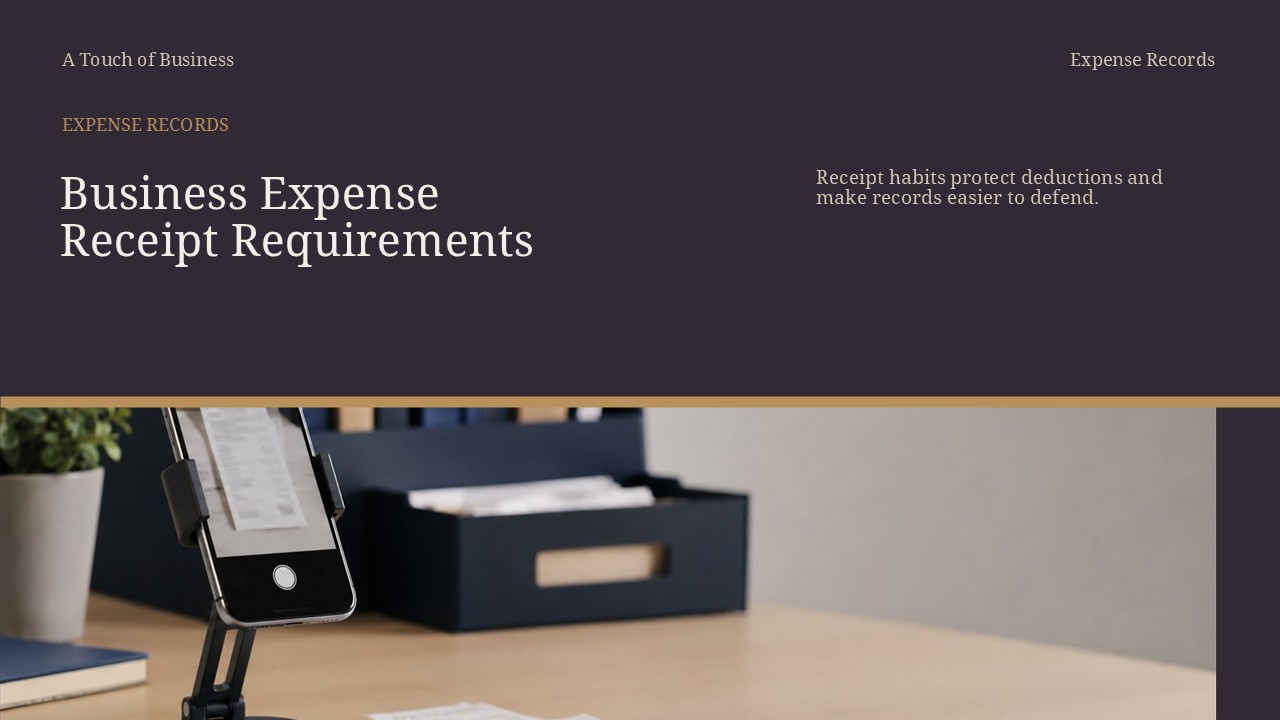
The great thing about expense receipts nowadays is you can keep them in paper or digital format. Digital receipts are easier to retrieve and don’t take up any cabinet or shelf space.
There are many apps you can use to capture expense receipts. Some function as full accounting software, like QuickBooks Online. Others, like Expensify, are built specifically for expense management.
Here is a list of solid apps for scanning and capturing expense receipts:
This expense management software lets you scan your receipts and capture all the necessary information. Expensify is available on Android, iOS, and as a web browser app, so it’s suitable for business owners who work remotely or travel a lot. Snap a picture of a receipt, and Expensify pulls the essential information straight into your expense report.
If you use a company credit card, Expensify can automatically import those transactions. You can also import expense transactions from services like Uber and Airbnb.
Although mainly accounting software, QuickBooks Online has a receipt-scanning feature. It lets you upload receipts from your email, computer, or mobile device, then use them to create expense transactions and reports. QuickBooks can also match your receipts to an expense already entered in the software.
On top of receipt scanning, QuickBooks Online automatically imports transactions from your credit card, PayPal, and bank statements, sorting them into categories so you can track expenses easily.
Like Expensify and QuickBooks Online, Dext (formerly known as Receipt Bank) also extracts information from your receipts using optical character recognition (OCR). Snap a picture, and the software captures the necessary details and lets you edit them before saving. You can also upload a receipt from your computer or email. Dext is easy to use and available on iOS and Android.
AutoEntry, now part of Sage and branded AutoEntry by Sage, is ideal for business owners who don’t want the hassle of manually entering data into their accounting software. Use it to capture data from receipts, invoices, and bank statements, then categorize transactions and publish them to your accounting software whenever you need them.
- Zoho Expense
Zoho Expense offers flexible receipt capture without the cost of a full accounting platform. Its Autoscan feature reads the date, amount, merchant, currency, and payment method from a receipt and turns it into an expense record for you to review, cutting down on manual categorizing.
How to File Receipts for a Small Business
Filing your receipts in an orderly manner helps you access them quickly when it’s time to do taxes or prepare financial statements. Organize them as soon as you receive them rather than letting them pile up on your desk. You can keep hard copies or go digital — either way, sort them into categories you can track easily.
Here are a few ways to organize your expense receipts:
- Organize by expense type
This works well if you have receipts for different types of expenses — office supplies, travel, phone, and lunch, for example. Group them in one folder and label each type. When a new financial year starts, open a new folder and repeat the process.
- Sort them chronologically
Another approach is to arrange receipts from most to least recent. This works well if you don’t have many expense types and want to keep records for several years. Set up one folder per year, arranged January to December.
When keeping paper receipts, consider jotting a few notes about the transaction on the back. If you’re ever audited, those notes help you explain the expense. For example, if you take a client to lunch, note their name and what you discussed.
- Store them as digital receipts
Digital receipts eliminate the need for paper backups. They’re more accessible and harder to lose or destroy. The IRS fully accepts digital and scanned receipts under Revenue Procedure 97-22, as long as your storage system keeps accurate, complete copies. If you want to reduce paperwork around the office, going digital is a solid option.
Do You Need a Receipt for Every Business Expense?
No — you don’t need a receipt for every business expense. Under Treasury Regulation § 1.274-5(c)(2)(iii) and IRS Publication 463, the IRS generally doesn’t require a receipt for an expense under $75. The one exception is lodging: hotel and lodging expenses need a receipt no matter the amount.
Even under $75, though, you still need to record the amount, date, place, and business purpose of the expense — the rule waives the receipt, not the recordkeeping.
You can set your own internal threshold if it helps you stay organized. For example, you might choose to keep receipts for anything over $50. Just keep that threshold at $75 or below — going higher means skipping documentation the IRS does require. If keeping every receipt isn’t a burden for you or your team, that works too.
How Long Should You Keep Your Business Receipts?
As a general rule, keep your business receipts for three years from the date you filed the return — that covers the normal window the IRS has to audit you.
A few situations call for longer: six years if you left off more than 25% of your income, seven years if you’re writing off a bad debt or worthless securities deduction, and indefinitely if you never filed a return or filed a fraudulent one. For most small businesses, three years is the safe minimum, and seven gives you extra margin. Since digital storage is cheap, there’s little downside to keeping receipts longer than the minimum.
What To Do About Missing Business Expense Receipts?
If you lose a receipt, start by contacting the vendor to request a copy — most will provide one if they can trace the transaction.
If that doesn’t work, validate the expense with other records: canceled checks, bank or credit card statements, and your calendar all help show proof of payment. Write down what you remember about the expense while it’s still fresh.
The Cohan rule, from the 1930 case Cohan v. Commissioner, 39 F.2d 540 (2d Cir. 1930), lets taxpayers claim a deduction even without receipts, as long as they can show the expense was credible and provide some reasonable basis for the amount. The IRS and courts still have discretion here — expect an estimate or partial allowance rather than a full deduction, and don’t treat Cohan as a substitute for keeping records in the first place.
Key Points and Facts About Organizing and Filing Business Expense Receipts
What a valid receipt needs
- Transaction amount, date, vendor name or location, and the business purpose of the expense.
The $75 rule
- The IRS generally doesn’t require a receipt for an expense under $75, except lodging.
- You still need to record the amount, date, place, and purpose even without a receipt.
How long to keep receipts
- Three years is the standard window, extending to six or seven years in specific situations, or indefinitely if you never filed or filed fraudulently.
If a receipt goes missing
- Request a copy from the vendor first, then fall back on bank or credit card statements and the Cohan rule if needed.
Action Steps for Organizing and Filing Business Expense Receipts
Set up a capture method
- Pick a receipt-scanning app — Expensify, QuickBooks Online, Dext, AutoEntry, or Zoho Expense — that fits your budget and how many receipts you handle each month.
- Snap a photo of each receipt as soon as you get it instead of letting them pile up.
Record the details that matter
- Note the business purpose on the back of paper receipts or in the app’s notes field, especially for meals and entertainment.
- For expenses under $75, jot down the amount, date, place, and purpose even if you skip the receipt.
Organize on a schedule
- Sort receipts by expense type or chronologically, whichever fits how many categories you track.
- Set aside time weekly or monthly to file new receipts rather than catching up at tax time.
Set your retention policy
- Keep receipts for at least three years from your filing date, and longer if you have unreported income, a bad debt deduction, or unfiled returns.
- Decide whether to store digitally, on paper, or both, and stick with the system.
Checklist for Organizing and Filing Business Expense Receipts
- Confirm receipt requirements
- Amount, date, vendor, and purpose are all visible or noted.
- Check the $75 threshold
- Receipt kept for expenses of $75 or more, and for all lodging regardless of amount.
- Choose your capture method
- Paper, a scanning app, or both — pick what your team will actually use.
- File consistently
- Sort by expense type or by date, and stick with one system.
- Set a retention plan
- Three years minimum, longer for special situations, and digital backups for safety.
FAQ: Organizing and Filing Business Expense Receipts
Do I need a receipt for every business expense?
- No. The IRS generally doesn’t require one for expenses under $75, except lodging — but you still need to record the amount, date, place, and purpose.
How long should I keep business receipts?
- Three years from your filing date is the standard rule, extending to six or seven years in specific situations, or indefinitely if you never filed a return.
What if I lose a receipt?
- Ask the vendor for a copy first. If that’s not possible, use bank or credit card statements, your calendar, and your own notes to document the expense.
Are digital receipts acceptable to the IRS?
- Yes. Scanned and digital receipts are fully accepted as long as your storage system keeps accurate, complete copies.
What’s the best app for scanning receipts?
- It depends on your needs. Expensify and Dext are strong for dedicated receipt capture, QuickBooks Online and AutoEntry work well if you want it built into your bookkeeping, and Zoho Expense is a lower-cost option if you don’t need a full accounting platform.
Conclusion
Filing business receipts is necessary for easy tracking when preparing financial statements or claiming tax deductions. For an expense receipt to be considered valid by the IRS, it should include the transaction amount, date, vendor’s name or location, and the purpose of the expense.
Nowadays, you don’t have to keep your receipts as hard copies. You can scan and store them digitally with apps like Expensify, Dext, QuickBooks Online, AutoEntry, or Zoho Expense. Whichever method you choose, sort and categorize your receipts so you can access them easily whenever you need them.
You also don’t need to keep every expense receipt. The IRS generally doesn’t require receipts for expenses under $75, except lodging, which always needs one. You can set your own threshold, but keep it at $75 or below to stay within the IRS’s guidelines.
References:
- Expensify — Expense Management Software
- QuickBooks Online
- Dext — Receipt and Invoice Data Capture
- AutoEntry by Sage
- Brex — IRS Receipt Requirements for Business Expenses
- Shoeboxed — IRS Receipt Requirements (the $75 Rule)
- Invoice Data Extraction — IRS Receipt Requirements: The Complete Business Guide
- Justia — Cohan v. Commissioner of Internal Revenue, 39 F.2d 540 (2d Cir. 1930)
- Pulsify — Best Receipt Bank Alternatives
- TechRepublic — 6 Best Receipt Scanner Apps