
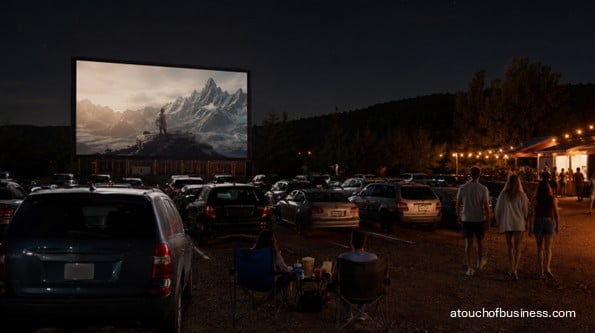
What to Expect From This Guide to Starting a Drive-In Movie Theater
This guide walks readers through the key decisions and practical steps involved in opening a drive-in movie theater, from evaluating personal fit and entry options to developing the site, securing film rights, testing operations, and preparing for opening night.
Inside the guide, you will find:
- Startup roadmap: Move through 16 stages from owner fit and entry choice to site development, staffing, testing, and opening night.
- Industry interviews: Learn from operators discussing seasonal pressure, concessions, staffing, programming, equipment, customer rules, and alternative event uses.
- Common questions: Get answers about land, film access, booking agents, screening rights, FM audio, acreage, common mistakes, and acquisition options.
- Site feasibility: Evaluate demand, light pollution, zoning, drainage, traffic access, acreage, utilities, topography, and seasonal operating limits.
- Financial planning: Examine buildout costs, film revenue splits, concession margins, off-season expenses, weather risk, funding, and break-even assumptions.
- Venue requirements: Plan screens, digital projection, certified FM transmitters, concessions, accessibility, permits, film licensing, insurance, and trained staff.
- Opening preparation: Test projection, audio, traffic flow, food service, payments, accessibility, and confirmed film rights before admitting vehicles.
The guide begins with the personal and financial realities that determine whether this venue suits your situation.
What It Takes to Open a Drive-In Movie Theater
As a drive-in movie theater owner, you put up a screen, park cars in rows, and run films after dark under an open sky.
Patrons tune their car radios to a short-range FM frequency, and the audio fills the vehicle. A concession stand handles snacks and beverages on-site.
That’s the simple version. The real version involves engineered screen structures, digital projection equipment, federal film licensing requirements, complex site development, and a capital commitment that builds for months before a single car drives through the gate.
The startup process for a drive-in is long and sequential. Every major decision — land, equipment, programming — depends on the one before it.
This guide walks you through every stage, from the personal decision to the first test screening.
Is This the Right Business for You?
A drive-in theater operates mostly on evenings and weekends during the warm-weather months. In northern climates, that operating window is often six to eight months.
The rest of the year, your fixed costs — land, insurance, loan payments, maintenance — keep running without revenue to cover them.
That seasonal structure puts unusual pressure on cash flow planning. You need to earn enough during the operating season to carry the business through the off-season.
Can your household absorb an extended period without owner income while you build, permit, and launch?
Do you have enough capital — or access to it — to fund a buildout that takes months before generating any revenue?
Think honestly about the daily work, too. Operating a drive-in means managing a physical site, food service, projection equipment, vehicle traffic, and a crew — often until midnight or later on screening nights.
It also means mowing the lot, troubleshooting a projector at 9 p.m., stocking the concession stand before opening, and handling off-season maintenance and permit renewals when the lot is quiet.
Talk to people who already run drive-ins. Reach out to operators outside your planned market area so you’re speaking with experienced owners, not competitors.
Ask about film booking realities, equipment headaches, slow seasons, and what they’d do differently.
The United Drive-In Theatre Owners Association (UDITOA) at uditoa.org is the industry’s trade organization and can help you connect with the operator community.
Firsthand accounts from experienced drive-in owners are more useful than any startup guide. Find them before you spend anything significant.
Red Flags Before You Start
A drive-in is one of the most capital-intensive entertainment venue startups an independent operator can attempt. Be honest about these warning signs before going further.
Capital readiness is the first filter:
- You haven’t confirmed funding for the full buildout — plus a pre-revenue operating reserve
- Your household can’t sustain months without income while permitting and construction proceed
- You haven’t accounted for off-season fixed costs as part of your annual financial model
Site and market problems that should make you pause:
- The site you’re considering has ambient light pollution you can’t control — neighboring commercial lighting washes out a projected image, and no equipment upgrade fixes it
- Zoning approval for outdoor entertainment use is uncertain or has faced community opposition in the area
- The local market already has an operating drive-in serving the same population
- A strong indoor multiplex sits nearby — studios give first-run access priority to multi-screen indoor theaters
- The site has drainage or flooding issues that would cancel screenings after rain
The business model has structural challenges worth understanding:
Film distributors take a significant percentage of ticket revenue — especially during the first weeks a new release plays. That share can be steep enough that admissions alone rarely sustain the operation.
The concession stand is where the margin lives. If your site, local health permitting, or budget makes robust food and beverage operations difficult, the overall financial model is weaker from the start.
Drive-in sites require significant acreage. In many markets, land values have risen to the point where selling for redevelopment is more financially attractive to a landowner than continuing a lease.
If you’re leasing rather than owning, negotiate the longest possible term with renewal options before you invest in site development.
None of these are reasons to walk away automatically. They are reasons to verify, plan carefully, and be honest with yourself before committing.
Step 1: Decide Whether This Business Fits Your Life
Before anything else, make an honest assessment of whether business ownership — and specifically this type of business — fits your life right now.
Do you have the risk tolerance for a seasonal, capital-heavy venture that may take more than one operating season to reach stable profitability?
Does your household have the financial cushion and emotional support to handle the pressure of a multi-month buildout followed by a weather-dependent operating season?
Consider whether you’re moving toward something that genuinely fits your goals, or moving away from something else. Motivation built on escaping a bad situation rarely survives a permitting delay or a rain-soaked opening weekend.
If you want a grounded look at the ownership experience before you go further, reading about what ownership actually demands is a useful starting point.
Step 2: Talk to Drive-In Owners Before You Commit
The most valuable thing you can do early in this process is spend time with people who already operate drive-in theaters.
Seek out owners you won’t compete with — someone in a different region or market. Prepare specific questions before you reach out.
Ask about film booking, off-season cash management, equipment problems they didn’t anticipate, and what the first operating season actually looked like financially.
Every owner’s experience is different, but firsthand accounts reveal things no article can: how long permitting actually took, what concession margins look like in practice, and what they’d skip if they started over.
UDITOA hosts an annual convention for drive-in operators and prospective owners. It’s worth attending before you make major commitments.
The association’s community and For Sale listings are also practical resources if you’re considering purchasing an existing drive-in.
Step 3: Choose Your Entry Path
There are three ways to enter this business, and the right one depends on your budget, timeline, and how much complexity you’re prepared to manage.
Most new owners consider one of these three paths:
- Build on raw land. The most expensive and complex option. You’ll handle full site grading, ramp construction, screen tower installation, all structures, and every utility connection from scratch.
- Reopen a closed or abandoned drive-in. Often more practical if the ramps, structures, and utilities are still usable. Any older projection equipment must be replaced — current studio releases are distributed digitally, and analog or 35mm equipment can’t play them.
- Buy an operating drive-in. You acquire existing equipment, film distribution relationships, an established site, and sometimes an existing customer base. UDITOA maintains a For Sale board for this purpose.
Most industry advisors favor purchasing or reopening over ground-up construction because of the cost and complexity of ramp excavation and site infrastructure development.
If you’re weighing these options carefully, reviewing the considerations around starting versus buying a business can help you think through the tradeoffs.
Step 4: Make Your Business Model Decisions
Your concept drives almost every downstream decision — site size, equipment, permitting, staffing, and the financial model. Work this out before you evaluate land.
Key decisions to make before site selection:
- Single screen or multi-screen? Studios prefer multi-screen exhibitors for new releases. A two-screen operation gives you more programming flexibility and better distribution access than a single screen.
- Per-vehicle or per-person admission? Carload pricing — a flat rate per vehicle — is the traditional model. Per-person pricing captures more revenue from large groups but slows gate flow and requires more ticket staff.
- Full concession kitchen or packaged items only? A full kitchen increases revenue potential but adds health permit complexity, equipment cost, and staffing needs. Packaged-only concessions are simpler to permit but limit your revenue from the stand.
- First-run, second-run, or classic programming? First-run access is competitive — studios don’t guarantee availability to new or single-screen exhibitors. Second-run and family titles are often more accessible and financially favorable for independent drive-ins.
- Off-season ancillary uses? Many operators use the property for flea markets, swap meets, or private events on non-screening nights to generate income when films aren’t running.
These choices affect your site requirements, startup costs, permit pathway, staffing plan, and the financial projections you’ll use to evaluate whether the business makes sense.
Step 5: Validate Local Demand and Site Feasibility
Don’t commit to land until you’ve confirmed that the local market can support a drive-in and that your target site can actually work.
Identify your likely audience: families with children are the primary customer base, with a secondary audience of young adults drawn to the outdoor social format.
Map where those people live relative to your intended location. How far will they realistically travel on a weeknight?
Check what entertainment competition already exists. A strong indoor multiplex nearby limits your access to first-run films and gives customers an obvious alternative on poor-weather nights.
Assess the ambient light environment of any site you’re considering. Neighboring commercial lighting you can’t control is a go/no-go problem — it degrades image quality and no equipment investment fixes it.
Sites on the edge of town or away from dense commercial corridors work best.
Evaluate seasonal demand in your region. Northern climates support a six-to-eight-month operating window. Southern markets may allow year-round or near-year-round operation, which changes the financial model significantly.
Understanding local supply and demand before you commit to a location is one of the most valuable steps at this stage.
Step 6: Secure the Right Site
A single-screen drive-in designed for roughly 500 vehicles typically requires 10 to 14 acres. A multi-screen or larger operation needs more.
Prioritize sites with minimal ambient light, safe highway ingress and egress, existing utility connections, and favorable topography.
Naturally sloped land reduces the cost of ramp construction — the raised, angled parking rows that establish sightlines to the screen. Flat land requiring excavated ramps can increase site development costs significantly.
Don’t commit to a site until zoning approval is confirmed. Contact the local planning or zoning department before you sign anything.
Drive-in theaters may require a conditional use permit or special exception for outdoor entertainment, and some jurisdictions have blocked proposals over traffic, noise, or lighting concerns.
Before you proceed, also verify:
- Stormwater drainage — a parking field that floods after rain cancels screenings
- Traffic staging capacity — some jurisdictions require an on-site holding lane to prevent highway backup at the entry
- Utility availability — if water, sewer, and electrical service must be extended to the site, costs rise sharply
- Any environmental, floodplain, or conservation restrictions that could limit development
If you’re leasing, negotiate a condition that rent payments don’t begin until a certificate of occupancy for drive-in use is issued.
Step 7: Plan Your Site Layout and Equipment
Before finalizing land control, work out a concept site layout. You’re not drawing construction blueprints yet — you’re proving the concept fits the land.
The layout should show screen placement, projection booth location, parking rows and ramp configuration, entry and exit lanes, vehicle stacking area, ticket booth, concession building, restrooms, signage, perimeter lighting, and ADA-accessible routes between all public areas.
Screen height matters for the viewing experience. The bottom of the screen image must sit at least 15 feet above grade so vehicles with open rear hatches don’t block the view for cars behind them.
For your projection system, the key question is whether you want access to current studio releases.
If yes, you need a digital cinema projector and media server that meet Digital Cinema Initiatives (DCI) specifications and can play Digital Cinema Package (DCP) files — the encrypted delivery format major studios use.
Non-DCI equipment limits you to independent content, DVDs, and Blu-ray.
Each screen also needs its own FM transmitter operating on a separate FM frequency. The transmitter must be FCC Part 15 certified and carry an FCC ID number confirming compliance. Using a non-certified transmitter puts you at risk of FCC fines.
Bring in a professional screen tower builder and cinema equipment consultant early. Screen structures are engineered for wind-load compliance, and local jurisdictions may impose specific structural standards you’ll need to meet for permitting.
Step 8: Form Your Business and Handle Legal Setup
Get your legal structure in place before you sign leases, open bank accounts, or enter into any contracts.
Most drive-in owners form a limited liability company (LLC) to separate personal assets from business liability.
A venue that hosts the public, serves food, and manages vehicle traffic carries meaningful liability exposure. Consult an attorney to determine whether an LLC or another structure fits your situation.
Once the entity is formed, obtain a federal Employer Identification Number (EIN) from the IRS at irs.gov. You need it for employer payroll, business banking, and tax registration.
If you’re operating under a trade name different from the legal entity name, file a DBA registration with the appropriate state or county office.
Register for state sales tax collection. Ticket sales and concession sales are typically taxable. Verify the specific requirements with your state’s department of revenue.
Set up state employer accounts — withholding and unemployment — before your first hire. Your state’s department of labor handles this registration.
Step 9: Obtain Permits and Confirm Compliance
Permitting a drive-in can involve multiple agencies and take considerably longer than first-time operators expect. Start this process early — well before construction begins.
Permits and approvals to pursue:
- Zoning / conditional use permit — confirms the site is approved for outdoor entertainment use. Varies by U.S. jurisdiction — verify with your local planning or zoning department.
- Building permits — required for the screen structure, projection booth, concession building, restroom facilities, electrical, and plumbing work.
- Certificate of occupancy — required before you can legally open the venue. Your local building department issues it after inspections are complete.
- General business license — required in some jurisdictions. Check with your city or county business licensing office.
- Food establishment permit — required before the concession stand opens. Your county health department conducts a pre-opening inspection.
- Liquor license — required if you plan to sell alcohol. Some states restrict alcohol at outdoor venues. Contact your state’s alcohol control board. This process can take several months.
- Fire marshal approval — required for the site and structures. Verify specific requirements with your local fire marshal’s office.
- Traffic / driveway permit — some jurisdictions require a traffic study for high-vehicle-volume venues. Check with your local public works or transportation department.
- Signage permits — varies by U.S. jurisdiction. Check your local planning or zoning office.
- Stormwater / grading permit — may be required if significant land disturbance occurs during site development. Check with your local environmental services or planning office.
For a full overview of the licensing and permitting landscape, the business licenses and permits guide covers what to expect as you work through this process.
Federal law also applies to your site. A drive-in is a place of public accommodation under ADA Title III.
Parking layout, ticket booth, concession counter heights, accessible routes, and restrooms must meet the 2010 ADA Standards for Accessible Design.
Plan accessibility into your site design from the beginning — retrofitting is expensive.
Step 10: Set Up Film Licensing and Booking
You can’t legally show a copyrighted film to any public audience without proper authorization.
Under U.S. copyright law, showing a film publicly without the right license is a federal violation and can result in serious civil and criminal penalties.
People sometimes assume that owning a DVD or subscribing to a streaming service gives them the right to screen a film publicly. It doesn’t.
Home-use copies and streaming licenses explicitly prohibit public exhibition, and enforcement is real.
For current studio releases, film access comes through a distribution relationship and an exhibition contract. New drive-in operators should hire a professional film booker — also called a film buyer or booking agent — to handle this on their behalf.
A film booker negotiates exhibition contracts with distributors, manages scheduling, handles payment reconciliation, and brings existing studio relationships to the table.
For a new exhibitor without those connections, a film booker is essential.
Film rental fees — the share of ticket revenue paid to the distributor under an exhibition contract — vary significantly.
First-run films carry higher fees in the first weeks of release. Second-run and classic films are more affordable and often more financially favorable for independent drive-ins.
For classic and independent content, public performance licenses are available through Swank Motion Pictures, Criterion Pictures, and the Motion Picture Licensing Corporation (MPLC).
Begin conversations with a film booker and distributors at least six months before your planned opening. Studios don’t guarantee availability to new exhibitors, and you need programming confirmed well before your launch date.
Step 11: Procure Equipment and Develop the Site
Order major equipment and start site construction after confirming your location, zoning approval, and financing. Lead times for screen structures, digital projectors, and cinema servers can run several months.
Core equipment to source and install:
- Screen structure — an engineered steel tower anchored in concrete, with a reflective screen surface. Screen towers must meet local structural standards for wind-load compliance and require professional design and installation.
- Digital cinema projector and media server — DCI-compliant equipment if you plan to show studio releases. Used equipment from closed drive-ins can significantly reduce this cost.
- FCC Part 15 certified FM transmitter — one per screen, each on a separate FM frequency. Verify the FCC ID number before purchasing.
- Concession equipment — sized to your menu scope. A full hot-food kitchen requires different equipment than a packaged-snack setup, and health department requirements differ accordingly.
- Ticket booth and POS systems — at both the box office and concession stand, with credit card processing.
- Portable FM radios — for patrons whose vehicles can’t receive the FM signal clearly.
Site construction follows a sequence: site grading and ramp work → utility installation → structures → paving or all-weather surface → drainage → fencing and lighting → equipment installation → testing.
Don’t compress the testing phase. You need time to confirm projection quality, FM audio coverage across the entire lot, concession service speed, and traffic flow before you open to the public.
Business Plan
A drive-in theater business plan forces you to confront the financial realities of a capital-intensive, seasonal venue before you commit significant resources.
Your plan should cover your concept and entry model, validated site and market analysis, the full startup cost picture, funding sources, a break-even analysis, and a realistic projection of operating-season cash flow.
Review how to build a business plan as a framework for organizing all of this.
The break-even question to answer before committing:
Film distributors take a meaningful share of ticket revenue — often 35% to 55% for new releases early in their run.
Your net admission revenue per vehicle, after that distributor payment, is lower than your gross ticket price.
The concession stand is where the real margin is. Popcorn, beverages, and snacks carry high margins compared to the ticket split.
Model your break-even using both revenue streams — what car count and concession attachment rate do you need each week to cover your fixed costs?
Fixed costs at a drive-in run year-round: land lease or mortgage, insurance, loan payments, and maintenance don’t stop when the season ends.
Your operating season must generate enough to carry the full calendar year.
Work through the off-season exposure specifically. If your operating season ends early due to weather, what is your runway?
Also model weather risk. Rain cancels screenings. A stretch of poor weather during peak season can materially reduce your total operating nights.
Your financial model should hold up if you lose a meaningful number of nights in a given season.
When the numbers are built, share them with a business advisor, accountant, or lender before committing to land or equipment.
A well-reasoned plan is also your primary tool for securing financing. Review guidance on estimating profitability for a new business as you work through the projections.
Step 12: Plan Startup Costs and Arrange Funding
A drive-in theater requires significant capital. Skipping any cost category in your planning leads to funding shortfalls during the buildout.
Startup cost categories to price out:
- Land acquisition or lease deposit and advance payments
- Site grading, ramp construction, and earthwork
- Paving or all-weather surface for parking rows and roadways
- Stormwater drainage infrastructure
- Screen tower construction and screen surface
- Digital cinema projector, media server, and related projection components
- FM transmitter system and audio components
- Projection booth construction
- Concession building construction and equipment
- Restroom facilities and plumbing
- Ticket booth and ticketing equipment
- POS systems for box office and concession stand
- Utilities installation if not already on-site
- Perimeter fencing, exterior lighting, and signage
- Permitting, engineering, and professional fees
- Business formation and legal fees
- Insurance (pre-opening binder and first-year premiums)
- Film booking setup and initial distributor deposits
- Hiring and training costs
- Initial concession inventory
- Pre-opening operating reserve — capital to cover fixed costs before revenue starts
The biggest cost drivers are whether you’re building on raw land or reopening an existing site, the size and number of screens, your concession scope, and whether utilities are already available on the property.
Get real quotes on all major items before finalizing your budget. Equipment and site work vary widely based on size and contractor rates in your area.
Funding options to explore:
- Personal savings
- Small business bank loan
- SBA loan programs
- Seller financing if purchasing an existing drive-in
- Private investors
If you need a loan, review the business loan guide to understand what lenders look for and how to prepare.
Open a dedicated business bank account and set up a merchant account for payment processing at the ticket booth and concession stand before opening day.
Step 13: Get Insurance and Manage Risk
A drive-in hosts the public, manages vehicle traffic, serves food, and operates electrical and projection equipment after dark. Business insurance is essential before you open, and some coverage is legally required.
Coverage to obtain and evaluate:
- General liability insurance — covers bodily injury and property damage claims from patrons and visitors. This is foundational coverage for any public venue.
- Workers’ compensation insurance — legally required in most states for any business with employees. Verify requirements with your state’s department of labor before your first hire.
- Commercial property insurance — covers owned structures and equipment in the event of fire, theft, or other covered loss.
- Commercial umbrella insurance — provides excess liability coverage above your general liability limits, appropriate for a venue with significant vehicle and crowd exposure.
- Liquor liability — required if you sell alcohol.
- Food spoilage and contamination coverage — relevant for any operation with a food service component.
- Equipment breakdown coverage — protects against projection and concession equipment failures.
- Business interruption insurance — may help cover lost income if the venue must close temporarily due to a covered event.
Get quotes from multiple insurers, including specialty entertainment and venue insurance providers.
A business owner’s policy (BOP) can sometimes bundle general liability and property coverage at a better rate than purchasing each separately.
Step 14: Hire and Train Your Opening Team
Start recruiting and hiring approximately four to six weeks before your target opening date.
A drive-in runs multiple concurrent operations on every screening night, and understaffing any one of them creates problems that ripple through the guest experience.
Core roles to fill before opening:
- Projectionist / technical operator — manages projection startup, FM audio monitoring, and equipment troubleshooting during screenings
- Box office / ticket staff — handles vehicle entry, admissions, and gate flow
- Concession staff — runs the snack bar and manages food service during screening hours
- Lot attendants — direct vehicle traffic, assist patrons, and handle on-site issues during the event
Every concession staff member handling food must meet your local health department’s training requirements before working the stand.
Set up payroll processing, employer withholding, and I-9 documentation before the first paycheck is issued.
For more on timing and structure for your first hires, see the guide on how and when to hire.
Step 15: Test the Full Experience Before You Open
Run complete test screenings before your public opening. Test every system under realistic operating conditions — not just the projector in isolation.
Confirm projection quality, FM audio coverage across the entire parking field, ticket booth flow, concession service speed, vehicle staging and traffic movement, and lot lighting.
Pass the health department inspection for food service before the concession stand serves a single customer. This inspection must be scheduled with the county health department in advance.
Walk the site with ADA accessibility in mind.
Confirm accessible parking spaces, routes from parking to the ticket booth and concession stand, restroom accessibility, and counter heights at the box office and concession counter.
Consider a soft opening — a limited-capacity screening with invited guests — before a full public launch. It’s a low-stakes way to find and fix problems before they affect your reputation.
Step 16: Prepare for Opening Night
Your first customers are local families, nostalgia-driven adults who remember drive-ins from childhood, and younger audiences drawn to the outdoor social format.
They choose a drive-in when the outdoor experience itself is the draw — not just the film.
Programming matters immediately. Parents decide to come when an appealing family film is playing.
Confirm your opening-week and early-season films with your film booker well in advance — don’t open without confirmed titles on the schedule.
Make sure the FM frequency is posted at the entry lane. First-time drive-in visitors won’t know to tune their radio without it.
Headlights-off reminders should also be clearly posted as vehicles enter and park.
List your drive-in on UDITOA’s directory and on drive-in finder sites so people searching for nearby options can find you.
A basic website showing your showtime schedule, pricing, directions, and the FM frequency is the minimum online presence you need before opening day.
Opening-Day Red Flags
Before you open the gate to the first car, work through this checklist. If any of these items are unresolved, hold the opening until they are.
Projection and audio:
- Projection image quality tested at full dark from all parking rows, including the back row
- FM audio coverage confirmed across the entire lot — weak spots at the edges cause patron complaints
- FM transmitter FCC ID number on file and compliance confirmed
- Portable FM radios available for patrons who need them
Operations and venue readiness:
- Certificate of occupancy obtained and on file
- Health department pre-opening inspection passed before the concession stand serves a single customer
- All staff trained — projection operation, cash handling, food handling, and traffic management
- Vehicle stacking lane functional and clearly marked
- Entry and exit lanes tested for traffic flow with multiple vehicles
- ADA-accessible parking, routes, restrooms, and concession counter confirmed
Film and legal compliance:
- Exhibition contract or public performance license confirmed for every film on the opening schedule
- No screening scheduled without confirmed film rights in hand
Business setup:
- General liability insurance active
- Workers’ compensation insurance active before the first employee shift
- Merchant account tested and processing payments at both the box office and concession stand
- Operating capital reserve in the business account — don’t open with no financial cushion
Frequently Asked Questions
Do I need to own the land to open a drive-in, or can I lease it?
You can lease, and many operators do. Leasing preserves capital that would otherwise go into land purchase. The risk is ongoing rent exposure and the possibility of non-renewal after you’ve invested in site development. Before signing, negotiate the longest possible term with renewal options.
Either way, confirm zoning approval for drive-in theater use before any commitment.
Can I show current releases, or am I limited to older films?
You can pursue current releases, but access isn’t guaranteed. Studios prioritize multi-screen exhibitors and theaters not in direct competition with large indoor multiplexes.
To access new studio releases, you need a DCI-compliant projection system and a distribution relationship through a professional film booker. Single-screen and new operators often find second-run and family films more consistently accessible.
What is a film booker, and do I need one?
A film booker — also called a film buyer or booking agent — negotiates exhibition contracts with distributors on your behalf. For new operators without established distributor relationships, a film booker is strongly recommended.
They handle contract terms, scheduling, and payment reconciliation with studios. UDITOA can provide referrals, and established booking services work with drive-in exhibitors directly.
Can I just play a DVD or stream a movie to show films publicly?
No. Home-use copies and streaming subscriptions explicitly prohibit public exhibition. Showing copyrighted content publicly without the proper license violates federal copyright law and can result in significant civil and criminal penalties.
Every film screened publicly requires either an exhibition contract through a distributor or a public performance license through an agency such as Swank Motion Pictures, Criterion Pictures, or the Motion Picture Licensing Corporation (MPLC).
How do patrons hear the movie audio?
Most drive-ins use FM radio transmission. An FCC Part 15 certified FM transmitter broadcasts the film’s audio on a specific frequency, and patrons tune their car stereos to it.
Each screen requires its own transmitter on its own distinct frequency. Before purchasing any FM equipment, verify the FCC ID number on the transmitter to confirm it’s certified for Part 15 unlicensed operation.
How much land do I need?
A traditional single-screen drive-in accommodating roughly 500 vehicles typically requires 10 to 14 acres. That acreage must include parking rows, ramps, ADA-accessible spaces, entry and exit lanes, a vehicle stacking area, concession building, restrooms, projection booth, and adequate setbacks from the screen structure.
Larger or multi-screen operations need more. Evaluate site topography carefully — naturally sloped land can reduce ramp construction requirements significantly.
What is the most common mistake new drive-in owners make during startup?
Experienced operators consistently point to two failure points: insufficient capital planning and committing to land or equipment before verifying zoning, demand, and financial feasibility.
The buildout generates no revenue while costs accumulate. Owners who underestimate pre-opening capital needs — or who sign leases and purchase equipment before confirming permits and market demand — frequently can’t reach opening day without financial distress.
Is a drive-in theater franchise an option?
No established national franchise model exists for commercial drive-in theaters. The industry is made up almost entirely of independent operators.
UDITOA is the primary trade organization for the industry and maintains a For Sale listing board for existing drive-ins available for purchase or relaunch — the most practical entry path for many new operators.
Lessons From Drive-In Theater Owners and Operators
These interviews share practical lessons from drive-in owners, operators, and industry leaders who discuss weather, concessions, staffing, equipment, programming, social media, customer rules, and seasonal revenue pressure.
Readers can use these interviews to compare real operating challenges before starting a drive-in movie theater, especially when planning land, screens, food sales, film booking, event use, and customer experience.
UDITOA 2022: How Drive-In Cinemas Have Endured the Pandemic
This interview with United Drive-In Theatre Owners Association president John Vincent Jr. covers how drive-ins handled pandemic disruption, industry recovery, and changing business conditions.
It is useful because it gives a broader industry view beyond one location, helping a potential owner think about risk, demand shifts, and long-term survival.
Last Marquee Standing: Delsea Drive-In Is Only Theater of Its Kind in New Jersey
This interview with Delsea Drive-In co-owner Jude DeLeonardis covers concessions, staffing shortages, customer rules, film booking, seasonal bills, and thin profit margins.
It is useful because it shows how much of the business depends on food sales, clear policies, and careful financial management during slower months.
Success at Shankweiler’s: Lauren McChesney Reflects on Reaching New Drive-In Movie Audiences
This interview with Shankweiler’s co-owner Lauren McChesney covers attracting younger audiences, using social media, and creating a more personal outdoor movie experience.
It is useful because it shows how a historic drive-in can connect with modern customers without losing the nostalgic appeal that makes the business special.
Interview with Shankweiler’s Drive-In Owners Matt & Lauren
This podcast interview covers how Matt McClanahan and Lauren McChesney bought Shankweiler’s, operated in cold weather, and connected the drive-in with their mobile cinema experience.
It is useful because it gives a more personal look at ownership, including the commitment, creativity, and daily problem-solving behind running a drive-in.
How Romance and a Road Trip Led to the Purchase of the World’s Oldest Drive-In Theater
This AP interview-style feature covers how the owners of Shankweiler’s chose buying an existing drive-in over building one, then invested in reopening and improving it.
It is useful because it helps readers think through acquisition costs, debt, preservation, programming, and whether buying an existing location may be more practical than starting from scratch.
Hound’s Drive-In Owner Says Schedule of Events Will Have to Change Due to New COVID Restrictions
This Zoom interview with Hound’s Drive-In owner Preston Brown covers event scheduling, movies, concerts, graduations, church services, and adapting operations to local rules.
It is useful because it shows how drive-ins can earn revenue beyond movies, while still needing flexible scheduling and compliance with changing local requirements.
This interview-based career profile includes practical comments from drive-in and independent theater owners about screens, concessions, weather, film access, and owner responsibilities.
It is useful because it gives a realistic view of the tradeoffs, including seasonal income, hands-on operations, niche positioning, and the need to love the business.
Related Articles
- How To Start a Dinner Theatre Business
- How To Start a Concert Venue Business
- How To Start a Theatre Company
- How To Start an Escape Room Business
- How To Start a Haunted House Attraction
- How To Start a Bowling Alley
Sources:
- UDITOA: Drive-In Ownership FAQ
- FindLaw: Open Drive-In Theater
- TRUiC: Start Drive-In Movie Theater
- ProfitableVenture: Drive-In Build Cost
- Bizfluent: Start Drive-In Theater
- FunFlicks: Movie Licensing Overview, License Movie Public Events
- Video Librarian: Public Performance License
- Insane Impact: Public Movie Licensing Guide
- Radio World: FCC Part 15 Transmitter
- Digital Cinema Initiatives: Digital Cinema System Specification
- Bardan International: Drive-In Equipment Installation
- Clark Film Buying: Film Booking FAQ
- Magna-Tech: Cinemas Acquire Films
- HowStuffWorks: Movie Booking Agents Work
- ADA.gov: Public Businesses Title III, Stadium Venue Accessibility
- Decade Transmitters: Drive-In FM Transmitters
- MPLC: Blanket Licensing
- HowToStartAnLLC: Drive-In Theater Insurance