
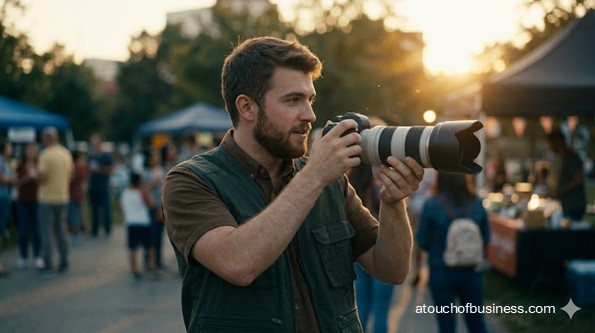
What to Expect From This Guide to Starting a Photography Business
This guide leads readers through the major decisions and practical steps for opening a client-facing photography studio, with the following points offering a brief view of its wider guidance.
Inside the guide, you will find:
- Startup roadmap: Advance from personal fit and studio focus through demand, legal setup, equipment, client systems, testing, and opening preparation.
- Owner perspectives: Find interviews, podcasts, and expert advice about studio setup, pricing, client expectations, income gaps, and professional photography.
- Startup FAQs: Get practical answers about sales tax, copyright, releases, home studios, insurance, equipment, contracts, and first-session preparation.
- Market and model: Choose a photography specialty, identify likely clients, compare competitors, and map the complete client workflow.
- Profit planning: Evaluate session and product income, editing time, direct costs, fixed expenses, pricing gaps, and break-even volume.
- Studio systems: Plan location approval, layout, cameras, lighting, backups, software, suppliers, agreements, releases, payments, and delivery terms.
- Final checks: Test a mock session, file backup, proofing, invoicing, payment, delivery, supplier orders, and studio safety before opening.
First, decide which photography services and studio responsibilities match your skills, finances, schedule, and local market.
Starting a Photography Business
A photography business can be a creative service, a client appointment business, and a studio operation all at once. You may photograph portraits, headshots, products, families, newborns, passport photos, commercial images, or fine art prints.
This guide focuses on a client-facing studio where you meet clients, prepare sets, control lighting, edit images, handle proofing, accept payment, and deliver digital or printed photos.
Before you follow the broader startup process, be honest about the kind of business you want to build. A photography studio isn’t only about taking strong photos. You also need contracts, scheduling, editing, sales tax checks, file backup, pricing discipline, and a space that works for clients.
Decide Whether This Business Fits You
Fit matters because a hobby can feel very different once clients, deadlines, rent, and payment terms are involved. You need to enjoy the photography, but you also need to handle the business around it.
Ask yourself whether you can direct people during sessions, manage details, organize files, edit carefully, and discuss price without avoiding the topic. You may also need to stand for long periods, move equipment, reset the studio, and work evenings or weekends.
Passion helps, but it isn’t enough on its own. If you’re passionate about owning the business, that passion still has to meet real demand, realistic startup costs, and enough patience to build trust.
Are you moving toward something you care about, or avoiding something else? Don’t start only because you dislike your current job, feel financial pressure, or want the status of being a business owner.
You also need to think about household support and personal living expenses. Slow months happen, and studio costs continue even when bookings are light.
Learn From Owners Outside Your Market
Experienced owners can help you see the parts of a photography business that are hard to understand from the outside. Speak only with owners you won’t compete against.
Prepare questions before each conversation. Ask about lease choices, lighting setup, proofing, print labs, contracts, slow months, file backup, pricing, sales tax, and which equipment actually mattered at launch.
Firsthand insight is valuable because those owners have lived through the setup process. Their path may not match yours, but their lessons can help you avoid costly assumptions.
A good place to start is learning how to get an inside look from real business owners before you commit.
Check Demand Before You Commit
Local demand matters because a studio has fixed costs. Rent, utilities, software, insurance, equipment payments, and other bills don’t pause when bookings are slow.
Look at your local market before choosing a studio or buying more gear. Compare other studios, their service focus, their apparent pricing position, and the types of clients they serve.
For a photography studio, demand may come from:
- Professionals who need headshots
- Families who want portraits
- Local businesses that need product or brand photos
- Schools, teams, clinics, offices, retailers, and makers
- Clients who need passport or identification photos
Use local supply and demand to decide whether the market can support your chosen studio model. If too many studios already offer the same service, you may need to narrow your focus or choose a different setup.
Red Flags Before You Start
These warning signs affect the start-or-stop decision. They don’t mean you must quit, but they do mean you should pause before moving forward.
- Weak local demand: If you can’t identify enough likely buyers, delay the lease and validate the market again.
- Too many similar studios: If your offer looks the same as every competitor’s, narrow your service focus before opening.
- No clear customer type: If you can’t explain who will book and why, the studio model isn’t ready.
- Rent depends on too many sessions: If fixed costs require more bookings than the market can support, choose a smaller or shared space.
- Gear buying comes before strategy: If you’re buying equipment without a clear service model, stop and define the business first.
- Pricing ignores editing time: If prices only cover the photo session, they may miss retouching, software, products, taxes, and owner income.
- Sales tax is unclear: If you don’t know how your state treats prints, digital files, sitting fees, and licenses, verify it before charging clients.
- The location has approval problems: Zoning, certificate of occupancy, parking, signage, or public-access issues can block opening.
- Contracts are weak: If deliverables, usage rights, cancellation terms, reshoots, and payment rules are unclear, delay paid bookings.
- File backup is not tested: Don’t accept paid sessions until image storage and backup are reliable.
Step 1: Check Your Fit Before You Start
A photography business should begin with a personal fit check because you’ll likely carry most of the pressure yourself. At the start, you may be the photographer, editor, scheduler, bookkeeper, studio cleaner, and client contact all at once.
Think about the daily tasks, not just the creative side. Can you guide nervous clients, keep sessions on schedule, back up files, edit consistently, and handle client questions with patience?
Also think about risk tolerance. A studio can create a more professional setting, but it also adds fixed expenses before income is steady.
Step 2: Clarify Your Motivation
Your reason for starting matters because it shapes how you make decisions. A clear goal helps you avoid rushing into gear purchases, leases, or services that don’t fit.
Decide whether you want a portrait studio, a headshot studio, a product photography studio, a fine art print studio, or a mixed model. Each path changes the equipment, workflow, contracts, pricing, and space you need.
If your main reason is escape, slow down. A photography studio still brings pressure, client expectations, financial risk, and the possibility of failure.
Step 3: Talk With Non-Competing Studio Owners
Owner conversations matter because they reveal startup details that are easy to miss. A photographer in another city can tell you what the studio setup felt like in real life.
Ask about lease surprises, lighting mistakes, software choices, print labs, slow seasons, file backups, sales tax, and which services were harder to price than expected.
Keep your questions practical. You’re not asking them to build your business for you—you’re learning from their experience before you start.
Step 4: Choose Your Photography Studio Model
Your model matters because it drives almost every setup decision. A headshot studio doesn’t need the same layout, props, lighting, or delivery process as a newborn studio or product photography studio.
Choose the service focus before you plan the studio:
- Portraits
- Professional headshots
- Family, maternity, newborn, or senior portraits
- Product photography
- Small commercial photography
- Passport or identification photos
- Fine art prints
- A studio model with limited location sessions
This choice affects your lenses, lighting, backdrops, props, furniture, client area, contracts, delivery standards, and pricing. It also affects how much space you need.
Step 5: Compare Starting and Buying
Your entry path matters because it changes control, cost, risk, and speed. Starting from scratch gives you more control, but you must build the systems and reputation yourself.
Buying an existing studio may make sense if you can verify the lease, equipment condition, client records, contracts, liabilities, sales records, and brand reputation. Don’t assume a studio for sale is a good deal just because it already has lights and backdrops.
The better path depends on your budget, timeline, support needs, risk tolerance, and desire for control. You can use this comparison of whether to start from scratch or buy a business as a decision aid.
Step 6: Validate Local Demand and Competition
Demand validation matters because a studio shouldn’t be chosen on hope. You need evidence that enough clients want the type of photography you plan to offer.
Review nearby studios and pay attention to what they specialize in. Look at whether they focus on portraits, headshots, product photography, newborn sessions, schools, commercial clients, or passport photos.
Then compare that to your likely buyers. A headshot studio may need enough professionals nearby. A product studio may need enough retailers, makers, online sellers, or local brands.
Keep this step simple but real. If the local market can’t support your fixed costs, a studio may not be the right choice yet.
Step 7: Map Your Client Workflow
A repeatable workflow matters because creative service businesses can fail when the process is vague. Clients need to know what happens, what they receive, when they receive it, and what changes cost more.
Map the process from first contact to final delivery:
- Inquiry or booking
- Client brief or session planning
- Service agreement and payment terms
- Studio preparation
- Photography session
- File backup
- Culling and editing
- Proofing
- Digital delivery, print order, or usage license
- Invoice, receipt, and archive
This is where you define the creative process. A clear brief reduces confusion, revision overload, missed deadlines, and scope creep.
Business Plan
A business plan matters because it turns your startup choices into a practical path. It shouldn’t be a generic document that sits unused.
For a photography business, include the service focus, customer types, studio workflow, location assumptions, equipment list, supplier plan, contracts, sales tax checks, pricing method, funding needs, and opening checklist.
Your plan should also include profit logic. List your fixed costs—rent, utilities, software, insurance, internet, bookkeeping, and equipment payments. Then list the costs tied to each session or project: editing time, print lab costs, payment fees, packaging, contractor help, and product costs.
Use your own numbers to estimate how many sessions, projects, orders, or licenses you need to cover costs and pay yourself. A high-ticket portrait or commercial studio may need fewer clients, but slow months can create serious risk. A low-ticket passport or headshot setup may need more volume.
As you build the plan, use a practical guide to writing a business plan and keep it focused on launch decisions, not long-term theory.
Step 8: Test Profit Potential Before Major Commitments
Profit testing matters because a beautiful studio can still fail if the numbers don’t work. Before you sign a lease or finance equipment, calculate what each sale must cover.
A photography studio typically generates revenue through session fees, digital packages, prints, albums, wall art, headshots, product photography, commercial licensing, restoration, or retouching.
Each model carries different pressure. Digital-only offerings may reduce physical product costs, but editing, storage, proofing, and delivery still take time. Print and album models may raise sale value, but they also add supplier costs and order management.
Use your expected prices, fixed costs, and direct costs to estimate break-even sales volume. If you can’t explain how many booked sessions or paid projects you need each month, pause before adding rent or debt.
Step 9: Choose a Legal Structure and Register the Business
Legal setup matters because it affects taxes, liability, banking, contracts, and how the studio presents itself. Choose the structure before you open accounts or sign major agreements.
You may operate as a sole proprietorship, limited liability company, corporation, or partnership. The right choice depends on your situation, risk, taxes, and ownership plans.
If your public studio name differs from your legal name or entity name, check whether you need a Doing Business As, assumed name, or fictitious name filing.
Rules vary by state and locality. Start with the state business portal or Secretary of State, then confirm city or county requirements before opening.
Step 10: Set Up Federal Tax Accounts
Tax setup matters because banking, payroll, and business records often depend on it. If you form an entity, complete the state formation first, then apply for an Employer Identification Number if needed.
An Employer Identification Number may be needed if you hire employees, operate a partnership or corporation, pay certain taxes, or need it for banking and official records.
Also plan for income tax, estimated tax, self-employment tax, and employment taxes if you hire workers. Keep this step practical and get help from a tax professional if you’re unsure.
Step 11: Verify Sales Tax Before Setting Prices
Sales tax matters because photography charges can be treated differently depending on the state. Prints, albums, digital downloads, sitting fees, session fees, and commercial licenses may not all be handled the same way.
Before you publish prices or collect deposits, check your state department of revenue. Search for photography sales tax, digital photographs sales tax, photographer sitting fee sales tax, and photography prints sales tax.
Don’t assume digital delivery is always tax-free. Don’t assume session fees are always treated separately. Verify first, then build the tax handling into your invoices and records.
Step 12: Screen the Studio Location Before Signing
The location matters because a client-facing photography studio must be both practical and permitted. A space that looks right may still fail zoning, parking, signage, building, or certificate of occupancy checks.
Before signing a lease, verify that photography studio use is allowed at the address. Ask the local planning or zoning office about client appointments, product sales, retail display, signage, parking, and any change-of-use requirements.
Also ask whether the space needs a certificate of occupancy before you open. If you’re planning renovations, electrical changes, lighting installation, or wall-mounted systems, ask about permits before starting the work.
If clients visit the studio, review public access requirements. The space should support a professional client experience without creating avoidable access, safety, or layout problems.
Step 13: Plan the Studio Layout
Layout matters because it affects image quality, client comfort, storage, privacy, and workflow. A poor layout can make every session harder.
Plan areas for the shooting space, lighting stands, backdrops, props, equipment storage, editing station, client seating, proofing area, and payment or consultation desk.
A product photography setup may need a table, controlled lighting, clamps, and surfaces. A portrait studio may need posing stools, backdrops, wall art samples, and comfortable client seating.
Don’t pay for more space than you need. But don’t choose a space so small that lighting, cables, client movement, and storage become constant problems either.
Step 14: Choose Equipment, Software, and Suppliers
Equipment choices matter because the wrong purchases can drain startup funds. Buy for the services you plan to offer, not for every possible photography scenario.
A studio setup may need:
- Primary camera body and backup camera body
- Lenses suited to portraits, headshots, or product photos
- Lighting, modifiers, stands, triggers, sandbags, and cable covers
- Backdrops, posing tools, props, and product surfaces
- Editing computer, color-accurate monitor, and calibration tools
- External storage, cloud backup, and file delivery tools
- Proofing, invoicing, payment, booking, and bookkeeping systems
Set up suppliers before opening. This may include a print lab, album supplier, frame or wall art supplier, packaging supplier, software vendors, repair support, and payment processor.
Step 15: Prepare Contracts, Releases, and Delivery Terms
Documents matter because creative services can become unclear fast. A client may think they’re buying all rights, while you may be selling only a session and specific files.
Prepare your service agreement before taking paid bookings. Include payment terms, cancellation rules, rescheduling, deliverables, editing scope, delivery timeline, refund terms, and reshoot limits.
Also prepare model releases, minor release procedures, property releases, print order terms, and commercial usage licenses when they fit your service model.
Copyright and usage rights deserve careful handling. In many cases, the photographer owns the image copyright unless a valid work-made-for-hire arrangement applies. Your contracts should explain what the client is allowed to do with the images.
Step 16: Set Up Banking, Bookkeeping, and Payments
Financial setup matters because you need clean records from the first payment. Separate business transactions from personal ones from the start.
Open the business bank account after you have the registration and tax paperwork the bank requires. Then set up payment processing for deposits, invoices, session fees, product orders, and refunds.
Your records should separate session fees, print and product sales, licensing income, sales tax collected, contractor payments, software, equipment, and direct production costs.
This is also the time to review pricing products and services so your prices include editing time, production costs, fixed costs, taxes, and owner income.
Step 17: Arrange Insurance and Risk Protection
Risk planning matters because a studio can involve expensive equipment, client visits, file loss, property exposure, and contract disputes. Arrange insurance before you open to clients.
Workers’ compensation may apply if you hire employees, but rules are state-based. Verify that with your state workers’ compensation board.
Also price out common business coverage: general liability, professional liability, equipment coverage, property coverage, cyber or data coverage, rented premises coverage, and business interruption coverage.
Don’t assume every coverage is legally required. Some may be required by your lease, client contract, lender, or risk tolerance.
Step 18: Handle Drone Compliance Only if You Offer Drone Services
Drone compliance matters only if paid drone photography is part of your offer. A studio-only photography business doesn’t typically need drone setup.
If you plan to sell drone photography, verify Federal Aviation Administration Part 107 requirements before offering it. Paid drone services require the proper remote pilot setup and rule compliance.
If drone photography isn’t part of your opening model, leave it out. Adding it too early can increase compliance work, equipment needs, insurance questions, and risk.
Step 19: Prepare the Studio for Opening
Final preparation matters because a paid client session shouldn’t be your first test. The studio, systems, documents, and delivery process should all work before launch.
Complete a full test run. Photograph a mock session, back up the files, edit the images, send a proofing gallery, create an invoice, process a payment, and test a print or product order if you sell physical items.
Confirm the following before opening:
- Business registration and local license checks are complete
- Sales tax handling is verified
- Zoning and certificate of occupancy questions are resolved
- Insurance is active where needed
- Contracts and releases are ready
- Lighting, camera gear, storage, and backup are tested
- Proofing, payment, invoice, and delivery systems work
- The studio is clean, safe, organized, and client-ready
Opening-Day Red Flags
These issues don’t always mean the business idea is wrong. They mean the studio may not be ready to open yet.
- No approval for the space: Delay opening if zoning, certificate of occupancy, signage, or local license questions are unresolved.
- Untested lighting setup: Don’t accept paid sessions until camera, lighting, tethering, and backup systems have been tested.
- No signed service agreement: Paid bookings shouldn’t start until terms, deliverables, payments, and rescheduling rules are clear.
- No sales tax process: If tax handling is unclear, wait before accepting payment for sessions, prints, digital files, or licenses.
- No file backup process: If images are stored in only one place, the studio isn’t ready.
- No supplier test: If you sell prints, albums, or wall art, complete a sample order before selling those products.
- No payment test: Confirm deposits, invoices, refunds, receipts, and payment records before the first client appointment.
- Unsafe studio setup: Loose cables, unstable stands, missing sandbags, poor storage, or unsafe props should be fixed before opening.
Day in the Life of a Studio Owner
A short daily snapshot helps you picture the reality before you start. As a studio owner, you may open the space, check appointments, prepare lighting, reset the backdrop, and review client notes.
After a session, you back up files, edit earlier images, send a proofing gallery, handle a print order, record payments, answer questions, and prepare the studio for the next appointment.
This is still a startup guide, not an operations manual. The point is simple: the daily tasks involve creativity, service, systems, and discipline.
Frequently Asked Questions
These questions focus on startup decisions for a photography business. Use them to check your plan before starting.
Is a photography business a good fit for a first-time owner?
It can be, but only if you have photography skill, editing discipline, client communication ability, contract habits, and enough financial planning for slow periods.
What should I verify?
Verify demand, service model, pricing, break-even logic, zoning, certificate of occupancy, sales tax treatment, lease terms, equipment needs, insurance, and payment setup.
Does a photography studio need a federal license?
A typical studio doesn’t need a federal license just to take portraits or product photos. Federal issues can still apply to taxes, copyright, employment taxes, public access rules, and drone services if offered.
Do photographers need to collect sales tax?
It depends on the state and what you sell. Prints, albums, digital files, sitting fees, session fees, and commercial licenses may be treated differently, so check your state department of revenue.
Should I start from scratch or buy an existing studio?
Starting from scratch is common if you have skill and a clear model. Buying may work only if you can verify the lease, records, equipment ownership, liabilities, contracts, and reputation.
Is franchising realistic for photography?
It can be realistic for some portrait, school, photo booth, or high-volume models. Compare fees, territory rights, required systems, vendor rules, and how much control you’d give up.
What belongs in the startup business plan?
Include service focus, customer types, workflow, location assumptions, equipment, suppliers, pricing, cost planning, sales tax checks, contracts, insurance, funding, and opening tasks.
How should I think about profit before opening?
Calculate fixed costs, direct costs, and how many sessions, projects, orders, or licenses you need to cover expenses and pay yourself. Use your own local numbers.
What are the biggest pricing mistakes?
Common mistakes include charging only for camera time, ignoring editing, forgetting print costs, missing payment fees, underpricing usage rights, and failing to include rent, software, taxes, and owner income.
Does the photographer own the photos?
In many cases, the photographer is the copyright owner unless a valid work-made-for-hire arrangement applies. Client usage rights should be explained in the contract or license.
Are model releases required for every session?
Prepare releases before launch and use them when you need permission for portfolio, publication, promotional, commercial, or other defined uses. For minors, use a parent or guardian process.
What equipment is essential before opening?
The essentials depend on your model, but most studios need camera gear, backup gear, lighting, backdrops, editing tools, storage, proofing, payment setup, and client documents.
Can I start in a home studio?
Possibly, but local home-occupation rules may limit client visits, signage, employees, parking, deliveries, and business use of the space. Verify before inviting clients.
When should insurance be arranged?
Arrange insurance before opening to clients, signing lease commitments, storing expensive gear, or hiring workers. Verify workers’ compensation separately if you hire employees.
What should be ready before the first paid session?
Your studio approval, lighting, camera backup, file backup, contracts, releases, payment setup, tax process, proofing system, invoice process, and delivery process should all be tested.
Advice From Photography Business Owners
One of the best ways to understand a photography business is to learn from people who have already worked through the real problems. Experienced photographers can give you practical insight into pricing, studio setup, client expectations, income gaps, creative direction, and the pressure of turning photography into paid client projects.
The resources below include interviews, podcast episodes, Q&A features, and expert advice from photographers and studio owners who share lessons that can help you think more clearly before you start.
- Interview With Jonathan Kingston: Tips From a Professional Photographer
- How to Build a Successful Studio Portrait Photography Business
- Nichole Kolb on Shared Studio Space and Photography Business Partnership
- How to Run a Successful Photo Studio and Events Space
- Photo Business Breakthroughs: Natalie Franke Q&A
- How to Become a Professional Photographer on a Budget
Related Articles
- How To Start an Aerial Photography Business
- How To Start a Fashion Photography Business
- How To Start a Landscape Photography Business
- How To Start a Pet Photography Business
- How To Start a Photo Booth Business
- How To Start a Video Production Business
Sources:
- U.S. Small Business Administration: 10 Startup Steps, Register Your Business, Licenses and Permits, Pick Business Location, Write Business Plan, Calculate Startup Costs, Break-Even Point, Fund Your Business
- Internal Revenue Service: Get an EIN, Business Taxes
- U.S. Bureau of Labor Statistics: Photographers OOH
- O*NET Online: Photographers Profile
- U.S. Copyright Office: Photographers Copyright
- ADA.gov: Businesses Open Public, Small Business Primer
- Federal Aviation Administration: Certificated Remote Pilot
- Electronic Code of Federal Regulations: 14 CFR Part 107
- U.S. Department of Labor: Workers’ Compensation
- Minnesota Department of Revenue: Photography Tax Guide
- Washington Department of Revenue: Photography Tax Guide
- New York State Department of Taxation and Finance: Register Sales Tax, Photo Tax Advisory
- Professional Photographers of America: Sample Contracts, Business Resources
- American Society of Media Photographers: Business and Copyright Tools
- B&H Photo Video: High-Volume Gear