
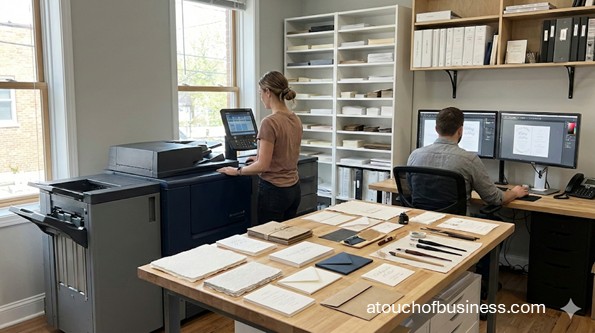
What to Expect From This Guide to Starting a Wedding Invitation Business
This guide walks you through the key decisions and practical steps involved in starting a wedding invitation business. The bullets below highlight selected areas of value, not everything included.
Inside the guide, you will find:
- Startup steps: Follow numbered steps from choosing a production model and checking local demand through legal setup, funding, and a full test order.
- Industry interviews: Hear from wedding stationery owners about how they started, organized orders, and handled busy days.
- Common questions: Find answers on part-time operation, design credentials, trademarks, copyright, font licenses, and when to hire help.
- Daily reality: See what a typical day involves, including the parts owners often enjoy and the parts they find hard.
- Financial planning: Work through startup cost categories, pricing methods, break-even logic, operating capital, and funding options using your own local numbers.
- Local requirements: Learn what to verify about registration, taxes, zoning, permits, and insurance, since rules vary by location.
- Warnings and checklists: Review start-or-stop red flags, opening-day red flags, and a pre-opening checklist.
Begin with whether this detail-driven, deadline-based business suits you, then work through the steps that follow.
Wedding Invitation Business Startup Steps You Can Follow
The steps below take you from checking fit and local demand through setup, legal work, funding, and a full test order.
This guide follows the broader startup process, adapted to the deadlines and handoffs of wedding paper goods.
Overview of the Wedding Invitation Business
A wedding invitation business specializes in invitation suites and related paper goods that must be printed, assembled, and delivered on a deadline.
You might design everything yourself, customize templates, or manage printing through trade vendors while you focus on design and proof approvals.
Before you sell anything, build a workflow that survives real wedding timelines.
You’ll do best if you enjoy details, clear handoffs, and quality checks.
One wrong date or misspelled name can force a reprint and compress your whole schedule.
Common offerings include:
- Main invitation plus reply card and details card (a “suite”)
- Save-the-dates
- Envelope addressing and return address printing
- Optional day-of paper goods like programs, place cards, menus, and seating charts
- Assembly add-ons such as belly bands, envelope liners, and wax seals
Your customers are usually engaged couples who want a specific look and a smooth process.
You may also work with wedding planners who prefer reliable timelines and predictable handoffs.
Typical upsides and tradeoffs to weigh at the start:
- Pros: You can often start from home (if local rules allow it), sell online, and build a portfolio before you open for orders.
- Cons: Deadlines are real, vendor lead times can squeeze you, and mailing constraints can affect design choices like size, thickness, and shape.
Is a Wedding Invitation Business a Good Fit for You?
A wedding invitation business fits best if you enjoy details, can handle firm deadlines, and stay calm when clients change their minds.
The job is design, yes. It’s also proofing, version control, scheduling, and making sure every handoff is clean.
Next, check your reason for starting. Are you moving toward something or running away from something?
If your only goal is to escape a job or chase a status label, that pressure will surface under deadline.
Picture a client asking for changes two days before a print deadline.
A stronger foundation is wanting to build something you can own, improve, and run with attention to detail.
Owning a business also means uneven income, long stretches of responsibility, and fewer days off near busy seasons.
You’ll also need a financial runway while you build consistent orders.
For a grounded view of what comes before opening, review key startup considerations before you commit.
Before you commit, ask yourself:
- Can your household cover living expenses while you build steady orders?
- Can you handle uneven income and the risk of losing what you invest?
- Do you have the design, proofing, and organization skills to run an order from inquiry to delivery?
- Is there local demand for what you plan to offer, and why would couples choose you?
- How many hours can you give the business each week, including evenings?
- Do the people at home support the hours and the risk?
Passion shows up when you’re troubleshooting a print issue, re-checking addresses, or rebuilding a timeline after a vendor delay.
To pressure-test your interest, read how passion holds up in real business situations.
Talk to owners you won’t compete against.
Choose a different city or region so the conversation stays open and practical.
Each owner’s journey is different, but firsthand experience is hard to get any other way.
For good prompts, see questions to ask real business owners.
Ask questions that help you picture the daily routine:
- What part of the process causes the most last-minute stress: proofs, printing, assembly, or delivery?
- What do you wish you had documented before taking your first order?
- Where do errors usually happen—client details, file setup, or vendor production?
- What turnaround promises would you never make again?
Red Flags Before You Start
Pause or change your model if cash reserves are thin, your local market is crowded, or break-even sales look out of reach.
These warning signs belong before you spend on equipment, samples, or space.
- Thin cash reserves: If you can’t cover personal and business expenses through slow stretches, pause and rebuild your plan before you spend.
- A crowded local market: If you can’t name what makes your process different from nearby competitors, verify demand or change your model.
- Break-even sales out of reach: If your prices and costs point to more orders than you can deliver, reconsider before you commit.
- Deadline pressure that doesn’t suit you: One wrong date can force a reprint, so consider whether firm deadlines and stressed clients fit your temperament.
- Location limits: Zoning or lease limits on signage, client visits, or on-site production can block a home studio, so verify before you buy equipment.
- Limited vendor access: Minimum order quantities and lead times for specialty finishes can make small orders hard to price, so confirm vendor terms first.
- Mailing limits: Size, thickness, rigidity, and shape can change handling, so test your standard suite before you commit to a design format.
A Day in the Life of Running a Wedding Invitation Business
Your day mostly splits between client communication, design, and moving orders through proofs, printing, finishing, and packing.
Owners often report that emails and client messages take a large share of the day.
Design time follows, along with preparing proofs and working through client revisions.
Once printed pieces arrive, you or your helpers finish, assemble, and pack each order for courier pickup or shipping.
Client calls and meetings often land in the evening or on weekends, when clients are free.
Your schedule also shifts with deadlines and urgent orders, so few days look the same.
What owners often enjoy:
- Seeing a couple’s excitement and hearing how guests reacted to the finished pieces
- Variety, since each brief, theme, and request is different
- Turning a couple’s vision into finished paper goods
What owners often find hard:
- Staying calm and reassuring clients when wedding stress reaches your inbox
- Long days that stretch into evenings and, for self-employed designers, weekends
- Juggling several projects with different deadlines at once
Does that daily mix of design, client contact, and deadlines suit you?
Step 1: Choose Your Business Model and Production Approach
Decide how you’ll produce the final product before you build your offer list, because this choice drives equipment, costs, and quality checks.
Common models include custom design, semi-custom templates, a print-broker approach (you manage vendors and quality), or in-house printing and finishing.
Starting with design plus trusted vendors can reduce equipment needs while you learn the process.
Step 2: Validate Local Demand and Competition
Study how local competitors run orders, not just how their designs look.
Compare revision limits, proof timelines, turnaround promises, and what happens when clients change details late.
Also check demand, market saturation, and what couples in your area pay for alternatives.
For a method, see local supply and demand.
Before you set your own terms, know what customers in your niche expect and what you can deliver without breaking your workflow.
Step 3: Define Your Offer List and What “Done” Means
Write down what your base suite includes, what counts as an add-on, and what needs a separate design fee.
Wedding invitation clients often assume you’ll handle everything from design to delivery.
Without defined boundaries, scope creep slows every handoff.
Decide where each item falls:
- Base suite: cards, envelopes, and addressing
- Add-ons: liners, wax seals, and extra inserts
- Separate design fee: custom illustrations, venue sketches, and extra events
Step 4: Map Your Workflow From Inquiry to Delivery
A simple sale is really a chain of handoffs: client details to proof, proof to approval, approval to printer, then assembly and delivery.
Build a clear flow you can repeat before you promise any timeline.
A practical workflow often looks like this:
- Inquiry → discovery call or questionnaire → quote → deposit → design draft
- Proof round(s) → written approval → production order
- Quality check → assembly/kitting → packaging → delivery or shipping
- Final payment and closeout
Step 5: Check Your Workspace and Local Zoning
Confirm what your city or county allows for your location type before you buy equipment, sign a lease, or advertise an address.
You can run a wedding invitation operation from a home studio, a rented workspace, or a storefront.
Each location type has different permission and setup needs.
Zoning ordinances can still apply to home-based businesses, and some limit signage, client visits, or on-site production.
Zoning varies by U.S. jurisdiction, so contact your city or county planning or zoning office.
If you lease a studio or storefront, ask the local building department whether you need a certificate of occupancy for your exact space and use.
Plan flat, dry storage for paper and envelopes, a clean assembly surface, and labeled bins that separate versions of a suite.
Keep paper out of direct sunlight and each client’s materials separate to reduce mix-ups.
Step 6: Set Up Supplier and Vendor Options
Shortlist vendors for paper and envelopes. Add a production partner for specialty work such as letterpress or foil.
Minimum order quantities, sample policies, and lead times can change by season and finish type.
You need real vendor limits before you publish lead times.
Confirm account requirements, proof options, and rush feasibility in writing.
Line up a backup vendor for urgent deadlines, since relying on one vendor leaves you exposed.
Step 7: Create a Proofing and Approval System You Can Enforce
Proofing is the control point that protects you from expensive rework and protects clients from preventable errors.
Build a standard proof checklist, and require written approval before you order production.
At minimum, your checklist should force a review of:
- Names and spelling
- Dates and times
- Locations
- Envelope addressing details
Step 8: Plan for Mailing Constraints Before Finalizing Designs
Wedding invitations are physical items, so size, thickness, rigidity, and shape decide how they can mail.
Before you finalize your suite format, check it against USPS letter-size guidance and nonmachinable rules.
USPS guidance treats square envelopes and overly rigid pieces as nonmachinable, which can change handling and cost.
Also decide whether you’ll ship in rigid mailers, boxes, or flat packaging.
Step 9: List the Essential Equipment for a Wedding Invitation Business
Match your equipment list to your production approach: design-and-vendor models need strong design tools, while in-house printing adds hardware and finishing tools.
Start with essentials, then add only what your workflow truly needs:
- Design and admin: computer, reliable backups, design software, file storage system
- Proofing and quality checks: good lighting, measuring tools for thickness and fit checks, a proof process (an in-house proof printer if you use one)
- Assembly and kitting: clean work surface, bins or trays to separate versions, scorer or bone folder, paper cutter or trimmer
- Packaging and delivery: shipping scale, rigid mailers or boxes, labels, tape, protective inserts
- Portfolio photos: simple photo setup (camera or phone), basic lighting, backdrop
- Storage: shelving to keep paper and envelopes flat, dry, and protected from sunlight
Step 10: Plan Startup Costs Around Production Choices
Startup costs swing with your production choices, so build your plan from categories and cost drivers instead of guessed totals.
In-house printing, premium finishes, and larger sample collections can raise your startup spending quickly.
Typical cost categories include:
- Legal setup and licenses
- Brand and website
- Samples and prototyping
- Initial materials and vendor proofs
- Packaging
- Payment processing setup
Key cost drivers usually include:
- Outsourcing versus in-house production
- Specialty print methods and finishing options
- How many sample suites you produce and photograph
- Whether you stock paper and envelopes or order per client
- Your location setup (home, studio, or storefront) and any related approvals
List everything you need, then price each item locally for the most accurate estimate.
Step 11: Set Pricing Methods That Match How You Deliver
Pick a pricing method that mirrors how you deliver.
- Package tiers
- Per-suite pricing with add-ons
- A design fee plus production pass-through plus assembly and fulfillment
If you price like a template shop but run custom-level proof rounds, you’ll feel the gap immediately.
Confirm vendor minimum order quantities, proof fees, and lead times first, so your quotes reflect reality.
For more on setting prices, see pricing your products and services.
Step 12: Check Profit Potential and Break-Even Logic
Your break-even point is where revenue equals total costs, so you neither lose nor gain.
Calculate it with your own local numbers before you commit to major spending.
You need three inputs:
- Your fixed costs, such as software, workspace, insurance, and loan payments
- Your price per order or suite
- Your variable cost per order, such as paper, envelopes, printing, packaging, and shipping labels
Each order contributes its price minus its variable costs toward covering your fixed costs.
Split costs that are partly fixed and partly variable, then add a cushion for expenses you can’t predict.
Then test what the result means for your business:
- How many suites or orders you’d need each month, and whether you can deliver that volume at your quality
- Whether your margin survives vendor minimums, proof fees, and revision rounds
- Whether slow stretches between busy periods leave you able to cover fixed costs
- Whether payment timing leaves cash gaps, since deposits come in while vendor payments go out
If the math falls short, adjust your prices, your production model, or your fixed costs before you spend.
For help estimating, see profit and revenue estimates.
Step 13: Plan Your Operating Capital
You need enough cash to cover your monthly expenses until orders bring in steady revenue.
Separate one-time costs, such as samples and registrations, from recurring costs, such as software and insurance.
SBA guidance says to count at least one year of monthly expenses when you estimate the capital you’ll need.
Add your own living expenses if the business must support your household.
Timing matters too: deposits come in, vendor payments go out, and each job ties up cash until final payment.
Step 14: Explore Funding Options
Choose how you’ll fund startup costs and operating capital before you commit to major purchases.
Common funding paths include:
- Self-funding with savings or help from family and friends
- A small business loan from a bank or credit union
- An SBA-guaranteed loan, found through SBA’s Lender Match tool
- Crowdfunding, which SBA describes as popular for creative projects and typically carries no ownership share
Self-funding keeps you in control but puts all the risk on you.
Check with a plan administrator and a financial advisor before you tap retirement savings.
Loan eligibility for a new business often depends on your personal credit, so review your credit reports before you apply.
Ask each lender or investor which documents they require before you apply, because requirements differ.
SBA suggests having a business plan, an expense sheet, and financial projections ready before you request a loan.
Start drafting your business plan while you complete earlier steps. The Business Plan section below shows how to pull the pieces together.
For loan basics, see how to get a business loan.
Step 15: Choose a Business Name, Domain, and Handles
Confirm your name is usable before you order samples with your logo or register your business.
Check state business name availability, and look for confusingly similar brands.
Decide whether you need a public-facing name that differs from your legal entity name.
Secure your domain and matching social handles as soon as the name is settled.
Step 16: Choose a Business Structure and Complete Legal Setup
Complete legal setup in an order that prevents rework: choose a structure, register, set up tax accounts, then secure local permissions.
Do this before you take public orders.
Your structure affects your taxes, paperwork, and personal liability.
SBA describes sole proprietorships as a fit for low-risk businesses and LLCs as a fit for medium- or higher-risk businesses.
Equipment, vendor accounts, employees, and client contracts all add to what you could owe or lose.
Weigh those factors before you sign major agreements, then confirm your choice with an attorney and a tax professional.
For a comparison of options, see how to choose a business structure.
Requirements vary by U.S. jurisdiction, so verify each item with the agency that handles it.
Use these verification paths for your exact setup:
- Federal: apply directly through the Internal Revenue Service website for an employer identification number if your structure, hiring plans, or banking require one
- State: register your entity through your state’s business filing office, often the secretary of state, then set up sales tax accounts through your state tax agency if you sell taxable goods
- City/County: check local business licensing and zoning rules (especially for home-based studios), plus any building approvals if you lease commercial space
The IRS says to form an LLC or corporation with your state before you apply for an employer identification number.
If you’re unsure which local approvals apply, contact your city or county business licensing office and your zoning or planning department.
Describe your setup briefly: design services plus printed goods shipped to customers.
Printed invitations are physical goods, so sales tax rules can apply based on where you operate and where you must collect.
If you plan to ship across state lines, confirm what triggers collection duties in other states.
Build a short list of questions for your state tax agency before you advertise nationwide shipping.
For permit basics, see business licenses and permits.
Step 17: Separate Required Insurance From Common Coverage
The biggest trigger is hiring employees, because employee-related coverage is often required at the state level.
Think in two buckets:
- Often required when you hire: employee-related coverage and employer registrations (confirm with your state labor or workforce agency)
- Commonly chosen: general liability, professional liability or errors and omissions, coverage for equipment and inventory, and home-based business coverage if you work from home
A licensed insurance agent can match coverage to your setup.
For more detail, see business insurance.
Step 18: Open Business Banking and Set Up Deposits and Final Payments
Open a business bank account once your registration and EIN are in place, then choose how you’ll collect deposits and final payments.
Before you accept payment, set up:
- A business bank account
- A payment method, such as invoices, hosted checkout, or an online store
- A way to track what’s paid and what’s still due
Card payments carry data security responsibilities that depend on how you process payments.
A reputable payment provider with hosted checkout can reduce what you handle directly.
Confirm which Payment Card Industry Data Security Standard responsibilities apply to your payment flow.
Write down your deposit and final payment rules before you send your first quote.
For account basics, see how to open a business bank account.
Step 19: Write Client Documents That Protect the Workflow
Before you move from draft to production, put written terms in place that match how you actually work.
Your client agreement should define:
- What’s included
- How revisions work
- When proofs must be approved
- What happens if details change after approval
Also prepare these standard forms:
- Questionnaire for event details
- Proof approval acknowledgment
- Invoice format
- Timeline showing what clients must provide by specific dates
Step 20: Build Core Brand Assets
Brand assets shape how clients understand options, approve proofs, and keep the process moving.
At a minimum, have:
- A logo wordmark
- A consistent type and color direction
- Portfolio photography
- A website page that explains your process: proofs, revisions, timeline, and what clients must provide
Step 21: Build a Sample Suite That Matches Your Real Workflow
Make samples from the paper, envelopes, and finishing steps you plan to sell.
Samples are your rehearsal for assembly time and quality checks.
Before you accept paid orders, run at least one end-to-end test: proof, production, quality check, assembly, and packaging.
You want to find problems while the stakes are low.
A pre-opening day often looks like building systems, not chasing orders:
- Finishing two sample designs, exporting print-ready files, and ordering proofs from a vendor
- Assembling a sample suite and photographing it for your website
- Confirming lead times with a paper supplier
- Testing packaging and mailing requirements with your finished materials
Step 22: Plan How You’ll Reach Your First Customers
Couples choose based on trust, visuals, and process clarity, so show finished work and explain your steps.
Before opening day, decide who your likely first customers are and what problem you solve for them.
Practical ways to reach them at opening:
- A portfolio website that shows finished work and explains your process
- Planner referrals
- Venue and wedding-vendor connections
- A few social profiles with consistent photography
Ask the owners you talk to what brought them their first clients.
Step 23: Run a Full Test Order and Stress-Test Your Routine
Run a mock order exactly like a real one before you open broadly.
Walk the order through each handoff:
- Collect event details
- Produce proofs and get a sign-off
- Order production
- Check quality
- Assemble and package for delivery
Use the test to tighten handoffs: where information gets lost, where approvals slow down, and where vendor timelines create risk.
A test order reduces last-minute chaos without guessing.
Notice how the routine feels as you test it, since it’s repetitive and deadline-driven.
If the routine energizes you, you may be a good fit.
If it drains you, narrow your offer list or reduce custom design until you gain confidence.
Step 24: Complete Your Pre-Opening Checklist
Confirm every item below before you accept paid work.
The goal is having the basics in place, not perfection, so your first order doesn’t force you to build systems under pressure.
- Legal: registrations completed, tax setup confirmed, insurance decisions made, local permissions verified for your location type
- Finances: funding decisions made, operating capital planned, break-even numbers calculated
- Workflow: inquiry-to-delivery steps written, proof checklist ready, approval step defined
- Vendors: supplier list finalized, lead times and minimum order quantities confirmed, backup vendor identified
- Equipment: design tools ready, assembly surface set, storage in place, packaging supplies stocked
- Payments: business bank account open, invoicing or checkout method live, deposit and final payment rules set
- Documents: client agreement, proof approval form, questionnaire, quote template
- Brand: domain and email active, portfolio live, sample photos published, social handles secured
- Testing: at least one full test order completed and revised based on what broke
Business Plan
Draft your business plan as you complete the earlier steps. Finish it once your costs, funding, pricing, and break-even inputs are in place.
A business plan organizes your decisions in one place and gives lenders or investors something concrete to review if you seek funding.
Pull these pieces into your plan:
- Your business model, production approach, and offer list
- Your likely customers, local competition, and why couples would choose you
- Startup costs, equipment, and vendor terms
- Your pricing method and break-even logic, using your own numbers
- Your operating capital and funding plan
- Your legal setup, structure, and insurance decisions
- Your workflow, proofing system, and client terms
- Any pre-opening checklist items still open
Profit potential depends on how many orders you can deliver at a margin that covers your fixed costs.
Test that against slow stretches and payment timing before you commit to leases, equipment, or hires.
SBA notes that plans come in formats from detailed and traditional to shorter lean versions, so pick the one that fits your needs.
For structure and examples, see how to write a business plan.
Opening-Day Red Flags
Most opening-week problems come from unclear handoffs.
Look for weak spots before you take orders, while you can still fix them.
Watch for these warning signs:
- You don’t have a proof checklist and a firm approval step before production
- You rely on one vendor with no backup option for urgent deadlines
- Your offer list includes specialty finishes you’ve never tested end to end
- You haven’t verified that your standard suite build fits your packaging and mailing plan
- Your contract language doesn’t match how you actually work
Frequently Asked Questions
Question: Can I run a wedding invitation business part-time while I keep my job?
Answer: Yes. Several owners describe starting as a side business while working a full-time job.
Some owners cap how many weddings they accept each month, which helps deadlines and quality hold.
Question: Do I need a graphic design degree to start a wedding invitation business?
Answer: Not necessarily. The Bureau of Labor Statistics says employers usually want designers to hold a bachelor’s degree.
That describes jobs, not owning a studio.
The Bureau also stresses portfolios as the way designers show creativity and originality.
Question: Should I trademark my business name before I print samples?
Answer: Search first, then decide whether to file.
Check your name against the U.S. Patent and Trademark Office database before you print, since infringement claims can reach businesses in any state.
SBA says to file for a trademark once you’ve formed your business.
A trademark protects your name nationally, while registering an entity name protects it only within your state.
Question: Do my invitation designs have copyright protection?
Answer: Often yes. The Copyright Office lists stationery, graphic designs, and greeting cards among registrable visual arts works.
Registration can add legal benefits if you ever need to enforce your rights, so keep clean records of what you created and when.
If you plan to register, use the Copyright Office’s online process or ask an attorney.
Question: Can I use any font on my invitations?
Answer: Not necessarily, because font licenses differ.
Check each font’s license for commercial print use before you build a collection of designs around it.
Adobe’s licensing FAQ, for example, allows its fonts in client print projects, but you can’t share or package the font files.
If your printer or client needs the live fonts, they need their own license, while embedded PDFs and images don’t require one.
Question: When should I hire help?
Answer: Consider it when assembly and packaging slow your proof and production handoffs, or when you’re missing deadlines.
For timing and next steps, see how and when to hire.
Interviews With Wedding Stationery Owners
These interviews let you hear how wedding stationery owners started, organized orders, and handled busy days.
Katy Jahn, Happy Day Paper Co.
Katy Jahn runs Happy Day Paper Co., a home-based studio offering custom and pre-designed wedding stationery. Her interview covers how she got started.
This interview shows one home-based path that pairs your own designs with a print vendor for letterpress and foil.
Annette McIntosh, Danger + Moon
Annette McIntosh runs Danger + Moon, an Australian custom wedding stationery studio she began as a side business while working full time.
This interview walks through client intake, package-based service with assembly included, and why she limits how many weddings she books each month.
Amanda Michelle, Amanda Michelle Design and Stationery
Amanda Michelle runs a wedding stationery studio with a small team. Her interview describes a typical studio day.
This interview shows how a small team splits design, order processing, finishing, and packaging around daily courier collections.
Marty, Wedfest Wedding Stationery
Marty founded Wedfest, a themed wedding stationery business that started with festival-style invitations he designed for his own wedding.
This interview covers how demand led him to register a company, what busy days look like, and why print quality matters.
Related Articles
- How to Start a Calligraphy Business with Confidence
- How to Start a Greeting Card Business
- Wedding Venue Startup Guide
- Start a Bridal Makeup Business
- Desktop Publishing Business Startup Guide
- How to Start a Graphic Design Business
- Start a Photography Business
- How to Start an Etiquette Consulting Business Checklist
- Cake Decorating Startup Guide
- How to Start a Screen Printing Business
- How to Start a Party Rental Business
- Start a Bookbinding Business
Sources:
- IRS: Get employer ID number, Business structures
- SBA: Choose business name, Register business, Licenses and permits, Pick business location, Business structure, Open bank account, Business insurance, Market research, Write business plan, Startup costs, break-even, Fund your business
- USPS Postal Explorer: Letter size rules, Nonmachinable guide
- PCI Security Standards Council: Merchant resources
- U.S. Patent and Trademark Office: Trademark basics
- U.S. Copyright Office: Visual arts registration
- U.S. Bureau of Labor Statistics: Graphic designers handbook
- Adobe Fonts Help: Font licensing FAQs
- Owner interviews: Amanda Michelle interview, Wedfest interview, Danger + Moon interview, Happy Day Paper interview