
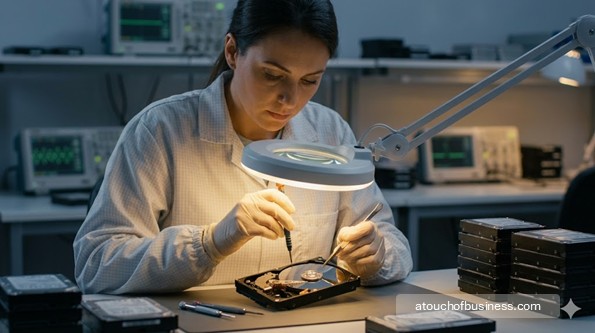
What to Expect From This Guide to Starting a Data Recovery Business
This guide walks readers through the key decisions and practical steps involved in starting a data recovery business, from testing technical ability and defining service limits to securing a lab, documenting cases, and preparing to accept client media. The bullets highlight selected parts of a much deeper review.
Inside the guide, you will find:
- Startup roadmap: Progress from technical fit and market validation through scope, compliance, equipment, intake systems, partnerships, testing, and first-case preparation.
- Expert interviews: Hear from recovery professionals discussing tools, customer trust, pricing, security, specialization, clean-room operations, and changing storage technology.
- Startup FAQs: Review answers about clean-room needs, PC-3000 timing, first clients, legal documents, home operations, insurance, and recovery tiers.
- Service scope: Compare logical, firmware, physical, SSD, consumer, business, mail-in, drop-off, and partner-referral models before defining limits.
- Lab setup: Review write-blockers, imaging software, secure storage, laminar benches, PC-3000 tools, donor drives, and phased purchasing.
- Compliance and records: Address contracts, chain-of-custody logs, confidentiality, privacy laws, HIPAA-related safeguards, licensing, zoning, and insurance where applicable.
- Financial planning: Examine case mix, no-data-no-fee risk, failed recoveries, consumable donor drives, fixed costs, deposits, and break-even volume.
Continue to assess whether your technical scope, security controls, equipment budget, and client procedures are strong enough for the cases you plan to accept.
As a data recovery specialist, you diagnose failed storage media and retrieve data that clients can no longer access on their own.
You work on hard drives, solid-state drives (SSDs), RAID arrays, USB flash drives, SD cards, smartphones, and servers.
The service ranges from simple file recovery on a working drive to open-drive mechanical repair in a particle-controlled environment.
Every engagement starts with a failed or inaccessible device and ends with either recovered data delivered to the client, or a clear explanation of why recovery wasn’t possible.
The startup process for a data recovery lab involves technical skill, specialized equipment, and careful legal and documentation setup before you take your first client job.
This guide walks you through every step — from checking your fit and defining your scope to building your intake system and going live.
Is This Business Right for You?
Data recovery is detail-intensive, precision-focused technical work.
You’re diagnosing failed hardware, running forensic imaging workflows, and sometimes telling a distressed client that their data can’t be saved.
Not every technically skilled person is suited to that combination of pressure, patience, and customer sensitivity.
Ask yourself honestly: Do you have the baseline skills to do this work at a professional level?
The technical foundation you need before opening includes:
- File system knowledge — NTFS, FAT32, exFAT, APFS, HFS+, ext4
- Storage device architecture for HDDs and SSDs
- Safe imaging protocols using hardware write-blockers
- OS-level troubleshooting and drive diagnostics
- Chain-of-custody documentation procedures
Physical recovery — head swaps, firmware repair, open-drive work — adds a second layer of skill and requires equipment you must be trained to use correctly.
Opening drives without the right environment and technique can permanently destroy a client’s device.
This business also demands that you deliver bad news calmly. Some data is unrecoverable. If you can’t communicate that outcome professionally, the emotional side of the work will wear on you quickly.
Think carefully about the financial picture too. Income is case-by-case and irregular, especially early on.
You need enough personal capital to cover living expenses and fixed overhead through the ramp-up period — without financial pressure pushing you into jobs outside your skill level.
Family or household support during that period matters. Talk through the income uncertainty with anyone affected before you commit.
Do you feel drawn to this work, or are you mainly looking for a way out of a job you dislike? Passion for the business matters here — recovery cases get complicated, clients get anxious, and without genuine interest in the problem, it’s easy to look for the exit instead of the solution.
If you’re not certain yet, review pre-startup considerations before going further.
Red Flags Before You Start
Some of these warning signs mean you should pause and prepare more. Others may signal that this particular model isn’t the right fit.
Skill gaps that create liability:
If you can’t currently image a drive with a hardware write-blocker, distinguish a logical failure from a physical one, or run a basic diagnostic correctly, you’re not ready to take client jobs.
Attempting physical recovery without the skill and equipment to do it safely can permanently destroy a client’s device and expose you to a dispute you can’t win.
Pause, build skills on your own equipment, and run successful test recoveries before accepting any client work.
Underfunded equipment plan:
Starting with logical recovery only is accessible. Entering physical recovery without the capital for a laminar flow workbench, a PC-3000 system, and a donor drive inventory is a structural problem.
The PC-3000 — ACE Lab’s professional hardware-software platform for firmware-level diagnostics — is the industry standard tool for firmware and physical recovery cases. It’s a significant investment, with annual software update costs on top.
If you can’t fund the equipment needed for the scope you plan to offer, narrow your scope until you can.
No operating capital reserve:
Data recovery income is unpredictable. Some cases fail and generate no revenue. Some months are slow.
If you can’t cover your fixed costs and personal living expenses for several months without client revenue, financial pressure will force bad decisions.
Strong competition without a clear advantage:
National labs — large, well-funded data recovery operations — have deep donor drive inventories, brand recognition, and volume-based efficiency.
You compete on price transparency, faster turnaround, and personal service. Verify that this positioning is viable in your target market before committing.
DIY software pressure at the low end:
Free and low-cost recovery tools like Recuva, Disk Drill, and R-Studio handle a meaningful share of simple logical recoveries without a professional lab.
The cases that need a professional involve firmware failures and physical damage — work that requires real tools and real skill. Know that the easiest end of the market faces permanent DIY pressure.
Technology complexity is accelerating:
Modern NVMe SSDs, proprietary Apple controllers, and high-density NAND flash require tools and training that go well beyond traditional hard drive recovery.
If you can’t keep pace with new storage architectures, a growing category of cases will be outside your capability.
No written agreement before you open:
Operating without a client service agreement that covers scope, liability limits, no-data outcomes, and authorization for diagnostics creates serious exposure.
Even a competent recovery attempt can turn into a dispute if the documentation isn’t there from day one.
Step 1: Assess Your Fit and Technical Baseline
Before you plan anything else, take stock of what you can do right now.
Run test recoveries on your own failed drives. Practice imaging with a hardware write-blocker. Confirm you can distinguish a logical failure from a firmware failure from a mechanical failure.
If you can’t do those things reliably, understand what you’re taking on before you spend money on equipment or registration.
Some cases are unrecoverable regardless of skill and time invested. You need to be comfortable saying that to a client clearly, honestly, and professionally.
Step 2: Talk to Data Recovery Lab Owners
Find owners of data recovery operations who don’t compete with you — in different cities or different service niches.
Use these resources to find them:
- Professional recovery forums and communities
- LinkedIn profiles for lab owners and technicians
- Trade directories for the data recovery and IT services industry
Prepare specific questions before you reach out.
Ask questions like these:
- “What equipment did you buy first, and what could have waited?”
- “What types of cases did you decline in year one, and why?”
- “Where did your first 10 paying clients come from?”
- “What surprised you most about customer expectations?”
Every owner’s path is different. Firsthand insight from people who’ve already navigated these decisions is something no article can fully replace.
Read about how to structure those conversations in advice from real business owners.
Step 3: Define Your Service Scope and Business Model
This is the most important startup decision you’ll make — and it determines everything that follows.
Decide what you’ll recover, who you’ll serve, and how clients will reach you. Every equipment purchase, workspace decision, and compliance requirement flows from this choice.
First, decide what you’ll recover at launch:
- Logical recovery — deleted files, formatted drives, corrupted file systems, malware damage. The drive is mechanically intact. Software tools handle the job. No controlled environment required. This is the accessible entry point.
- Firmware recovery — the drive fails to initialize normally because its firmware modules are corrupted. Requires the PC-3000 or equivalent low-level hardware platform.
- Physical/mechanical recovery — failed read/write heads, seized spindle motors, platter surface damage. Open-drive work requires a particle-controlled environment and specialized hand tools. Donor drives are consumed in the process.
Starting with logical recovery only is a legitimate and financially lighter path. Many successful labs start there and expand into physical capability as revenue and skill grow.
Second, decide which customers you’ll serve at launch:
- Consumers — individuals with lost personal files, photos, or documents. Higher volume, lower complexity, more emotional urgency.
- Small businesses — financial records, client files, operational data. Higher urgency and more documentation expected.
- IT providers and managed service providers (MSPs) — partner-referral cases from businesses that outsource recovery. Formal service agreements and faster turnaround expectations.
- Healthcare providers — high compliance requirements; you must be HIPAA-ready before touching their media.
Third, decide how clients will reach you:
- Walk-in or drop-off — requires a workspace clients can visit. Professional appearance and physical security for client devices are non-negotiable.
- Mail-in — nationwide reach, lower overhead, no walk-in space required. Clients ship their device to you. Requires clear packaging instructions, a chain-of-custody intake process, and a reliable delivery-of-recovered-data workflow.
- Partner-referral — cases come from IT shops, computer repair technicians, and MSPs who send you work they can’t handle in-house. Steady case flow but dependent on relationship-building before revenue arrives.
Finally, decide what to do with cases outside your capability:
If you start with logical recovery only, identify a partner lab you trust for physical and firmware cases before you open.
You can accept those inquiries, refer them appropriately, and avoid the risk of damaging a device through an under-equipped attempt.
Step 4: Consider Whether to Start from Scratch or Buy an Existing Lab
Starting from scratch gives you full control over your scope, tools, client relationships, and brand.
The tradeoff is building everything from zero — no existing clients, no reputation, no equipment inherited from a predecessor.
Buying an existing data recovery operation may give you a donor drive inventory, functional lab equipment, established client relationships, and a working intake process from day one.
The risks: the equipment may be outdated, the reputation may carry problems, and legacy client expectations may not match your service model.
Read through starting from scratch vs. buying a business before committing to either path.
No nationally known franchise model exists for independent data recovery labs at the local service level. Franchising isn’t a realistic option here.
Step 5: Validate Local Demand and Your Referral Ecosystem
The strongest early clients for a data recovery lab aren’t found through advertising. They come from referral partners who already encounter data loss situations regularly.
Map your local referral ecosystem before you open:
- Computer repair shop owners and technicians
- IT service providers and MSPs
- Photography and creative professionals who lose irreplaceable files
- Law firms with litigation-hold or forensic needs
- Medical offices with HIPAA-sensitive drives
- Small businesses with failed servers or accounting drives
Identify which of these already exist in your area. Talk to computer repair technicians and IT service owners — not to compete, but to introduce yourself as a recovery resource they can refer cases to.
Also research whether established labs already have strong name recognition locally.
If competition is entrenched, a mail-in or partner-referral model may be a lower-friction way to enter the market than competing head-to-head for local walk-in clients.
Read about checking local supply and demand before locking in your model.
Step 6: Draft a Startup Plan and Run a Profit Reality Check
Before you spend money on equipment, registration, or a workspace, understand whether the model you’ve chosen can actually support you financially.
Map your anticipated revenue structure:
- Logical recovery cases — higher volume per month, lower revenue per case
- Firmware recovery cases — lower volume, higher revenue per case, requires PC-3000
- Physical/mechanical recovery — fewest cases, highest revenue per case, highest equipment cost and consumable cost
A logical-only launch requires more case volume to cover the same fixed costs as a full-service lab. Make sure local case volume can support that math before committing.
The “no data, no fee” model is widely used and builds strong client trust. But some job time generates zero revenue when recovery fails.
Factor a realistic no-recovery rate into your break-even thinking. Some jobs consume diagnostic time and donor drives with nothing to bill at the end.
Donor drives — the exact-match replacement drives used for head swaps — are a recurring consumable cost in physical recovery. Account for them in your ongoing operating budget.
Consider whether you’ll add complementary revenue streams — digital forensics referrals, media destruction, or backup consulting — to reduce dependence on pure break-fix case volume.
Run your own numbers using profit and revenue estimation tools before committing to major expenses.
Step 7: Choose a Legal Structure and Register the Business
Choose a legal entity before you take any client money.
An LLC is the common choice for data recovery operators because it provides liability separation — relevant when clients entrust irreplaceable data to your care.
Compare your options in LLC vs. sole proprietorship before deciding.
Registration actions to complete:
- File your chosen entity with your state’s Secretary of State office
- Obtain an EIN (Employer Identification Number) from the IRS — required before opening a business bank account
- Register a DBA (doing business as) if operating under a trade name
Consult a business attorney early — especially about your client service agreement, liability limitation language, and how to handle contracts when recovery is unsuccessful.
The service agreement is not a formality. It’s your primary legal protection when a client disputes an outcome.
Step 8: Complete Legal and Compliance Setup
Data recovery sits at the intersection of multiple compliance frameworks. Work through each one before you accept a client device.
Federal requirements:
- HIPAA Business Associate Agreement (BAA) — Required before handling any storage media from a healthcare provider. If you recover drives from medical offices, clinics, or health plans, you’re a HIPAA Business Associate. A signed BAA with each healthcare client must be in place before you touch their media. You also need documented administrative, physical, and technical safeguards for any electronic protected health information (ePHI) you handle. Verify current requirements at HHS.gov.
- FTC Act data security obligations — If you represent that you handle client data securely, you must actually do so. The FTC enforces against unfair or deceptive data security practices. Review the FTC’s Start With Security guidelines at FTC.gov.
State-level items that vary by jurisdiction:
- General business license — required in most states; check your Secretary of State portal
- Sales and use tax — some states tax technology services or the sale of physical media; verify with your state Department of Revenue
- State data privacy laws — more than 20 states have comprehensive consumer data privacy laws; as a service provider handling client personal data, you may have obligations around data minimization, privacy notices, and data deletion; check your state Attorney General’s office
- Data breach notification laws — most states require notification if client personal data is lost, stolen, or accessed without authorization while in your possession
- Employer accounts — required if you hire employees; check your state Department of Labor or Revenue
City and county items:
- Local business license — many cities require one separate from the state registration
- Home-occupation permit — required in most municipalities if operating from a residential address; restrictions commonly cover floor area used, customer foot traffic, signage, and number of non-resident employees; HOA covenants may be stricter than local ordinances
- Certificate of occupancy — required when leasing commercial space; confirm the use type is approved for a technology service lab
- Zoning — confirm your workspace is in a zone that allows your business activity
For a full picture of what you need, check business licenses and permits as a starting reference, then verify locally.
Ask these questions before you open:
- Will I handle drives containing healthcare data? If yes, HIPAA BAA requirements apply before I take that first job.
- Does my state tax data recovery services or the sale of physical media?
- Does my city require a home-occupation permit for a technology service with no customer foot traffic?
Step 9: Select and Secure Your Workspace
Your workspace requirements depend entirely on your service scope at launch.
For logical recovery only:
A dedicated home workspace or small commercial unit works. Verify local home-occupation zoning rules and HOA covenants before operating from a residential address.
For physical and firmware recovery:
You need a laminar flow workbench with HEPA or ULPA filtration for open-drive work on HDDs.
A full room-scale ISO clean room is not required for most independent labs. What matters is particle-free air at the work surface where the drive is opened — a properly maintained ULPA-filtered laminar flow bench provides this.
ULPA filtration captures particles down to 0.12 microns, which exceeds HEPA’s 0.3-micron threshold and is preferred for modern high-density drives. SSD recovery requires no controlled environment — SSDs have no components sensitive to airborne particles.
For any model where clients drop off devices:
The workspace must be physically secure. Locked access, monitored entry, and locked storage for client devices are baseline requirements.
For a mail-in model, you still need a secure intake area and locked storage for devices in process.
If you’re considering commercial space, confirm zoning and certificate of occupancy before signing a lease.
Step 10: Acquire Tools and Equipment
Phase your equipment purchases to match your launch scope. Buying physical recovery tools before you have the skill to use them safely wastes capital — and creates liability.
Logical recovery — core setup:
- Professional imaging software — R-Studio or UFS Explorer for serious cases; Recuva for simple deletions
- Hardware write-blockers — USB and SATA; prevents any modification to source media during imaging
- Large-capacity destination drives — multiple high-reliability units for storing disk images and recovered data
- Dedicated workstation with a multi-bay drive docking station
- Drive health and SMART diagnostic utilities (CrystalDiskInfo and similar free tools)
- USB hub, multi-format card reader, SATA-to-USB and USB-C adapters
- Precision Torx screwdrivers (T6, T8, T9) and basic electronics toolkit
- Anti-static wrist strap and ESD mat
Firmware and physical recovery — additional equipment:
- Laminar flow workbench with ULPA filtration — required for open-drive procedures
- PC-3000 hardware/software platform (ACE Lab) — the industry standard for firmware-level diagnostics, service area repair, translator table rebuilding, and drives that fail to initialize normally
- DeepSpar Disk Imager or equivalent — hardware-level imager for dying or unstable drives with bad sectors
- Head swap tools (HDDSurgery or equivalent precision instruments)
- Donor drive inventory — exact-match replacement drives; sourcing must be in place before you take physical recovery cases
- Soldering station (Hakko or equivalent) for PCB-level repair — TVS diode replacement, ROM chip transfer
- Hot air rework station for surface-mount and BGA component work
- ESD-rated anti-static gloves and precision tweezers
SSD and flash recovery:
- PC-3000 SSD module and PC-3000 Flash module for NAND-level reconstruction and chip-off recovery
- Visual NAND Reconstructor (VNR) for flash reconstruction workflows
- Chip-off adapters, socket kits, and BGA rework station for reading NAND chips directly
Workspace and security equipment:
- Locked cabinet or safe for client devices in storage
- Encrypted destination drives for recovered data pending client delivery
- Chain-of-custody intake forms — physical or digital tracking system
- Case management or job tracking software
Also review essential office equipment for the administrative side of the setup.
Step 11: Set Up Business Banking and Payment Processing
Open a dedicated business bank account before you take a single client payment. Keep personal and business finances entirely separate from the start.
Payment setup items to complete before opening:
- Business checking account and business debit or credit card
- Payment processing for credit cards, debit, ACH, and business invoices — many clients pay by invoice with net terms
- Invoicing system tied to your case management workflow
- Deposit policy for physical jobs — donor drives are consumed in head swap cases; a deposit protects you when parts are ordered and recovery fails
Set up accounting software on the same day you open the bank account. Tracking revenue, job costs, and operating expenses from day one is how you know whether the business is viable.
Read about setting up a merchant account for payment processing guidance.
Step 12: Obtain Insurance Coverage
Data recovery carries specific and serious liability exposure. Business insurance for this service type targets the risks you actually face — it’s not a generic checklist.
Coverage to carry before your first client job:
- Technology Errors & Omissions (E&O) / Professional Liability — the most important coverage for this business; protects you when a client claims your service caused further damage, failed to recover data, or breached a professional obligation; E&O covers legal defense costs whether or not the claim has merit
- Cyber liability insurance — covers costs from data breaches affecting client data you hold during recovery, including notification costs and regulatory response
- General liability insurance — covers bodily injury and property damage claims; essential if clients visit your workspace
- Electronic data liability endorsement — specifically covers damage to or loss of client media and data while in your care
- Commercial property insurance — covers your equipment if you’re in a leased commercial space
- Workers’ compensation — required by law in most states if you hire employees
The non-statutory items above aren’t legally required in most jurisdictions — but operating without technology E&O and cyber liability coverage creates financial exposure that a single bad outcome could make permanent.
Step 13: Build Your Client Documentation and Intake System
Your documentation system is your legal protection, your compliance framework, and your trust signal to clients.
Put these in place before you open:
- Client intake form — records the device received (make, model, serial number, physical condition on arrival), the issue described, the services requested, and the client’s authorization for diagnostic work
- Service agreement — covers your service scope, liability limitations, what “success” means in this context, your no-data/no-fee policy (if applicable), what happens to the device if recovery fails, and the client’s authorization for the procedure
- Chain-of-custody log — records every person who handled the device, every procedure performed, and the date and time of each action; required for HIPAA-regulated clients and protects you legally in any dispute
- Data handling and confidentiality policy — explains how you protect client data during recovery, how long you retain recovered files, and how you securely erase them after delivery
- HIPAA Business Associate Agreement template — required before handling any media from a healthcare provider; have this reviewed by an attorney before use
Have your service agreement reviewed by a business attorney before you use it. A self-drafted template isn’t adequate protection when clients entrust irreplaceable data to your hands.
Step 14: Establish Supplier and Partner Relationships
Two supply chains matter in data recovery: donor drives for physical jobs, and referral partners for steady case flow.
Donor drive sourcing:
Head swaps require exact-match donor drives — same drive family, often the same firmware revision, head map, and manufacturing site.
Identify reliable sources before you take physical recovery cases.
Donor drive sources to research:
- Dedicated data recovery parts suppliers
- Electronics liquidators and surplus hardware sources
- Online marketplaces — verify quality before relying on any single source
Referral partners:
Computer repair technicians and IT service providers encounter data loss regularly and have no in-house recovery capability.
Introduce yourself to people who run local repair shops and IT service companies before you open. Establish clear referral terms: what you handle, what turnaround looks like, how communication works, and what documentation you’ll provide.
Outsource partner lab:
Identify a reputable lab you trust for cases outside your current capability — before you’re in front of a client with a drive you can’t safely work on.
Step 15: Complete Your Pre-Opening Checklist and Take Your First Cases
Run internal test recoveries on your own failed drives before you accept a client job. Confirm every step of your workflow: imaging, documentation, recovery, verification, and delivery.
Confirm all of the following before opening:
- Legal entity registered and EIN obtained
- Business bank account open
- Business licenses and local permits in hand
- Zoning confirmed for your workspace
- Service agreement reviewed by an attorney
- Client intake form and chain-of-custody log ready
- Data handling and confidentiality policy written
- HIPAA BAA template ready if serving healthcare clients
- Insurance coverage active — technology E&O, cyber liability, and general liability at minimum
- Laminar flow workbench set up and HEPA/ULPA filter confirmed current (if doing physical recovery)
- PC-3000 operational and software license current (if applicable)
- Hardware write-blockers tested and confirmed working
- Imaging software licensed and tested on your own media
- Test recoveries completed successfully on your own drives
- Secure client device storage in place — locked cabinet or equivalent
- Donor drive sourcing confirmed (if doing physical recovery)
- Outsource partner lab identified for out-of-scope cases
- Job tracking and case management system ready
- Payment processing active and tested
- Invoicing and accounting software set up
- Referral partners briefed on your service scope, turnaround expectations, and contact information
Business Plan
Your business plan for a data recovery operation connects your technical scope to your financial reality.
It should answer one core question before anything else: Can this model support you financially at the volume you can realistically achieve in your market?
Start with your service scope and pricing structure. Different failure tiers generate different revenue per case — logical recovery, firmware cases, and physical/mechanical recovery each carry different pricing norms, time requirements, and consumable costs.
Map out what a realistic monthly case mix looks like based on your launch scope and market size.
Then account for the no-data/no-fee model if you plan to use it. Some portion of your cases will consume time and donor drives without generating revenue. Your break-even calculation needs to reflect that.
Physical recovery adds a cost that logical-only labs don’t face: donor drive inventory. Donor drives are consumables. Some are used in cases that still fail. Factor ongoing parts replenishment into your operating budget.
Your plan should also document your fixed monthly costs — workspace, software licenses, insurance, equipment updates, and operating capital reserve — against your projected case volume and revenue per case.
If the math doesn’t work at the volume you can realistically attract, narrow your scope, reduce overhead, or adjust your model before you spend on equipment and leases.
Cover these areas in your plan:
- Service scope and recovery tiers you’ll offer at launch
- Customer types and how you’ll reach your first clients
- Intake model — walk-in, mail-in, partner-referral, or a combination
- Pricing structure by failure tier and evaluation/deposit policy
- Estimated monthly case volume needed to cover fixed costs
- No-recovery rate estimate and its revenue impact
- Startup cost categories: equipment, legal, insurance, workspace, operating capital
- Funding sources for major equipment like the PC-3000 and laminar flow workbench
- Compliance setup: HIPAA readiness, state privacy law obligations, insurance coverage
- Referral partner strategy and partner lab relationship for out-of-scope cases
- Pre-opening milestones — the checklist from Step 15 forms your launch gate
Use business plan guidance to structure this document and confirm the financial logic holds before you commit to major purchases.
Read about business loan options if you need financing for physical recovery equipment.
Opening-Day Red Flags
These are the setup gaps most likely to cause problems on your first client jobs. Confirm each one before you open.
Laminar flow bench not validated: If you’re doing physical recovery, confirm your HEPA or ULPA filter is current and the bench is working correctly. A saturated filter loses effectiveness. Don’t open a drive until you’ve confirmed the bench is producing clean air at the work surface.
PC-3000 software not updated: If your PC-3000 license hasn’t been updated, you may lack support for recent drive models. Verify the software is current before your first firmware case.
No donor drive confirmed for a physical case: Don’t accept a head swap or PCB case until you’ve sourced a compatible donor. Exact-match parts aren’t always available quickly. Committing to a case before confirming parts is a case you may not be able to complete.
Service agreement not attorney-reviewed: A self-drafted intake form isn’t an adequate service agreement. If your attorney hasn’t reviewed and approved the agreement before your first job, you’re operating without the legal protection you need.
No HIPAA BAA in place when a healthcare client arrives: Turn the job away or delay it until the BAA is signed and your safeguards are documented. Taking healthcare media without a signed BAA creates regulatory exposure you can’t unwind after the fact.
Payment processing untested: Run a test transaction before your first client pays. A failed payment system on a job where the client owes a deposit is an immediate credibility problem.
No outsource partner lab identified: If a case comes in that’s outside your current capability and you have no referral outlet, you’re left with two bad options — attempt something you’re not ready for, or turn away a client with no good explanation. Have that partnership ready before you open.
Secure storage for client devices not in place: If a client device is lost, stolen, or accessed without authorization while in your possession, state data breach notification laws may apply. Locked storage and basic physical security are not optional.
Frequently Asked Questions
Do I need a full clean room to start a data recovery business?
No. A full room-scale ISO clean room is not required for most independent labs.
For hard drive open-drive work, what matters is particle-free air at the work surface where the drive is opened.
A properly maintained ULPA-filtered laminar flow workbench achieves this. Full room-scale clean rooms are used by larger corporate labs but aren’t a prerequisite for independent operation.
SSD recovery requires no controlled environment — SSDs have no components sensitive to airborne particles.
Do I need the PC-3000 to start?
Not if you begin with logical recovery only. Simple logical recovery — deleted files, formatted drives, file system corruption on a physically intact drive — can be handled with professional imaging software and hardware write-blockers.
The PC-3000 is required for firmware-level cases and physical recovery cases where drives fail to initialize normally. Many operators start without it, outsource complex cases, and invest in PC-3000 capability as volume grows.
What is the best way to attract first clients?
Referral partnerships with IT service providers, computer repair shop owners, and MSPs are the most reliable early source of cases.
These operators encounter data loss regularly and have no in-house recovery capability. Establishing clear referral terms and a defined service scope builds steady case flow without a large upfront marketing investment.
A mail-in intake model also opens the potential client pool well beyond your local area.
What legal documents do I need before taking my first job?
At minimum: a client intake form, a service agreement reviewed by an attorney, and a chain-of-custody log.
If you’re serving healthcare clients, a HIPAA Business Associate Agreement reviewed by an attorney must be in place before handling any healthcare-related media.
A data handling and confidentiality policy should also be ready to share with clients before you accept any devices.
Can this business run from home?
Yes, for logical recovery and a mail-in model. Many independent data recovery operators work from a dedicated home workspace.
Verify that local zoning and HOA covenants permit the activity first.
If clients drop off devices in person, physical security for client media is a non-negotiable requirement.
How does the “no data, no fee” pricing model work?
Under this model, you charge only if data is successfully retrieved. If recovery fails, the client doesn’t pay for the attempt.
This model is common for physical and mechanical recovery cases and builds significant client trust. The tradeoff is that failed cases consume time, equipment use, and sometimes donor drives with no offsetting revenue.
Your break-even planning must account for a realistic no-recovery rate in your monthly case mix.
What insurance does a data recovery business need?
Technology Errors & Omissions (E&O) insurance is the most important coverage — it protects you when a client claims your service caused damage or failed to meet a professional standard.
Cyber liability insurance covers costs from data breaches involving client data you hold. General liability covers premises and property damage.
An electronic data liability endorsement covers loss of or damage to client media and data while in your care. Workers’ compensation is required by law in most states if you hire employees.
What’s the difference between logical recovery and physical recovery, and why does it matter for startup planning?
Logical recovery addresses software-level data loss: deleted files, formatted drives, corrupted file systems, malware damage.
The drive is mechanically intact. Specialized software reconstructs the missing data. No controlled environment is required.
Physical recovery addresses mechanical failures: failed read/write heads, seized motors, platter damage, or firmware corruption. Open-drive work requires a particle-controlled environment. Many physical cases also require the PC-3000 for firmware access.
This distinction is the most important startup scope decision you’ll make. It determines your equipment list, capital requirements, workspace needs, and which cases you can safely accept on day one.
Expert Advice From People in the Data Recovery Business
These interviews show how data recovery professionals think about technical skill, customer trust, pricing, specialized tools, clean-room operations, security, and changing storage technology.
Readers can use the advice to compare business models, plan training needs, choose a service focus, and understand what must be in place before accepting paying recovery cases.
Brian Gill – Founder of Gillware Data Recovery
This written interview covers how Gillware began, how Brian Gill approaches focus, delegation, customer problems, and business growth.
It is useful because it connects technical ability with positioning, accountability, and customer demand instead of treating data recovery as only a repair skill.
How Chongwei Chen Grew DataNumen Into a Top Data Recovery Company Serving 240+ Countries
This interview explains how DataNumen grew from an early file repair product into a global data recovery software company.
It is useful for understanding product focus, customer search behavior, pricing shifts, and why specialization can beat trying to solve every recovery problem at once.
Interview with Mike Montgomery from MjM Data Recovery Ltd
This written interview covers Mike Montgomery’s path from computer services into a specialized data recovery company, including file systems, hardware, and recovery tools.
It is useful because it shows how hands-on experience, tool choice, and technical adaptation shape a real data recovery operation.
An Interview With Jan Bindig, CEO From DATARECOVERY, Leipzig – Germany
This interview discusses data recovery services, IT forensics, security consulting, ransomware recovery, clean-room resources, and enterprise-level service quality.
It is useful because it shows how a data recovery business can build trust through specialization, team depth, process standards, and ongoing learning.
Meet Scott Moulton of Forensic Strategy Services in Woodstock
This written interview covers Scott Moulton’s move from networking services into computer forensics and data recovery through client demand.
It is useful because it shows how related technical services can lead into data recovery when the owner builds credibility, case experience, and specialized knowledge.
Grow Your Business With DriveSavers
This video interview covers how repair shops, IT consultants, and service providers can offer data recovery through a partner or reseller model.
It is useful for someone who wants to enter the market carefully without immediately building a full recovery lab or taking on complex physical recoveries alone.
Data Recovery Videos by $300 Data Recovery
This resource contains interviews with Brian Cometa covering professional data recovery tools, pricing, recovery process, and common customer questions.
It is useful because it gives a practical look at how a working data recovery provider explains service scope, transparency, and recovery steps to customers.
- How To Start a Computer Repair Business
- How To Start an IT Service Business
- How To Start a Cybersecurity Business
- How To Start a Digital Forensics Business
- How To Start a Computer Consulting Business
- How To Start an Electronics Repair Business
Sources:
- ACE Lab (via Rossmann Group): PC-3000 tool explained, cleanroom vs. laminar bench, laminar flow bench specs, laminar flow validation, forensic chain of custody
- HHS.gov: HIPAA Security Rule summary
- DriveSavers: HIPAA compliance for recovery labs
- TechInsurance: technology E&O insurance
- Insureon: electronic data liability coverage
- Nolo: home business zoning rules
- ACS Data Recovery: clean room vs. laminar bench explained
- Gaebler Ventures: opening a data recovery business
- DLA Piper: U.S. data privacy law overview
- White & Case: state privacy law compliance