
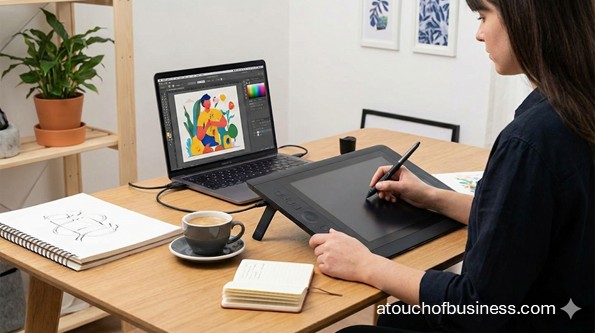
Digital Art Business Overview
A digital art business creates original artwork in digital form and sells it through commissions, downloads, and licensing. Your product is usually a file—sometimes paired with usage rights that explain how the customer can use it.
This is often a solo-friendly startup. You can launch from a home workspace, deliver files online, and grow later if you choose to add contractors, a print workflow, or a larger brand presence.
Common Digital Art Business Models
Digital art can be sold in a few clear ways. The best model for you depends on what you like making, how fast you can produce it, and how you want to deliver it.
Most first-time owners start with one primary model and add a second later. That keeps your setup simple while you learn what customers actually ask for.
- Commission-first: Custom work for individuals or businesses (portraits, cover art, brand graphics).
- Digital products: Downloadable files sold repeatedly (printable wall art, brushes, textures, templates).
- Licensing: Customers pay for permission to use your art in defined ways (non-exclusive or limited exclusivity).
- Hybrid: A mix of commissions, downloads, and licensing to reduce reliance on any one revenue stream.
Before You Start
It’s tough when you’re excited about the idea, but you’re not sure what “running a business” really feels like day to day. Digital art is creative work, yes—but it’s also deadlines, decisions, and lots of communication.
Start with a fit check. Do you enjoy creating on a schedule? Are you okay with feedback, revisions, and delivering work that matches a brief—even when it’s not your personal style?
Passion matters here because it helps you keep going when the work feels repetitive or when a client needs changes late in the process. If you want a deeper self-check, read why passion matters in business ownership and the site’s business startup considerations.
Now ask yourself this exact question: “Are you moving toward something or running away from something?”
If your answer is mostly “running away,” slow down and do more research first. Digital art can be a great business, but it still asks a lot from you—time, consistency, and responsibility.
Also, talk to owners—but only outside your competitive area. That means someone in a different city or serving a different niche, so you’re learning without stepping into their market.
Here are a few questions you can ask non-competing owners:
- What did you wish you had in writing before your first paid project (scope, revisions, usage rights, deadlines)?
- Which sales channel brought your first real customers, and why do you think it worked?
- What part of delivery causes the most rework (file formats, sizing, color, version requests)?
If you want a reality-based snapshot of business ownership, skim an inside look at what owning a business feels like.
Small-Scale Or Large-Scale?
Most digital art businesses start small-scale. One person can create the product, accept payment, deliver files, and keep records. In that lane, it’s common to begin as a sole proprietor and shift later if you want more separation between you and the business.
It becomes larger-scale if you plan to build a studio with multiple artists, pay contractors regularly, license a large catalog, or run a print workflow with inventory and shipping. That level usually pushes you toward stronger legal structure, tighter contracts, and more formal accounting earlier.
You don’t have to decide the “forever” version right now. You just need a launch plan that fits your first 90 days.
Step 1: Decide What You’ll Create And Sell
Start by choosing a short list of offers you can deliver with confidence. Don’t try to launch with everything at once. Pick what you can finish, package, and deliver without scrambling.
Make each offer specific. Instead of “digital art,” define the outcome—like a custom portrait in a set file size, an album cover with print-ready exports, or a set of social media graphics built to platform specs.
Step 2: Choose Your Customer Type
Your customer type affects everything—your portfolio, your pricing, and even the file formats you deliver. So pick one main customer group for launch.
For example, serving authors and musicians usually means cover art and promotional assets. Serving small businesses often means brand visuals and marketing graphics. Serving individuals often means gifts and personal commissions.
Step 3: Define How You’ll Deliver The Final Product
Most digital art is delivered as files. Decide what formats you’ll provide and how you’ll send them. This keeps you from reinventing delivery every time you get a sale.
Also decide what’s included and what’s optional. Will you include multiple sizes? A print-ready version? A transparent background file? A layered working file only when requested?
Step 4: Validate Demand Before You Build
It’s easy to fall in love with an idea and skip the demand check. But demand is what turns art into income.
Start with simple research. Look for active listings, repeat sellers, and clear customer feedback. Use the basics of supply and demand to compare how many similar offers exist versus how often customers are purchasing.
Your goal is not perfection. Your goal is proof that people are paying for something close to what you want to sell.
Step 5: Pick A Business Model You Can Run Solo
For a first launch, choose one model as your core. A commission-first model is straightforward if you like custom work. A digital product model can work well if you enjoy packaging repeatable items like templates or brushes.
If you plan to use licensing, decide early what “permission to use” means in your business. Licensing is less about the file and more about the rules that come with it.
Step 6: Set Your Usage Rights And Ownership Rules
This step protects you and your customer. It also prevents the awkward “wait, can I use this on packaging?” conversation after delivery.
Decide what you sell: a limited license to use the art, a broader license, or a full transfer of rights. If you work with contractors, ownership rules can change depending on whether the work qualifies as “work made for hire,” so this is an area where a qualified attorney can be helpful for your situation.
Step 7: Create Your Simple Contract And Brief Forms
You don’t need complicated legal language to start, but you do need clear terms in writing. This is where you define scope, revisions, deadlines, payment timing, and usage rights.
Keep your client brief simple. Ask only what you truly need to start: intended use, size, style references, color preferences, text requirements, and deadline.
Step 8: Build Your Essential Tool Setup
Your tools should match your offers. If you’re doing detailed illustration, a drawing tablet or stylus-based device matters. If you’re doing vector logos and brand graphics, your software choice matters more than fancy hardware.
You’ll find a detailed essential items checklist later in this guide. For now, focus on what you need to produce clean, consistent files and store them safely.
Step 9: Estimate Startup Costs And Choose Funding
Digital art can be budget-friendly if you already own a capable computer and can start with basic tools. It can also get expensive fast if you buy premium hardware, multiple subscriptions, and print equipment upfront.
Do a simple startup cost plan before you spend. Use a practical guide to estimating startup costs to separate one-time purchases from monthly expenses.
If you need funding beyond savings, learn the basics of getting a business loan so you understand what lenders typically look for.
Step 10: Choose A Business Structure And Register
If you’re starting solo and keeping the business simple, many owners begin as a sole proprietor. As you grow, you can shift into a limited liability company when it makes sense for your risk level, taxes, or expansion plans.
Your state sets the rules for business formation and registration. A helpful overview is how to register a business. Then verify the exact steps through your Secretary of State and state tax agency websites.
Step 11: Handle Taxes And Basic Recordkeeping
Plan for taxes early, even if you’re starting small. You may need an Employer Identification Number (EIN) depending on your setup, and you’ll need a system to track income and expenses from day one.
This is also a good point to decide whether you’ll use bookkeeping software or a spreadsheet. If accounting isn’t your strength, it’s normal to bring in a qualified bookkeeper or accountant for setup.
Step 12: Lock In Your Name, Domain, And Brand Basics
Choose a name that fits your niche and is easy to spell. Then check domain availability and social handle availability before you print anything.
A deeper walkthrough is how to select a business name. If you want a consistent look from the start, review corporate identity basics, then decide what you truly need for launch.
Step 13: Build Your Sales Pages And Proof Assets
You need a place where customers can understand your offer, see examples, and contact you or buy from you. That can be a simple website, a marketplace listing, or both.
If you’re building a website, use an overview of building a business website to keep the process simple and focused.
Your proof assets matter. Show portfolio examples that match what you want to sell now, not what you might sell later.
Step 14: Decide How You’ll Accept Payment And Deliver Files
Before you launch, test your full flow: a customer requests work or purchases, you accept payment, you produce the deliverable, and you deliver the final files with a clear usage statement.
This is where small details prevent stress later. Confirm your file naming, your export settings, and your backup process so you don’t lose work or send the wrong version.
Step 15: Plan Your Pre-Launch Marketing And Launch Day
Marketing for digital art often starts with visibility and clarity. People need to understand what you offer and how to buy it. That’s it.
For a simple launch plan, sketch your first announcements, your portfolio highlights, and your first offer. If you want a launch event approach, review ideas for a grand opening and adapt it to an online launch.
Step 16: Do A Final Pre-Launch Compliance Check
Business rules change by location. Even a home-based, online business may need local registration or a local license. This is where you confirm the basics through official sources.
You’ll find a location-aware checklist in the Legal and Compliance section below, including what to verify at the federal, state, and city or county levels.
Essential Items Checklist And Budget Reality
Here’s the practical setup list most digital art startups rely on. Your exact list depends on your model—commissions, downloads, licensing, or a hybrid.
For pricing guidance, keep it simple: treat hardware as one-time purchases and software as recurring costs. Prices change often, so verify current pricing on the official vendor sites before you commit.
- Core computing: capable computer, reliable internet connection, primary monitor.
- Creation hardware: drawing tablet (pen tablet) or pen display tablet; stylus and spare nibs.
- Software tools: illustration and design software suited to your deliverables; PDF export tools if you provide print-ready files.
- File storage and backup: cloud storage for active projects; external drive for backups; basic cybersecurity tools (password manager).
- Workspace basics: desk, comfortable chair, lighting, wrist support if needed for long sessions.
If you sell print-ready work or physical prints, your list expands. Color accuracy becomes more important, and you may need proofing support.
- Color and print workflow (optional): color calibration tool; test prints through a print shop; print-ready PDF workflow.
- Shipping (only if you ship physical goods): label printer, shipping scale, protective mailers, rigid backing boards or tubes.
Scale affects costs. A solo commission artist can start with a basic setup. A multi-artist studio usually needs more licenses, more devices, shared storage, and tighter admin systems.
Skills You’ll Lean On
You don’t need every skill on day one, but you do need a plan. You can learn skills over time, and you can bring in professional help for areas you don’t want to handle alone.
For a digital art business, these skill areas show up early:
- Digital art fundamentals: composition, color, typography basics when text is included.
- File prep: exporting correctly for web and print use cases, consistent sizing, clean transparency when needed.
- Client communication: clarifying scope, handling feedback, documenting approvals.
- Usage rights literacy: explaining what the customer can do with the art and putting it in writing.
- Basic business skills: tracking income and expenses, keeping records for taxes.
How Does A Digital Art Business Generate Revenue
Revenue usually comes from three places: custom work, repeatable products, and permission-based use. You can use one or combine them.
Common revenue streams include:
- Commissions: custom illustrations, portraits, cover art, brand graphics, campaign visuals.
- Digital downloads: printable wall art files, digital stickers, brushes, textures, pattern packs, design templates.
- Licensing: customers pay for defined rights to use your art for marketing, publishing, packaging, or resale products.
- Print sales (optional): physical prints shipped by you or fulfilled by a print-on-demand partner.
Customers You’re Likely To Serve
Your customers depend on your niche and your offer format. A clean way to choose is to pick the customer group whose problems you understand best.
Common customer groups include:
- Individuals: personal portraits, gifts, commemorative art, custom avatars.
- Authors and publishers: book covers, interior illustrations, promotional graphics.
- Musicians and podcasters: album art, cover art, banners, social graphics.
- Small businesses: marketing visuals, product graphics, website banners, brand-aligned art.
- Agencies and content teams: editorial-style illustration, campaign assets, ad creatives.
Pros And Cons To Know Upfront
It helps to look at this clearly before you invest time and money. The goal isn’t to scare you—it’s to help you choose with your eyes open.
Here are common pros and cons at the startup stage:
- Pros: can launch from home; low physical inventory; flexible sales channels; digital products can be sold repeatedly.
- Cons: income can be uneven if you rely on commissions; revisions and unclear scope can create rework; intellectual property disputes can happen and require time to address.
Pricing Basics For A First Launch
Pricing is where many new owners freeze. That’s normal. You’re not just pricing “art”—you’re pricing time, skill, and defined deliverables.
Start by pricing one offer. Define exactly what’s included, how many revisions you allow, and what usage rights the customer receives. Then review pricing guidance for products and services to keep your pricing tied to real inputs, not guesswork.
Location And Setup
Digital art is usually location-light. Your main “location” is a workspace where you can create consistently and store your files safely.
Still, location can matter for legal reasons. Home-based rules, signage rules, and local business licensing vary. If you’re unsure how location affects startups, review how business location choices affect setup.
Legal And Compliance
This section stays general on purpose. Rules vary by location, and you should verify requirements through official sources for your area. If something is unclear, confirm it with your state and local agencies or a qualified professional.
Below are the most common compliance checkpoints for a digital art business in the United States.
Federal: What To Check
Federal steps are usually tied to taxes and intellectual property. You can start with official federal sources and work outward from there.
- EIN (Employer Identification Number): Consider whether you need an EIN based on your setup and plans. You can apply through the Internal Revenue Service EIN application page.
- Business structure and tax filing: Your structure affects which federal tax forms you file. Start with Internal Revenue Service business structures and the self-employed tax center.
- Contractor paperwork (if you pay contractors): You may need to request Form W-9 from contractors and understand 1099 reporting. Use About Form W-9 and About Form 1099-NEC for official guidance.
- Copyright registration (optional but important to understand): The U.S. Copyright Office explains registration for visual arts through Visual Arts registration and the registration portal.
- Work made for hire (only in specific situations): If you use employees or commission certain work types, review the Copyright Office’s Circular 30: Works Made for Hire.
- Trademarks (brand name and logo): If you plan to register a trademark, start with Trademark basics and the trademark process at the United States Patent and Trademark Office.
State: What To Check
States control business formation and many tax registrations. Your state agency names may differ, but the verification path is usually consistent.
- Entity formation: If forming a limited liability company or corporation, verify steps with your Secretary of State. The U.S. Small Business Administration overview can help you understand the flow in Choose a business structure and Register your business.
- Sales and use tax: Digital product tax rules vary by state. Verify with your state Department of Revenue or taxation agency. Search your state site for “sales tax digital products” and “sales tax permit.”
- Employer accounts: If you hire employees, you may need state withholding and unemployment accounts. Verify with your state tax agency and state workforce agency.
- Workers’ compensation: Requirements vary, but workers’ compensation is commonly required when you have employees. Verify with your state workers’ compensation agency.
City Or County: What To Check
Local requirements vary widely. Even online businesses can face local licensing rules based on where the business is based.
- General business license: Many cities or counties require a general business license or local business tax registration. Check your city or county licensing portal and search “business license.”
- Assumed name or DBA: If you operate under a name different from your legal name or entity name, an assumed name filing may apply. Check your Secretary of State and local clerk or recorder site for “assumed name” or “DBA.”
- Home occupation rules: If you work from home, check zoning and home occupation standards. Look up your planning or zoning department and search “home occupation permit.”
- Certificate of Occupancy: If you use commercial space, confirm whether a Certificate of Occupancy is required for your use type. Check your local building department site and search “certificate of occupancy.”
- Sign permits: If you plan exterior signage, local sign permits may apply. Check planning or building and search “sign permit.”
Insurance And Risk
Insurance rules depend on what you do, where you work, and whether you have employees. Many types of business insurance are optional, but some coverages can be legally required in certain situations.
If you hire employees, workers’ compensation is often required by state law. Verify requirements with your state workers’ compensation agency. For a broader overview of common business coverage types, start with business insurance basics and then confirm what applies to your situation.
Varies By Jurisdiction
This quick checklist helps you verify requirements without guessing. Start with your state and city or county sites, and keep notes as you confirm each item.
Varies by jurisdiction means you must verify locally:
- Do you need a city or county business license to operate from your address?
- Are digital products taxable in your state, and do you need a sales tax permit?
- Do home occupation rules limit signage, client visits, or business-related deliveries?
- If using a studio space, do you need a Certificate of Occupancy for that use?
Smart verification questions to ask locally:
- If I sell digital files from home, what local registration is required for my address?
- If I sell to customers in my state, do I need a sales tax permit for digital products?
- If I hire a contractor for help, what state rules apply to classification and reporting?
Business Plan And Advisor Support
You don’t need a complicated plan, but you do need a written plan. It helps you make decisions faster and keeps your launch from turning into random tasks.
If you want a simple structure, use how to write a business plan as your guide. If you’re unsure about taxes, contracts, or setup, it’s also normal to work with qualified professionals. A helpful way to think about it is building a small team of professional advisors you can call when you need clarity.
Staffing Plan: Solo First, Help Later
Most digital art businesses can launch with one person. Staffing becomes relevant if you want faster production, more styles, or more volume than one person can handle.
If you’re thinking about hiring or using contractors early, review how and when to hire and plan your paperwork before you commit.
Pre-Launch Proof, Paperwork, And Brand Assets
Before you announce your launch, make sure your business looks real and functions smoothly. That means customers can see your work, understand your offer, and know how to reach you.
Basic proof assets to prepare:
- Portfolio examples matched to your launch offers
- Clear offer descriptions (deliverables, timelines, revision limits, usage rights)
- A standard agreement for commissions and a simple brief form
- A consistent identity set (logo or wordmark, colors, and type choices)
If you plan physical networking, keep your offline materials simple. You can review what to know about business cards and business sign considerations only if they apply to your launch.
Red Flags To Watch For Before You Launch
Red flags don’t always show up as obvious problems. They often look like “small requests” that create big risk later.
Watch for these patterns early:
- A customer asks for full ownership with no written terms and vague payment details.
- A customer wants you to use copyrighted characters, logos, or brand assets without proof of permission.
- You rely on fonts, images, brushes, or assets without clear licensing terms for commercial use.
- Your deliverables are unclear (file sizes, formats, usage rules), which makes disputes more likely.
- You plan to pay contractors but have no written agreement that addresses ownership and deliverables.
A Day In The Life During Pre-Launch
The weeks before launch are usually a mix of creative work and setup tasks. It can feel messy at first—especially if you’re doing this alone.
A typical pre-launch day might start with finishing portfolio pieces and testing your export settings. Then you switch gears to business tasks like writing your offer descriptions, polishing your commission agreement, and confirming your registration checklist.
You’ll also do practical checks: can someone contact you easily, can you accept payment, and can you deliver files without confusion? When those basics work, you’re ready to launch.
Pre-Launch And Pre-Opening Checklist
This is the final “ready to go” list. Keep it tight. If you get stuck, focus on the items that directly affect legality, payment, and delivery.
- Offer clarity: launch offers defined, deliverables written, usage rights stated.
- Portfolio proof: examples published that match what you’re selling now.
- Payment flow: you can accept payment and confirm how refunds or cancellations work.
- Delivery flow: file formats tested, delivery method tested, backups in place.
- Business setup: registration steps completed as required in your state and city or county.
- Tax setup: basic recordkeeping ready; state tax accounts created if required.
- Brand basics: name, domain, and social handles secured; simple identity applied consistently.
- Launch plan: first announcement ready; first week plan written; online “grand opening” approach chosen if you want one.
101 Step-By-Step Tips for Your Digital Art Business
This section pulls together practical tips across your startup, from big decisions to small routines.
Use what fits your goals and skip what doesn’t apply right now.
Save this page so you can come back to it when you hit a new stage.
Pick one tip at a time and put it into action when the timing is right.
What to Do Before Starting
1. Write a one-sentence description of what you sell and who it’s for, using plain words you’d say out loud.
2. Choose one primary niche for launch (portraits, book covers, social media graphics, printable wall art) so your portfolio looks focused.
3. List three problems your customer wants solved and build your offers around those outcomes.
4. Decide whether your launch is digital-only or includes physical prints, because digital-only usually keeps setup simpler.
5. Build a starter portfolio of 8–12 pieces that match the exact work you want to be paid for.
6. Create one “signature sample” that shows your process from rough sketch to final export so customers understand what you deliver.
7. Review competitors on the platforms you plan to use and note how they define deliverables, revisions, and usage rights.
8. Write down three differentiators you can actually deliver (faster turnaround, a tight style niche, specific file formats, clearer licensing).
9. Decide what you will not offer at launch (unlimited revisions, rush jobs, editable working files) and keep that boundary.
10. Set your response window now (for example, replies within one business day) so inquiries don’t take over your life.
11. Create a “ready to start” checklist for clients (references, required text, intended use, deadline) to prevent slow starts.
12. Draft a simple project brief form you can reuse for every commission so scoping stays consistent.
13. Pick one main sales channel for launch (website, marketplace, direct outreach) so you don’t spread your attention too thin.
14. Create a business email address that matches your brand name so customers can find you and trust your messages.
15. Decide how you will store and back up work before you accept paid projects so you’re not figuring it out during a deadline.
16. Run a test project end-to-end: brief, draft, revisions, final export, delivery folder, and a short license note.
17. Make a short list of tasks you may outsource (tax setup, contract review, brand design) so you don’t freeze when you hit a skill gap.
18. Choose your starting scale: solo-only for launch, or planned support from contractors, because that choice affects paperwork and process.
Plan the Business Model and Pricing
19. Pick one primary revenue path for the first 90 days: commissions, digital downloads, licensing, or a simple hybrid.
20. If you choose commissions, define three packages with clear deliverables so clients can pick without a long back-and-forth.
21. If you choose downloads, set a file standard (sizes, resolution, and included formats) so every product is consistent.
22. If you choose licensing, define what “standard use” includes and what costs extra (packaging, resale products, exclusivity).
23. Decide whether you will offer rush delivery, and if you do, define a cutoff time and what qualifies as rush.
24. Set a pricing floor based on time and complexity, then remove any offer that cannot meet that floor.
25. Time three practice projects and include revisions and export work so your estimates match reality.
26. Decide your payment timing: upfront, split by milestone, or full payment before final file delivery.
27. Write a revision limit for each offer and define what counts as a revision versus a new request.
28. Decide whether you will provide editable working files, and if yes, treat them as a separate deliverable with separate pricing.
29. Create a simple “usage menu” for yourself so you can quote licenses consistently without guessing.
30. If you plan print products later, separate “art creation” pricing from “printing and shipping” pricing from the start.
31. Write a short cancellation and refund rule set that matches your workflow (before work starts, after draft, after final files).
32. Decide how you will handle custom quotes: what info you need, how long quotes are valid, and how scope is confirmed.
Tools, Files, and Setup
33. Choose software that matches your deliverables (raster illustration, vector design, or both) and confirm your device runs it reliably.
34. Pick a drawing setup you can use for long sessions without pain, because comfort affects your consistency and output quality.
35. Create standard export presets for web and print-ready work so every delivery looks polished.
36. Decide your default color workflow: use RGB for web deliverables and only convert to print color space when the deliverable requires it.
37. Build a folder template for every project (brief, drafts, finals, references, invoices) so you never hunt for files.
38. Use version numbers in filenames and decide what “final” means in your system so you don’t overwrite important work.
39. Set up automatic backups in two places: one cloud location and one local external drive.
40. Use a password manager and unique passwords for email, storage, and sales platforms to reduce account risk.
41. Turn on two-factor authentication wherever it’s offered, especially for payment and marketplace accounts.
42. Create a preview format you can share safely (lower resolution or watermarked) so you don’t hand over finals early.
43. Decide how you will deliver files (download link, client portal, shared folder) and test the process on mobile and desktop.
44. Set a file retention rule (how long you keep archives) so storage stays manageable as you grow.
45. If you sell downloads, create a “customer receives” checklist (formats, sizes, instructions) and use it for every product.
46. Keep documentation for every font, brush set, texture pack, or stock asset you use so you can prove your rights if asked.
47. If you collaborate with other artists, standardize file formats and naming so files open cleanly across devices.
48. Use a final quality check for every delivery: spelling, sizes, transparency, bleed when needed, and export integrity.
Legal and Compliance (Taxes, Rights, Licensing)
49. Choose a business structure based on risk and growth plans, then revisit the choice as your workload and revenue expand.
50. If your chosen structure requires state filing, register through your state’s Secretary of State business portal.
51. Get an Employer Identification Number from the Internal Revenue Service if your setup requires one, and use only official government sites for the application.
52. Check whether your state taxes digital products and whether you need a sales tax permit, because these rules vary by state.
53. If you work from home, verify local home occupation rules before you add signage or regular client visits.
54. If you rent a studio or commercial space, confirm whether a Certificate of Occupancy is required for your intended use.
55. Use a written agreement for every paid project, even with friends, and include scope, revisions, payment timing, deadlines, and usage rights.
56. Define ownership and usage clearly: who owns the artwork, what the customer is allowed to do with it, and what is not allowed.
57. If a customer wants full ownership, treat it as a different product than a limited license and price it accordingly.
58. Avoid using copyrighted characters, logos, or brand assets unless the customer provides clear permission to use them.
59. If you use contractors, use a written contractor agreement that addresses deliverables and ownership so rights are not assumed.
60. Keep tax records from day one: invoices, payments, refunds, and receipts for business purchases.
61. Separate business and personal transactions as early as you can, because clean records reduce tax stress later.
62. Search for existing business names in your state and check for trademark conflicts before investing in branding.
63. Consider copyright registration for key works you plan to license, especially if those works are core to your revenue plan.
64. Learn how platform takedown processes work for copied artwork so you can respond quickly if your work is reposted without permission.
Running the Business (Operations, Staffing, SOPs)
65. Build a repeatable workflow with checkpoints: brief approved, first draft, revision round, final approval, final export, delivery.
66. Track every project in one place with due dates, current status, and what you are waiting on.
67. Restate deliverables in one paragraph before you start work and ask the client to confirm in writing.
68. Set a standard update cadence (for example, every two business days) so clients don’t wonder what’s happening.
69. Get written approval before moving from draft to final so changes don’t appear after you complete detailed work.
70. Use a consistent invoice format that matches your packages and includes a plain-language summary of what was purchased.
71. Decide how you handle late feedback: pause the timeline, reschedule delivery, or add a fee, and put that rule in your agreement.
72. Build a response library for common questions (formats, timelines, revisions, licensing) so replies stay fast and consistent.
73. If you sell downloads, test the entire purchase and delivery experience after publishing, including file integrity after download.
74. Run a “final review” routine before delivery to confirm sizes, file names, and that the right files are included.
75. Track how long each stage takes (briefing, drafting, revisions, exports) so your future quotes are more accurate.
76. As you work, document your steps in plain language so someone else can follow them if you later bring in help.
77. Create a “decline list” for projects that violate your rules, feel unsafe, or push you into infringement risk.
78. Build a basic continuity plan: if your device fails, you know where backups live and how you will keep deadlines.
Marketing (Local, Digital, Offers, Community)
79. Write one clear promise for each offer: what you deliver, your typical turnaround, and what the customer can do with it.
80. Show portfolio pieces in context using mockups or placements so customers can imagine how your art will be used.
81. Use consistent service names across platforms so your offers are recognizable wherever people find you.
82. Post with a simple routine: work-in-progress previews, finished pieces, and short process notes that explain deliverables.
83. Publish a clear “how to request a commission” guide that lists what you need and what happens after contact.
84. For downloads, include exact sizes and file formats in every product description to reduce confusion and refunds.
85. Collect testimonials tied to a delivered result, and store permission in writing if you plan to share the feedback publicly.
86. Build relationships with non-competing partners who share your customers (printers, authors, musicians) and trade referrals when it fits.
87. If you do local work, keep your business name, contact info, and service area consistent across local directories.
88. Start a permission-based email list early, even if it’s small, so you’re not dependent on a single platform for reach.
89. Use limited-capacity launch offers (limited slots or limited add-ons) rather than permanently changing your base pricing.
90. Read platform rules before publishing and keep a copy of key policies you rely on, because rules can change.
Customer Service (Policies, Guarantees, Feedback)
91. Set expectations in writing: what you need from the customer, how revisions work, and what “delivered” means.
92. Ask one clarifying question before you start: “What will you use this for?” Then size and format the deliverables to match.
93. When feedback is vague, offer structured choices (color change, layout change, style shift) to guide the decision.
94. Use a polite script for boundary moments (extra revisions, rush requests) so you don’t negotiate under pressure.
95. Include a short handoff note with every delivery that explains file formats and basic usage rules in plain language.
96. If a customer is unhappy, ask for a specific change list and confirm it in writing before doing more work.
97. After delivery, ask one short feedback question that improves your system: “What part felt unclear or slower than expected?”
What Not to Do
98. Don’t start paid work without a written scope and payment plan, because “we’ll figure it out later” often turns into conflict.
99. Don’t promise unlimited revisions or “anything you want” language; set a revision limit and define out-of-scope changes.
100. Don’t use unlicensed fonts, textures, or stock assets in client work; keep proof of your licenses and use consistent sources.
101. Don’t ignore suspicious inquiries (overpayment, artificial urgency, refusal to use normal payment methods); decline and protect your accounts.
Work through these tips in small batches and adjust as you learn what your customers actually request.
The goal is a launch that feels clear, legal, and repeatable—so your creativity can stay focused on the work itself.
FAQs
Question: Can I start a digital art business as a one-person business?
Answer: Yes, many digital art businesses launch as a solo operation because delivery is usually digital and equipment needs can be limited.
It becomes more complex if you plan to sell a large licensed catalog, manage contractors, or add printing and shipping.
Question: Do I need a business license if I sell digital art online from home?
Answer: It depends on your city and county, and some areas require a general business license even for home-based online work.
Check your city or county licensing portal and your local zoning or planning office for home occupation rules.
Question: Should I start as a sole proprietor or form a limited liability company?
Answer: Many owners start as a sole proprietor for simplicity, then form a limited liability company later as risk or revenue grows.
Use your state’s business filing office and the Small Business Administration’s structure overview to compare tradeoffs.
Question: Do I need an Employer Identification Number for a digital art business?
Answer: Sometimes, and it depends on your setup, such as whether you hire employees or choose certain business structures.
The Internal Revenue Service provides the official rules and a free online application when you need one.
Question: Do I have to collect sales tax on digital downloads?
Answer: Sales tax rules for digital products vary by state, and sometimes local rules apply too.
Verify taxability and registration requirements with your state tax agency before you sell.
Question: What tax tasks should I expect in year one?
Answer: You generally need a system to track income and expenses, and you may need to pay estimated taxes during the year.
The Internal Revenue Service self-employed tax center explains the basics and common filings.
Question: What paperwork should I have before I accept my first commission?
Answer: Have a written agreement that defines deliverables, deadlines, revisions, payment timing, and usage rights.
This reduces confusion and helps you manage changes without arguments.
Question: What does “usage rights” mean for a digital art business?
Answer: Usage rights describe what the customer is allowed to do with the artwork, such as web use, print use, or resale products.
Keep the terms in writing and be clear about what is not included.
Question: If I hire another artist, do I automatically own what they create?
Answer: Not automatically, and ownership depends on the facts and the contract terms.
Use written agreements that address ownership and learn the basics of “work made for hire” before you rely on assumptions.
Question: Do I need to register copyright for my artwork?
Answer: Copyright protection generally exists when original work is created and fixed, but registration can matter for enforcement and business goals.
If your art is a core asset for licensing, learn the registration process and keep strong proof of authorship.
Question: Should I trademark my business name or logo?
Answer: A trademark can help protect a brand identifier used in commerce, but it is a separate process from business registration.
Search for conflicts early and review the United States Patent and Trademark Office basics before filing.
Question: Can I sell art made with generative artificial intelligence tools?
Answer: You can sell the output as a product or service, but copyright protection and registration rules depend on human authorship and what part you created.
Review U.S. Copyright Office guidance if you plan to register work that includes artificial intelligence-generated material.
Question: What insurance do I need to start a digital art business?
Answer: Insurance needs depend on your risk, contracts, and whether you have employees or a workspace open to the public.
Workers’ compensation is commonly required by state law when you have employees, so confirm rules with your state agency.
Question: What equipment is essential to launch?
Answer: At minimum you need a reliable computer, the software you will use, and a safe way to store and back up files.
If you draw by hand digitally, add a tablet or pen display and build your export presets before you sell.
Question: How should I set up file storage and backups?
Answer: Use two backups in different places, such as a cloud copy plus an external drive, and test restores before you need them.
Protect accounts with multi-factor authentication and strong password practices.
Question: How do I set prices and revision limits without guessing?
Answer: Time a few practice projects and price around deliverables, complexity, and the number of revision rounds you will include.
Put revision limits in writing and define what counts as out-of-scope work.
Question: What should my workflow look like when I’m running the business day to day?
Answer: Use checkpoints like brief approval, first draft, revision round, final approval, and final delivery.
A simple workflow reduces delays and helps you prevent late surprises.
Question: When does it make sense to hire help, and how do I classify workers?
Answer: Consider help when demand is steady and your delivery deadlines slip, but decide whether you need an employee or an independent contractor.
The Internal Revenue Service explains factors used to determine worker classification.
Question: What marketing rules matter for endorsements, testimonials, and influencer posts?
Answer: If you use endorsements or testimonials, disclosures and truthfulness rules apply and the Federal Trade Commission provides guidance.
Make sure any paid or incentivized promotion is clearly disclosed.
Question: What should I do if someone copies my artwork online?
Answer: Save proof of your authorship, document the infringement, and follow the platform’s reporting process.
The U.S. Copyright Office DMCA designated agent directory is a key tool when a platform requires formal notices.
Related Articles
- Start a Graphic Design Business: A Step-by-Step Guide
- How to Start a Logo Design Business from Scratch
- How to Start a Presentation Design Business That Gets Clients
- How to Start a Packaging Design Business
- Website Design Business Startup Guide for Beginners
- How to Start a Successful Desktop Publishing Business
- Start an Animation Studio: A Step-by-Step Launch Guide
- Start a Photography Business: Legal, Gear, Pricing
- How to Start a Video Production Business
- Screen Printing Startup Guide: Plan, Print, and Grow
- Start a Vinyl Decal Business: The Step-by-Step Guide
- Start a Calligraphy Business: Practical Startup Guide
Sources:
- Internal Revenue Service — Get an Employer Identification Number
- Internal Revenue Service — Business Structures
- Internal Revenue Service — Self-Employed Tax Center
- Internal Revenue Service — About Form W-9
- Internal Revenue Service — About Form 1099-NEC
- Internal Revenue Service — Contractor vs. Employee
- Internal Revenue Service — Official Website
- U.S. Small Business Administration — Choose Business Structure
- U.S. Small Business Administration — Register Your Business
- U.S. Small Business Administration — Choose Business Name
- U.S. Small Business Administration — Apply for Licenses and Permits
- U.S. Small Business Administration — Get Business Insurance
- U.S. Small Business Administration — Official Website
- United States Patent and Trademark Office — Trademark Basics
- United States Patent and Trademark Office — Trademark Process
- United States Patent and Trademark Office — Official Website
- U.S. Copyright Office — Visual Arts Registration
- U.S. Copyright Office — Registration Portal
- U.S. Copyright Office — DMCA Designated Agent Directory
- U.S. Copyright Office — Works Made For Hire
- U.S. Copyright Office — AI Registration Guidance
- U.S. Copyright Office — Official Website
- Federal Trade Commission — Endorsements and Testimonials
- Federal Trade Commission — Official Website
- NIST — Multi-Factor Authentication
- NIST — Official Website