
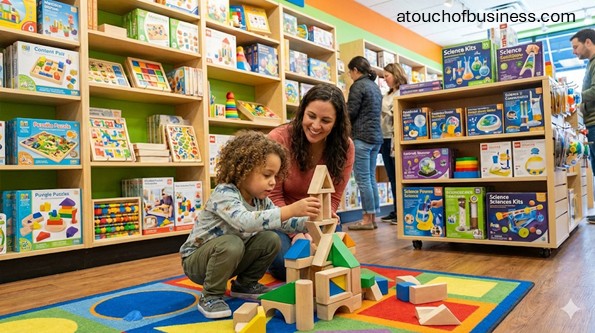
Launch an Educational Toy Store: Pre-Opening Checklist
Starting a business is exciting. It is also heavy. It’s tough when you want freedom, but you also want steady pay and calm days.
An educational toy store can fit you if you like helping people choose the right learning tools and you can handle the realities of retail. It can be a small solo start online, or a storefront with more cash tied up in product and fixtures.
First, ask two fit questions. Is owning a business right for you? And is this business right for you?
Passion matters here. When challenges show up, passion helps you stay in the problem and work it out. If you are curious about how ownership feels day to day, read this inside look at business ownership.
Now do the motivation check. Ask yourself: “Are you moving toward something or running away from something?” If you are starting only to escape a job you hate or money stress, slow down. That pressure can push you into rushed choices.
Here is the reality check. Income can be uncertain. Hours can be long, especially around launch. Some tasks will feel hard or boring. Vacations may be fewer at first. The responsibility is on you. Your family support matters. Your skill gaps matter. Your funding matters to start and to operate.
Before you go further, use these three guides as your base: business start-up considerations, why passion matters in business, and the business inside look.
One more thing that helps a lot. Talk to owners who already run this kind of store, but only talk to owners you will not be competing against. Look outside your city or neighborhood.
Here are a few questions to ask:
- What surprised you most about opening your store?
- Which early choices saved you time or money before opening?
- What would you do differently with location, suppliers, or launch timing?
Step 1: Define Your Educational Focus and Store Concept
Start with clarity. “Educational toy store” can mean many things. Pick your learning angle and your customer promise.
Decide your age ranges, learning themes, and product boundaries. For example: early learning, science and building kits, sensory tools, classroom support, or a mix that still feels consistent.
Step 2: Choose a Business Model That Matches Your Budget and Time
Choose your shape early. It drives everything else, including costs, permits, and staffing.
Your main options are storefront retail, online-only, or a hybrid store plus online sales. A storefront depends more on foot traffic and lease terms. Online-only can be a solo start, but you still need product sourcing, shipping setup, and customer support time.
Step 3: Decide If You Are Starting Solo, With a Partner, or With Investors
Be honest about your workload. A small online shop can start as a one-person business. A storefront is harder to run alone during open hours.
If you plan a storefront, consider how you will cover the floor when you are receiving shipments, handling paperwork, or just taking a break. You can start with part-time help and expand later.
Step 4: Validate Demand and Confirm Profit Potential
You need two proofs. People want what you plan to sell. And the numbers can cover expenses while still paying you.
Start by checking local competition and how they position themselves. Then confirm demand patterns in your area. If you want a simple way to think about demand, review how supply and demand affects small businesses.
Next, do a basic profit check. Estimate your typical sale size, expected monthly sales volume, and your expected gross margin. If the math cannot cover your fixed costs and still leave room for pay, adjust the model before you commit.
Step 5: List Your Startup Essentials and Cost Drivers
This step keeps you grounded. Retail can look affordable until you add inventory, fixtures, and lease-related deposits.
Write a list of what you must have to open, and what can wait. If you want help building a clean estimate, use this guide on estimating startup costs.
Step 6: Build a Product Plan With Safety in Mind
Many items in your store will be children’s products. Children’s toys sold in the United States must comply with 16 CFR part 1250, which incorporates ASTM F963-23 by reference, along with other applicable consumer product safety requirements.
As a retailer, you should understand your responsibilities for children’s product safety, certificates, and recalls. The Consumer Product Safety Commission explains retailer responsibilities and children’s product certificate basics on its business guidance pages.
Step 7: Choose Suppliers and Set Clear Documentation Rules
Do not treat suppliers like a casual shopping list. You are building a supply chain you can trust.
Set a rule that suppliers must provide required documentation for children’s products, including a Children’s Product Certificate when it applies. The Consumer Product Safety Commission provides details on what a Children’s Product Certificate is and what information it contains.
Also plan a recall screen. Selling recalled products is unlawful. The Consumer Product Safety Commission recall tools and guidance can help you check products before and after launch.
Step 8: Pick Your Location and Confirm It Fits the Business
If you are opening a storefront, location is not a side detail. It can be the difference between steady walk-ins and a quiet store.
Think about visibility, parking, nearby family traffic, and how customers will find you. Then go deeper on zoning and permitted use. For a structured approach, see this guide on choosing a business location.
Step 9: Plan the Space, Storage, and Customer Flow
Your layout is part of your launch work. You need shelf space, secure storage, and room to move safely.
Sketch your floor plan, backroom storage plan, and checkout placement. Include where shipments will land and where returns will be staged. This planning helps you avoid last-minute fixture purchases.
Step 10: Choose a Legal Structure and Register the Business
Many first-time owners start as a sole proprietorship because it is simple. As the business grows, many owners later form a limited liability company (LLC) for added separation and structure.
Your best choice depends on your risk comfort, tax situation, and growth plan. For a step-by-step overview, review how to register a business, and confirm rules with your state Secretary of State office.
Step 11: Get an Employer Identification Number and Tax Accounts
If you need an Employer Identification Number (EIN), get it directly from the Internal Revenue Service. The Internal Revenue Service provides an official EIN application process and warnings about sites that charge fees for the same service.
You will also need the right state and local tax registrations for retail sales. Your state Department of Revenue or taxation agency is the usual starting point for sales and use tax registration.
Step 12: Licenses, Permits, Zoning, and Building Approval Checks
Retail licensing is location-driven. You may need a general business license, zoning clearance for retail use, and building approvals depending on the space.
The Small Business Administration provides a federal overview of licenses and permits, but your city, county, and state portals will control what you actually need.
If you lease a commercial space, ask the city or county building department about a Certificate of Occupancy and what inspections or permits are tied to your intended use. Requirements vary by jurisdiction.
Step 13: Accessibility Planning for a Store Open to the Public
If you open a storefront, you are serving the public. That brings accessibility duties under the Americans with Disabilities Act (ADA) for businesses open to the public.
Use ADA.gov resources to understand the basics, and confirm local building code requirements with your building department before you build out the space.
Step 14: Set Up Business Banking, Bookkeeping Tools, and Payment Processing
Open business accounts at a financial institution. Keep business activity separate from personal activity from day one.
Choose how you will accept payment, track sales tax, and track inventory value. If bookkeeping is not your strength, an accountant or bookkeeper can set up a clean starting system so you do not feel buried later.
Step 15: Insurance and Risk Setup
Insurance is part of launch planning, not a later task. At minimum, many storefront leases require proof of general liability coverage.
Other coverage often considered for retail includes commercial property coverage and product-related coverage. If you hire employees, your state may require workers’ compensation coverage, and requirements vary by state.
For a plain-language overview, review this guide on business insurance, then confirm requirements with your insurance professional and your state agency.
Step 16: Name Choice, Domain, and Social Handles
Your name needs to work in real life. It should be easy to say, easy to spell, and not easily confused with another store.
Check name rules with your state Secretary of State and confirm local assumed name rules if you will operate under a name different from your legal name. For help thinking it through, use this business name selection guide.
Then lock in the basics: domain name, email address, and the social handles you plan to use.
Step 17: Build Your Digital Footprint
Even a local store benefits from a basic website. People want hours, location, product focus, and a way to contact you.
For a practical overview, use this guide on building a business website. If you plan online sales, decide your platform early so your inventory and point of sale can stay aligned.
Step 18: Create Brand Basics Before You Print Anything
Do not rush into printing until your name, logo, and colors are stable. Brand basics should match your learning focus and feel consistent across your store and online presence.
If you want guidance on the standard pieces, review what is included in a corporate identity package. Then decide what you will launch with, such as business cards, signage, and simple printed materials.
Step 19: Set Pricing Rules Before You Order Deep Inventory
Pricing is not just a label. It shapes your cash flow and your ability to restock.
Set your pricing approach early. Decide how you will handle manufacturer suggested retail price guidance, discount rules, and bundled items. For a structured way to think about it, use this pricing guide.
Step 20: Plan Your Store Setup and Essential Systems
This is where your plan becomes real. You need shelves, checkout equipment, inventory storage, and basic security.
Choose a point of sale (POS) system that supports barcodes, returns, and inventory tracking. Plan your backroom receiving area so shipments do not pile up on the sales floor. If you will ship orders, set up a packing space before opening.
Step 21: Pre-Launch Product Safety Workflow
Retailers should have a repeatable way to screen for recalls and pull affected items. Use Consumer Product Safety Commission recall tools to check products, and keep supplier documentation organized.
If you believe you manufactured, distributed, imported, or sold a potentially hazardous product, the Consumer Product Safety Commission business portal explains Section 15 reporting and how to submit a report through SaferProducts.
Step 22: Marketing Plan and Opening Strategy
You do not need hype. You need a clear plan for how customers will find you and why they will choose you.
If you are opening a storefront, focus on local discovery and simple offers that match your store concept. This guide on getting customers through the door can help you plan practical local actions. If you want a structured launch event, use these grand opening ideas.
Step 23: Staffing and Hiring Plan (If You Need Help at Launch)
Some owners try to do everything alone and burn out fast. It is okay to get help.
If you plan to hire, outline roles, work hours, and training needs before you post anything. For a plain guide, see how and when to hire. If you are unsure about legal and tax setup for employees, confirm with your state agencies and a payroll professional.
Step 24: Build a Simple Business Plan (Even If You Do Not Want a Loan)
A business plan is a thinking tool. It helps you confirm your model, your numbers, and your launch sequence.
Keep it simple, clear, and tied to your actual choices. Use this business plan guide to build a plan you can actually use.
Step 25: Funding Plan and Loan Readiness
Some stores launch with savings. Others need outside funding because inventory and fixtures are real expenses.
Create a funding plan that covers pre-launch costs and the early months after opening. If you plan to borrow, review how business loans work, then talk with a lender and your accountant so you understand repayment pressure.
Step 26: Your Pre-Opening Checklist and Final Go/No-Go
Before you open, do a final compliance and readiness sweep. Confirm local approvals, your POS tests, your supplier documents, and your basic security setup.
Do a final marketing kickoff and set your opening schedule. If you want a grounded reminder of common early errors, scan this list of startup mistakes to avoid.
If you feel stuck, you do not have to do this alone. A professional advisor team can help you move faster and safer. Start here: building a team of professional advisors.
Educational Toy Store Overview
An educational toy store is a retail business that focuses on toys, games, and learning tools designed to support development and skill-building. Many products sold for children are regulated as children’s products and toys under federal consumer product safety rules.
You can run this as a small local storefront, a hybrid store with online sales, or an online-only shop. Your startup complexity rises when you add a lease, buildout, and store hours that require more staffing.
How an Educational Toy Store Generates Revenue
The primary revenue source is product sales. Some stores also offer add-ons such as gift wrapping, curated bundles, and online ordering with pickup.
If you offer in-store events, keep the scope clear. If parents drop off children and leave them under your supervision, child care licensing rules may apply, and those rules vary by state.
Products and Services to Plan For
Your product mix should match your learning focus and your customer group. Start with a clear set of categories so your early orders stay controlled.
- Learning toys and games by age range
- Puzzles, building sets, and logic games
- Science and building kits
- Arts and crafts kits
- Books and activity materials, if they match your concept
- Gift services, such as wrapping and wish lists
- Online ordering and shipping, if your model includes e-commerce
Customer Types You Can Serve
List your top customer groups early. Each group shops differently, and that affects your inventory planning and location needs.
- Parents and guardians shopping for learning-focused toys
- Gift-givers shopping for birthdays and holidays
- Teachers and schools purchasing classroom materials
- Therapists and service providers looking for skill-building tools
- Youth programs and community organizations
Pros and Cons to Weigh Before You Commit
This is not about optimism. It is about informed choice. You are allowed to want this and still be realistic.
- Pros: Clear niche focus, repeat local demand for learning gifts, and flexible models (storefront, online, hybrid).
- Cons: Cash tied up in inventory, lease and buildout pressure for storefronts, and non-negotiable product safety diligence for children’s products and toys.
Startup Essentials and Typical Cost Drivers
Costs vary widely by city, size, and model. A small online-only store can start leaner. A storefront usually needs more capital because inventory, fixtures, and lease costs come upfront.
Use these categories to build your estimate, then price-check locally:
- Inventory: Initial product orders plus backstock; higher variety usually means higher startup cash needs.
- Retail fixtures: Shelving, display tables, secure storage, checkout counter, signage hardware.
- Point of sale system: POS software subscription, hardware (scanner, receipt printer, cash drawer if needed), payment processing setup.
- Lease-related costs: Security deposit, first month rent, possible buildout costs, possible utility deposits.
- Buildout and basic improvements: Paint, lighting updates, minor construction, accessibility-related work if required.
- Technology: Computer, internet, router, security cameras if used, basic office tools.
- Website and digital setup: Domain, email, website platform, basic product photography setup.
- Professional support: Legal setup, accounting setup, insurance shopping, and lease review as needed.
Essential Equipment Checklist
This list covers the core equipment most educational toy stores need to open. Add or remove items based on your model (storefront, online, hybrid).
Store Fixtures and Displays
- Shelving units and endcaps
- Display tables
- Slatwall or pegboard (if used) with hooks
- Secure display case for small high-risk items
- Price tag rails or shelf label holders
- Sign holders and basic signage hardware
- Seating and a small demo table (if you plan in-store demos)
Point of Sale and Payments
- Point of sale terminal (tablet or register)
- Barcode scanner
- Receipt printer (or digital receipt capability)
- Payment card reader
- Cash drawer (if you accept cash)
- Label printer (for shelf labels and barcodes, if needed)
Inventory Receiving and Storage
- Backroom shelving or racking
- Receiving table or workbench
- Hand truck or dolly
- Stock cart
- Storage bins and totes
- Lockable cabinet for small high-risk items
- Safety box cutter
Shipping and E-Commerce (If Applicable)
- Packing workstation
- Shipping label printer
- Shipping scale
- Boxes and mailers
- Tape and dispensers
- Void fill and packing supplies
Safety, Facility, and Basics
- First-aid kit
- Fire extinguisher (confirm local fire and building requirements)
- Document storage system for supplier certificates and safety records (digital folder structure plus backup)
Security and Loss Prevention
- Lockable storage for high-theft products
- Video surveillance system (if used)
- Alarm system (if used)
Office and Admin
- Computer and printer or scanner
- Internet router and modem
- Lockbox for critical paperwork
Skills You Need Before You Open
You do not need to be perfect at everything. You do need to know what you can do, what you can learn, and what you should delegate to a professional.
- Customer service and communication
- Basic retail math and cash handling
- Product knowledge and age-appropriateness screening
- Inventory receiving, organizing, and shelf setup
- Basic technology comfort (POS, e-commerce platform, email)
- Supplier communication and documentation tracking
- Local compliance follow-through (licenses, permits, zoning checks)
What Your Workdays Will Look Like
This is a preview of the daily work you should be ready for. It helps you decide if the business fits you before you sign a lease or place big orders.
- Helping customers choose products and answering questions
- Running checkout and handling returns based on your posted policies
- Receiving shipments, checking counts, and stocking shelves
- Keeping the sales floor organized and safe to walk through
- Updating product displays and basic signage
- Checking for recalls and pulling affected items when needed
- Responding to online questions and order issues if you sell online
A Day in the Life of an Educational Toy Store Owner
Your day often starts before the first customer walks in. You unlock, power up your POS, and do a quick scan of the store and backroom.
Then you shift into stocking and receiving. Boxes show up when they show up, so you need a place to stage them and put product away fast.
During customer hours, your job is part guide and part cashier. People want help choosing items that fit a child’s age and learning goal. You also handle checkout and basic questions.
Near the end of the day, you reconcile cash if you accept it, confirm daily sales records, and set up the store for the next morning. If you sell online, you also pack shipments and update order status.
Red Flags to Catch Before You Open
These are problems that can cost you time, money, and legal exposure. Catch them early, before you commit.
- A supplier cannot provide a Children’s Product Certificate when it applies to the products you plan to sell.
- You do not have a reliable way to check Consumer Product Safety Commission recalls before ordering and before opening.
- Your lease plan ignores zoning or permitted use, and you have not confirmed it with the city or county.
- You plan in-store child drop-off activities without checking state child care licensing rules.
- You plan a child-directed website experience without understanding Children’s Online Privacy Protection Act requirements.
- You are relying on one person to cover all store hours with no backup plan.
Varies by Jurisdiction: How to Verify Locally
Use this short checklist to confirm what applies in your city, county, and state. This keeps you out of guesswork.
- Entity registration: State Secretary of State website → search “business entity search” and “form a limited liability company” for your state.
- Sales and use tax: State Department of Revenue or taxation agency → search “sales tax permit” or “sales and use tax registration” for your state.
- Local business license: City or county business licensing portal → search “business license application” plus your city name.
- Zoning and permitted use: City or county planning and zoning office → ask for a zoning verification for your address and “retail use” approval.
- Certificate of Occupancy: City or county building department → search “certificate of occupancy” and “change of use” plus your city name.
- Sign permits: City planning or building department → search “sign permit” plus your city name.
- Employer accounts: State unemployment agency and state tax agency → search “employer registration” plus your state name.
Simple Self-Check Before You Move Forward
Ask yourself three questions. Do I know my store concept clearly? Do the numbers show a path to covering expenses and paying myself? And have I confirmed local rules before I sign anything?
If you can answer yes, you are ready for the next concrete move.
101 Real-World Tips for Your Educational Toy Store
These tips pull together practical ideas from planning, setup, compliance, and day-to-day retail work.
Use what fits your situation and skip what does not.
Bookmark this page so you can return when you need a fresh approach.
For best results, pick one tip and put it into action before you move on to the next.
What to Do Before Starting
1. Pick a clear focus before you choose a name. Decide what “educational” means in your store: early learning, science and building kits, sensory tools, classroom support, or a tight mix.
2. Write your “best-fit customer” in one sentence. Example: “parents of children ages 3–8 who want screen-free learning gifts.” This keeps your inventory from drifting.
3. Choose your sales model first: storefront, online-only, or hybrid. Your model drives your startup budget, your hours, and how much help you need.
4. If you want a storefront, visit your top 5 neighborhoods at the same time on different days. Note foot traffic, parking ease, and whether families already shop there.
5. If you want online-only, price out your packing space needs now. You need a clean area to store inventory, pack orders, and stage returns without turning your home into a warehouse.
6. Build a starter budget that separates “must-have to open” from “nice later.” Fixtures and extra décor feel urgent, but product, payments, and compliance come first.
7. Decide if you can start solo or if you need coverage from day one. A storefront usually needs a second person for breaks, receiving shipments, and basic safety.
8. Create a simple break-even estimate before you sign anything. Your estimate should cover rent, utilities, insurance, taxes, and a realistic owner paycheck.
9. Choose your inventory boundaries early. Set limits on how many categories you will launch with so your first orders stay controlled.
10. Make a “no-go list” for high-risk items you are not ready to manage. Examples: products with button or coin batteries, high-powered magnets, or items with lots of small parts for young children.
11. Build a supplier screening checklist before you place your first wholesale order. Require documentation for children’s products, clear invoices, and a contact who answers quickly.
12. Create a recall-check routine before you ever sell a product. Put a calendar reminder in place so you review recalls regularly and pull affected inventory fast.
13. Decide if you will sell used items. If you do, plan how you will screen for recalls and damaged parts before anything reaches the shelf.
14. Confirm sales tax registration steps in your state before launch. Retail sales tax rules and registration steps vary by state, so verify with your state revenue agency.
15. Check local licensing rules before you pick a location. City and county business license rules vary, and it is easier to confirm early than to scramble later.
16. If you lease a space, ask about permitted use, inspections, and a Certificate of Occupancy. Do this before you sign the lease, not after the keys are handed over.
17. If you plan signs, ask about sign permits and size limits early. Local sign rules vary and can delay your opening if you wait.
18. If you will run classes or events, decide whether parents can drop off children. Drop-off supervision may trigger child care licensing requirements in some states.
What Successful Educational Toy Store Owners Do
19. They keep the concept tight and easy to explain. If a stranger asks what you sell, you should be able to answer in one sentence.
20. They create a small set of “hero categories” and go deep there. Depth beats random variety when customers want guidance.
21. They label shelves by skill or learning goal, not just by product type. This helps customers shop with confidence.
22. They keep a short “gift guide” by age and budget at the counter. It speeds up decisions and reduces abandoned purchases.
23. They treat supplier relationships like a core asset. They ask about lead times, minimum order rules, and how returns or defects are handled.
24. They keep product documentation organized from day one. A clean system for certificates, invoices, and contact info saves time when a question comes up.
25. They test every checkout step before opening. Run real transactions, refunds, and exchanges so you are not learning under pressure.
26. They build a simple staff script for product help. A few consistent questions make recommendations feel helpful instead of pushy.
27. They track a few launch numbers that matter. Examples: average sale amount, top 10 items, and how often customers ask for something you do not carry.
28. They plan for safety and accessibility as part of the store design. Clear aisles, stable displays, and a tidy floor reduce risk.
Running the Business (Operations, Staffing, SOPs)
29. Set a receiving routine and stick to it. Count every shipment against the invoice and note missing or damaged items right away.
30. Create one place for backroom storage rules. Define how items are labeled, where overstock goes, and how you avoid “mystery boxes.”
31. Standardize how you tag products. Use consistent shelf labels so staff can restock without guessing.
32. Build a simple process for quarantining products. If a product is recalled or looks unsafe, pull it, label it, and store it in a separate locked area.
33. Train staff to check age labels and warnings before recommending items. A great recommendation is one that fits a child’s age and development level.
34. Set a daily opening checklist that takes five minutes. Focus on what prevents problems: trip hazards, spills, loose displays, and checkout readiness.
35. Set a daily closing checklist that protects cash and inventory. Reconcile the register, lock high-theft items, and confirm the store is secured.
36. Decide your return policy before your first sale. Post it clearly and train staff to apply it consistently.
37. If you offer gift wrap, define the exact process. Keep supplies in one spot and set a standard to avoid rushed, messy wraps during peak hours.
38. If you ship orders, set a packing standard. Use the same box sizes, packing material, and label placement so shipments look professional and arrive intact.
39. Keep a small “damage kit” near receiving. Include tape, replacement bags, labels, and a camera or phone process for documenting damage.
40. If you allow product demos, define what can be opened and how it is cleaned. Decide what happens to opened items if they cannot be resold as new.
41. Plan staffing around the reality of breaks. If you run a storefront, schedule coverage so the store is not left unattended.
42. Cross-train everyone on checkout, returns, and basic product help. One-person knowledge silos slow you down and frustrate customers.
43. Create a short playbook for “hard moments.” Include what to do for an upset customer, a suspected safety issue, or a child injury in the store.
44. Store critical documents in two places. Keep a digital folder with backups for supplier documents, lease documents, tax registrations, and insurance certificates.
What to Know About the Industry (Rules, Seasons, Supply, Risks)
45. Assume many of your products fall under children’s product safety rules. Build your sourcing process around documentation and recall checks, not around price alone.
46. Know that toys sold in the United States must meet federal toy safety requirements. This matters when you evaluate suppliers and imported goods.
47. Require a Children’s Product Certificate when it applies. Make it a non-negotiable supplier requirement for products designed or intended primarily for children.
48. Treat recalls as routine, not rare. Set a habit to check recalls and remove affected items quickly.
49. If you sell online to families, understand child privacy rules before you add kid-focused features. Child-directed sites and online services can trigger Children’s Online Privacy Protection Act requirements.
50. If you plan a storefront, plan for accessibility from day one. Businesses open to the public have duties under the Americans with Disabilities Act.
51. Expect seasonality, especially around holidays and end-of-school periods. Build a buying plan that avoids being stuck with too much of one category.
52. Watch lead times on popular items. If a supplier has long lead times, you need earlier reorder points or alternate suppliers.
53. Treat “small parts” items as a higher-risk category for young children. Be prepared to answer questions and steer customers to age-appropriate choices.
54. Treat magnets and battery-operated toys as higher-risk categories. Do not sell them unless you are comfortable managing strict labeling, supplier documentation, and customer guidance.
55. If you sell sensory items, be careful with products that can be swallowed or expand in water. Build extra supplier scrutiny into that category.
56. Keep a plan for reporting a potentially unsafe product. Retailers may have legal duties to report certain product safety information to the Consumer Product Safety Commission.
Marketing (Local, Digital, Offers, Community)
57. Start with one primary message that matches your concept. Example: “learning gifts that feel fun” or “screen-free play that builds skills.”
58. Claim and complete your business profiles before opening. Consistent hours, address, and phone details reduce customer confusion.
59. Photograph your store setup before launch. Clear photos help people understand what you sell and build trust quickly.
60. Create a “top 20 gift list” for your first month. Keep it simple: age, price range, and what skill it supports.
61. Plan a soft opening for testing. Invite a small group, watch how they shop, and fix layout issues before your main opening push.
62. If you open a storefront, partner with nearby family-focused businesses. Think: children’s dentists, preschools, tutoring centers, and family cafés.
63. Build a school and educator outreach list. Offer a simple intro sheet that explains your focus and how educators can request items.
64. Offer easy gift services. Wish lists, gift receipts, and gift wrap can reduce friction and increase sales without complicated systems.
65. Use simple local events that match your store. Short story time, puzzle tables, or building demos work better than complicated programs at launch.
66. Create a repeatable weekly content theme. Example: “gift ideas by age,” “learning skill of the week,” or “new arrivals” with clear photos.
67. Avoid discounts that confuse your brand early. If you offer an opening promotion, keep it simple and time-limited.
68. Track how customers found you. Add a one-question prompt at checkout so you do not guess what is working.
Dealing with Customers (Trust, Education, Retention)
69. Ask two questions before you recommend anything: the child’s age and what the customer wants the child to learn or practice.
70. Keep your language simple when you explain learning benefits. Customers want clarity, not technical terms.
71. Offer two options, not ten. Too many choices overwhelm people and slow decisions.
72. If a customer is unsure, guide them to “safe picks.” Puzzles, building sets, and open-ended play items often feel less risky as gifts.
73. Build trust by acknowledging budget limits. Show a good option at their price instead of pushing them upward.
74. Help customers avoid age mismatches. If a toy is too advanced or too easy, say so kindly and show a better fit.
75. Create a simple follow-up habit for key customers. For educators or therapists, ask what worked and what they want next time.
Customer Service (Policies, Guarantees, Feedback)
76. Put your return and exchange policy in writing and post it where customers can see it. A clear policy prevents arguments and protects your time.
77. Decide how you handle opened items. Spell out what “unused” means so staff can enforce the rule consistently.
78. Create a process for defective items. Define whether customers contact you or the manufacturer, and what proof you need to help them.
79. Keep packaging requirements simple. If you require original packaging, state it clearly before the sale.
80. Offer gift receipts as a default option. It reduces awkward returns and improves the gift experience.
81. Use a short feedback prompt after purchase. Ask what age they bought for and whether they found what they needed.
82. Treat safety complaints as urgent. Pull the product, document the report, and check for recalls before you sell another unit.
Sustainability (Waste, Sourcing, Long-Term)
83. Reduce packaging waste with a standard set of box sizes. A small set of sizes cuts filler use and speeds packing.
84. Choose durable display fixtures that can be rearranged. Modular shelving reduces waste when you change layouts.
85. Ask suppliers about case packs and packaging. Smaller case packs can help you avoid overordering and dead stock.
86. Use digital receipts when customers want them. It reduces paper and makes returns easier to track.
87. If you offer gift wrap, keep it recyclable when possible. Customers notice, and it reduces trash after holidays.
Staying Informed (Trends, Sources, Cadence)
88. Subscribe to Consumer Product Safety Commission recall alerts. It is one of the simplest ways to stay current on safety issues.
89. Schedule a monthly compliance check. Review supplier documentation, recall routines, and any new product categories you plan to add.
90. Follow your state revenue agency updates. Sales tax rules and filing requirements can change, and staying current prevents costly errors.
91. Keep a short “watch list” of products that raise more safety questions. Review those categories more often than the rest of your inventory.
Adapting to Change (Seasonality, Shocks, Competition, Tech)
92. Build a flexible reorder plan for peak seasons. Use shorter reorders on fast movers and avoid deep buys on untested items.
93. Keep an alternate supplier option for your top categories. Supply disruptions happen, and a backup protects your shelves.
94. If a big competitor opens nearby, tighten your focus instead of copying them. Specialization and guidance are your advantage.
95. Re-test your checkout and online ordering quarterly. Payment systems and website tools change, and small failures can lose sales fast.
What Not to Do
96. Do not sign a lease before you confirm zoning and permitted use. A great space is worthless if you cannot legally operate there.
97. Do not buy large amounts of inventory without a recall-check routine. One safety issue can force you to pull stock and lose trust.
98. Do not sell children’s products from suppliers who cannot provide proper documentation. Documentation gaps become your problem when questions arise.
99. Do not run drop-off events for children until you verify licensing rules. Child supervision rules vary by state and can trigger serious requirements.
100. Do not build a kid-directed online experience without understanding privacy rules. If you collect personal information from children under 13, Children’s Online Privacy Protection Act requirements may apply.
101. Do not try to do everything alone if you are opening a storefront. Plan coverage so you can handle shipments, breaks, and safety without leaving the floor unattended.
FAQs
Question: Do I need a storefront to start an educational toy store?
Answer: No. You can start online-only, with pop-ups, or with a small showroom if your local rules allow it.
Choose a model that matches your budget, storage space, and the hours you can truly cover.
Question: What business structure should I start with?
Answer: Many new owners start as a sole proprietorship because it is simple, then form a limited liability company later as risk and revenue grow.
Your best choice depends on liability, taxes, and your growth plan, so confirm with a qualified professional.
Question: How do I register my business and get an Employer Identification Number?
Answer: Business registration is handled by your state, usually through the Secretary of State office.
An Employer Identification Number is issued by the Internal Revenue Service, and you can apply directly on their site.
Question: Do I need to register for sales tax to sell toys?
Answer: In many states, retail sales of tangible goods require sales tax registration before you make sales.
Rules vary by state, so verify with your state Department of Revenue or taxation agency.
Question: What local licenses and permits should I expect for a toy store?
Answer: Many cities or counties require a general business license, and some require additional permits based on location and signage.
Start with your city or county business licensing portal and search for “business license” plus your jurisdiction name.
Question: How does zoning affect where I can open an educational toy store?
Answer: Zoning rules control whether retail is allowed at a specific address.
Verify permitted use with your city or county planning and zoning office before you sign a lease or commit to a home-based setup.
Question: What is a Certificate of Occupancy and when do I need it?
Answer: A Certificate of Occupancy is a local approval that confirms a building space is allowed to be used for your type of business.
It often applies when you open a public storefront or change how a space is used, so confirm with your local building department.
Question: What federal safety rules apply to the toys I sell?
Answer: Children’s toys sold in the United States must comply with 16 CFR part 1250, which incorporates ASTM F963-23 by reference, along with other applicable consumer product safety requirements.
This affects how you vet suppliers, especially for imported products.
Question: What is a Children’s Product Certificate, and do I need it as a retailer?
Answer: A Children’s Product Certificate is a certification document created by the manufacturer or importer for children’s products subject to safety rules.
Retailers commonly request and keep access to these certificates from suppliers for applicable products.
Question: How do I check for recalls and keep recalled items off my shelves?
Answer: Set a routine to check Consumer Product Safety Commission recall listings and match them to your inventory.
If you find a match, pull the item immediately, quarantine it, and follow supplier and agency guidance.
Question: Do I have to report safety issues to the Consumer Product Safety Commission?
Answer: Businesses that manufacture, import, distribute, or sell consumer products can have legal duties to report certain safety information.
If you learn about a potential hazard tied to products you sold, review official guidance and act quickly.
Question: Do I need to plan for Americans with Disabilities Act compliance in a toy store?
Answer: Yes, if you operate a business open to the public, you generally must follow Title III accessibility rules.
Confirm practical building requirements with your local building department during site selection and buildout planning.
Question: What insurance do I need to open an educational toy store?
Answer: Many storefront leases require general liability coverage before you can open, even if it is not a permit.
If you hire employees, workers’ compensation requirements vary by state, so verify with your state agency.
Question: What equipment do I need before opening day?
Answer: You typically need store fixtures, a point of sale system, barcode scanning, secure storage, and a receiving area setup.
If you sell online, add packing supplies, a shipping label printer, and a shipping scale.
Question: How do I vet suppliers for an educational toy store?
Answer: Use a checklist that requires clear invoices, reliable lead times, and access to safety documentation for children’s products.
Avoid suppliers who cannot answer basic compliance questions or who will not provide required certificates when they apply.
Question: How do I set prices for products in a way that supports restocking?
Answer: Start with your wholesale cost and add enough margin to cover fixed expenses, variable costs, and shrink, while still leaving room for profit.
Test pricing against local competitors, but do not price so low you cannot reorder reliably.
Question: What should my weekly workflow look like once I’m open?
Answer: Build repeatable routines for receiving shipments, stocking, safety checks, and cash reconciliation.
Put recall checks and inventory counts on a set schedule so they do not get skipped during busy weeks.
Question: When should I hire staff, and what should I train first?
Answer: Hire when store coverage and safety become hard to handle alone, especially for storefront hours and receiving shipments.
Train first on checkout, age-appropriate recommendations, and what to do when a product may be unsafe.
Question: What numbers should I track to manage cash flow and inventory?
Answer: Track cash on hand, weekly sales, gross margin, top-selling items, and how fast key products sell out.
Also track inventory value and reorder timing so you do not run out of best sellers or overbuy slow items.
Question: What are common mistakes new educational toy store owners make?
Answer: Big ones include signing a lease before zoning and occupancy checks, overbuying untested inventory, and skipping recall routines.
Another common issue is weak supplier screening, which can create documentation and safety headaches later.
Related Articles
- How to Start a Profitable Local Toy Store Business
- Beginner’s Guide to Starting a Retail Game Store
- How to Start a Jigsaw Puzzle Business: Complete Guide
- How to Start a Successful Comic Book Store Business
- How to Start a Successful Novelty Shop
- Step-by-Step: Starting Your Own Board Game Cafe
- How to Start a Dollhouse Business: Step-by-Step Guide
- How to Start a Successful Doll Repair Service
- How to Start a Successful Doll Clothing Business
- How to Start a Profitable Doll Making Business
Sources:
- ADA.gov: Businesses Open Public
- Consumer Product Safety Commission: Retailers Product Safety, Children’s Product Certificate, Duty Report Rights, Recalls Safety Warnings, ASTM F963 Overview
- eCFR: Toy Safety Standard 1250
- Federal Trade Commission: COPPA Rule Overview
- Internal Revenue Service: Get Employer ID Number, Understanding Employment Taxes
- O*NET OnLine: Retail Salespersons Summary
- SaferProducts.gov: CPSC Business Portal
- Small Business Administration: Register Business Guide, Apply Licenses Permits
- United States Postal Service: Parcel Size Weight Standards
- U.S. Department of Labor: State UI Tax Contacts, Workers’ Compensation Topic
- USAGov: Workers’ Compensation